Education software development, also called educational software development, means building custom learning products: learning management systems, training apps for employees, course and tutoring platforms, student portals, self-learning apps, and tools for live online lessons. With our education app development services, one education platform, such as a course platform or a self-learning app, starts from $20,000 and takes at least 8 weeks. Custom software is worth it when ready-made platforms do not fit your roles, your content, or the way you sell learning.
This guide is for school and university teams, training managers, and education startup founders who plan a product and want to understand the work before they ask for quotes.
Types of educational software
Educational software falls into six types by who uses it and what job it does. A real product often combines two of them, for example a learning management system with a mobile app for students. The types you pick set the scope, because each one brings its own users, its own data, and its own rules.
| Type | Main users | What it does |
|---|---|---|
| Learning management system (LMS) | Schools, universities, and training teams | Hosts courses, assigns them to learners, runs tests, and tracks progress |
| Corporate training app | Employees and HR or training managers | Onboarding, required training, and skill courses tied to the company's own systems |
| Course or tutoring platform | Students, tutors, and course authors | Sells lessons or courses, books live sessions, and handles payments |
| Self-learning app | Individual learners | Teaches one subject, such as a language or test preparation, with practice and rewards |
| Student portal or student information system | Students, teachers, parents, and school staff | Keeps grades, schedules, attendance, and messages in one place |
| Live lesson tool | Teachers and students | Video lessons with chat, a shared whiteboard, and attendance |
If your product is mainly a learning management system, our custom LMS development guide compares building one with paying for a subscription and shows how to calculate the break-even point.
Build or buy education software?
Buy first if a ready-made tool fits your roles and content. Moodle is free software under the GNU General Public License, and there are hosted platforms for courses, training, and school records. Custom development pays off for an education business in the cases below.
- The software is your product: you are an education startup and the platform is what you sell, so its features are your advantage over competitors.
- Your roles and rules do not fit: for example, an admin assigns each student to a tutor by hand, or a company needs training paths that follow its own org chart.
- Your content needs protection: paid courses and methods that you sell by subscription need access rules and watermarks that generic tools may not offer.
- You need your own payment model: lesson packages, internal credits, subscriptions with several plans, or money held until a lesson takes place.
- The product must work with your systems: single sign-on, an HR system, a student information system, or a CRM that no ready-made tool connects to in the way you need.
If none of these holds, we will tell you so and suggest a ready-made option.
Features education software needs
Most education products share one core: roles with their own rights, content, tests, progress, and the admin work around them. Start with the features that serve your first course and your first group of learners, and add the rest once people use the product every week.
- Roles and access: separate rights for students, teachers or tutors, parents, admins, and, in a company, managers who see their team's progress.
- Courses and content: video, documents, and lessons in a set order, with a way to update a course without breaking the progress of people who already started it.
- Content standards: if you plan to buy or reuse ready-made courses, the product may need to play SCORM packages, and a school may ask it to connect to other tools over LTI. Our LMS guide explains which of these standards you need and when to decide.
- Tests and assignments: quizzes, graded tasks, and feedback from the teacher.
- Progress and reports: what each learner finished and how they scored, plus reports for the school, the manager, or the business owner.
- Scheduling and live lessons: a calendar, booking, reminders, and video calls for products with live teaching.
- Payments and plans: subscriptions, one-time purchases, lesson packages, and refunds for products that sell learning.
- Engagement: streaks, badges, and milestones that bring a learner back, which matter most in self-learning apps.
- Admin panel: the tools your staff use every day to add courses, manage users, and handle support requests.
“Badges and streaks will not keep a learner who struggles to finish a lesson. We design the lesson screen first, including what happens when someone stops halfway and comes back the next day. Rewards come after that part works.”
Elizaveta Denisova, Lead designer at Ronas IT
What AI changes in education software
Students and teachers now expect an education product to have AI help built in: a tutor that explains a step, feedback on a draft, and quiz questions drafted for the teacher. Each of these features sends learners' text to a language model, so it brings three new questions to the build: whether the answers are right, where the learners' data goes, and what every request costs.
- A tutor that guides instead of answering: Khanmigo, Khan Academy's AI tutor, is described as one that “doesn't just give answers” and leads learners to find the answer themselves. In a custom product, this behavior is a set of instructions for the model and a test set of student questions, checked before every release.
- Tools for teachers: drafts of quiz questions, rubrics, and lesson plans that the teacher edits and approves. The US Department of Education's 2023 report on AI in teaching calls for “humans in the loop” as a key criterion for educational use of AI, and a teacher's approval step builds that in.
- Logs and filters: the UK Department for Education's product safety standards for generative AI in schools ask products to block harmful content and to log prompts and responses. Plan the admin screens where a school can review those logs.
The risks that come with these features are specific to learning:
- Wrong answers stated with confidence: NIST's generative AI risk profile calls this confabulation. A tutor that answers from your own course materials and shows the source is easier to check than one that answers from the model's general knowledge.
- Children's data used to train models: in its 2025 amendments to the COPPA Rule, the FTC says that sharing a child's personal information to train AI is not integral to the service and needs parental consent. The UK standards add that learners' work must not be used to train models without consent. Choose a model provider whose contract excludes training on your data.
- Cheating checks that accuse the wrong student: OpenAI withdrew its own AI text classifier in July 2023 because of its low accuracy, and a 2023 Stanford study found that AI detectors consistently misclassified writing by non-native English speakers as AI-generated. Assignments that show the work step by step hold up better than a detector score.
- Costs that grow with use: the model provider charges per request, so a tutor that students use every evening costs more each month as the product grows. Budget it with hosting, and set usage limits per learner.
How to protect paid course content
No app can make paid content impossible to copy, but it can make copying slower and easier to trace. Protection works in three layers: access rules on the server, screen capture limits on the device, and watermarks that tie a leaked copy to an account.
- Access rules: the server gives each lesson only to accounts that paid for it, and links to videos expire, so a shared link stops working.
- Screen capture limits: on Android, an app can mark a screen with FLAG_SECURE, which keeps it out of screenshots. iOS has no official way to block screenshots: it sends the app a notification after a screenshot and reports when the screen is being captured, for example recorded, so the app can hide a video while that happens.
- Watermarks: the learner's name or email shown over a video or a document, so a copy that appears online points back to the account it came from.
“Decide what is worth protecting before you pay for protection. A course you sell by subscription loses money when its videos leak. A free sample lesson is marketing, so we leave it easy to share.”
Evgeny Leonov, CTO at Ronas IT
Privacy and accessibility rules for education software
Four sets of rules are the first to check for an education product: FERPA for US student records, COPPA for children under 13 in the US, GDPR for personal data of people in the EU, and the ADA Title II rule on web and app accessibility for US public schools and universities. Treat the list below as a starting point and ask a lawyer which rules apply to your product.
- FERPA: the FERPA regulations let a school treat a contractor as one of its officials and share student records with it without consent. This works when the school has decided that the contractor has a legitimate educational interest in the records. The contractor must also do work the school would otherwise give to its own employees, stay under the school's direct control in how it uses and keeps the records, and follow the rules on passing them on. For software, these conditions mean access limited by role and records that the school controls.
- COPPA: the FTC Children's Online Privacy Protection Rule applies to operators of commercial websites and online services directed to children under 13, and to operators that have actual knowledge they collect personal information from a child under 13. It was amended in 2025, with a compliance date of April 22, 2026. The amended rule asks operators for a written information security program and for separate parental consent before they share a child's personal information with third parties, unless that sharing is integral to the service.
- GDPR: under Article 8 of the GDPR, when an online service offered directly to children relies on consent, a child under 16 needs consent from a parent. Each EU country can set a lower age, but not below 13, so the sign-up flow depends on where your learners live.
- ADA Title II: the US Department of Justice rule on web content and mobile apps covers public schools, community colleges, and public universities, and asks for the WCAG 2.1 Level AA accessibility standard. The compliance date depends on the total population of the state or local government the school belongs to: April 26, 2027 for 50,000 people or more and April 26, 2028 for fewer. Content that a vendor posts for such a school usually has to meet the same standard.
Web app or mobile app for education?
Start with a web app when teachers, admins, or course authors do most of the work, and add a mobile app when learners need the product away from a computer. Staff prepare courses and check results at a computer, so a web app fits them. Learners check schedules and take short lessons on their phones, and a web app that adapts to small screens often covers that at the start.
A separate mobile app makes sense when learners use the product daily, as in a self-learning app, or need push reminders and offline lessons. We often build such apps in React Native, so one codebase covers iOS and Android.
How we plan an education product: a tutoring platform
The owner of a tutoring agency asked us to plan a website where students get one-on-one video lessons with tutors. We ran the discovery phase for this tutoring platform, also called the analysis phase. It turned the client's dashboard prototype into a plan that designers and developers could start from. The case covers only the planning stage, so this example shows how we plan an education product, not how one performs after launch.
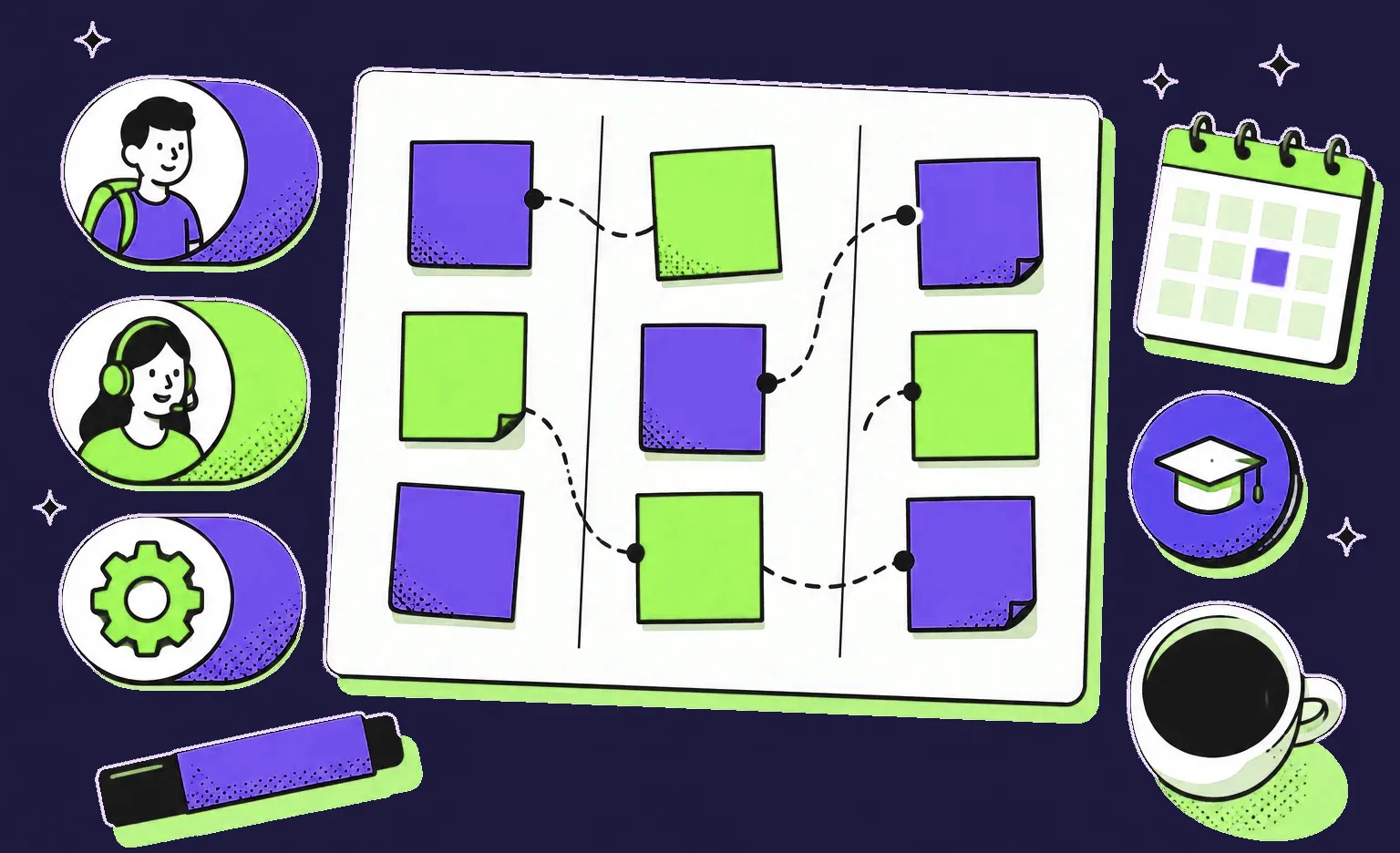
- Three roles: we listed the needs of students, tutors, and admins and drew a journey map for each. A student describes an academic problem, an admin assigns a matching tutor, and the student takes a trial lesson to decide whether the tutor fits.
- Versions: we broke the product into features and, together with the client, chose the first version around personal tutor matching and one-on-one lessons. The rest waits for later releases.
- Business rules: written rules for scheduling, cancellations, and disputes. Rules for money set how payments are held, charged, and refunded, so students and tutors know what happens with their money.
- Format and integrations: we suggested web interfaces for all three roles, with the student side adapted to phones, and ready-made services for payments, video lessons, calendar sync, and support chat: Stripe Billing, the Zoom SDK, the Google Calendar API, and Intercom.
From the prioritized feature list, we prepared the estimate of cost and timeline.
How much does education software development cost?
For a school or a company, an education platform with courses, content protection, payments, and analytics starts from $20,000 with a timeline of at least 8 weeks. A training and certification LMS for your own staff is internal business software and starts from $15,000 with a timeline of at least 6 weeks. Both prices cover one platform and include design, project management, testing, and the integrations the product needs. The table below lists our prices, from the analysis phase to support after launch.
| Scope | Price | Timeline |
|---|---|---|
| Optional analysis phase: roles, user stories, feasibility, and a scope document with budget and timeline | $1,000 to $2,000 | 1 week |
| First version that tests one course or one learning flow with real learners, as a basic MVP | From $5,000 | At least 2 weeks |
| Education platform for a school or a company, such as a course platform or a self-learning app, with content protection, payments, analytics, and integrations with your systems | From $20,000 | At least 8 weeks |
| LMS for training and certification: courses, online lessons, and progress tracking | From $15,000 | At least 6 weeks |
| Cross-platform mobile app for iOS and Android next to a web education product | From 50% of the web product's price | Depends on scope |
| Marketplace where students pay tutors or course authors | From $20,000 | At least 8 weeks |
| Support after launch for the whole system, mobile apps included: monitoring, fixes, and updates | From $2,000 per month | Ongoing |
| Support after launch for one app, web or mobile, instead of the whole system when only that app needs care | From $1,000 per month | Ongoing |
For example, take a company's web training app that signs employees in through the company account and takes the org chart from the HR system. It is an internal training system, so it starts from $15,000, and that sum already covers its design, both integrations, testing, and project management. If the scope is not written yet, the optional analysis phase comes first, at $1,000 to $2,000. A mobile app for the same employees would add from $7,500, half of the web price.
Four things move the price up: the number of roles, the integrations with your systems, the payment and access rules, and moving existing courses and learner records into the new product. After launch, new features are priced as development work on top of support, and the cloud bill goes to your own account.
How to build education software, step by step
Build education software in seven steps, from choosing your first learners and course to release and support. The written scope and the check of privacy and accessibility rules come before design. Test the product with a real group of learners before the wide release.
- Name the learners and the first course. The owner decides who uses the first version, what they learn, and how the product earns money.
- Write the scope. The business analyst maps each role, splits the features into versions, writes the rules for payments and access, and prepares the estimate. With us, this is the analysis phase; it is optional if your team has already written the scope.
- Check the rules. The owner and a lawyer confirm which privacy and accessibility rules apply, so the team designs sign-up and data storage around them. You can give the lawyer the roles and rules that the business analyst wrote down in step 2.
- Design the screens. The designers draw the screens for each role, starting with the ones learners use most.
- Build in short sprints. Our engineers write the code with AI agents and review every change before it is accepted. Every sprint of one to three weeks ends with a build you can open on the development server, such as the course catalog or a new quiz screen.
- Test with real learners. A small group of students or employees takes a real course, and the team fixes what slows them down.
- Release and support. The team releases the web app and submits the mobile apps to the App Store and Google Play, then keeps the product updated.
Our guide to the discovery phase explains the second step in more detail.
How to choose an education software development company
Choose a team that asks about your learners, your content, and how you earn money before it talks about features. A good candidate can also say which part of its past education projects it did itself and whose cloud account and repository your product will live in. Ask each candidate the questions below and compare the answers.
- Relevant work: which education projects can they show, and which part did they do: design, planning, or development?
- Rules: how will the product handle FERPA, COPPA, GDPR, or accessibility if they apply to you?
- Content protection: what can they protect on each platform, and what can they not?
- The estimate: does it name the stack, the team, and the third-party services it assumes?
- Progress: how often will you see working results, and how quickly does the project manager reply?
- Ownership: whose cloud account and repository will the product live in?
Our own answers: the education work we can show you is design and planning, such as UI/UX for education companies and the tutoring platform above. The founder of SYNAPTA, a personalized learning company we designed screens for, wrote on Clutch that our team translated complex ideas into clean screens. Our estimates come with the proposed stack, team, and services, our project managers reply within 24 hours on business days, and the project starts in your cloud account. The repository is created in your organization or moved to you from ours on request.
What to do next
- Write down your learners and your first course. Who uses the first version and how the product earns money.
- Test two or three ready-made tools. If one of them fits, start with it.
- List the rules that may apply. Student records, children under 13 or 16, or accessibility for public schools.
- List the systems the product must connect to. An HR system, single sign-on, a student information system, or payments.
- Budget for the whole system. The product with its design, payments, analytics, and integrations with your own systems, a mobile app if learners need one, support after launch, and the analysis phase if you want one.
If no ready-made learning platform covers your courses and roles, send these notes to every team that quotes the build.


Frequently Asked Questions (FAQs)
What is education software?
Education software is software built to help people learn or to manage their learning. It covers learning management systems, training apps for employees, course and tutoring platforms, self-learning apps, student portals, and tools for live online lessons. Schools, universities, companies, and education startups use it in different ways, so the same category can mean very different products.
What is an education app?
An education app is a mobile or web app built for learning: courses, practice, tests, live lessons, or the schedule and progress around them. Some are self-learning apps for one subject, such as a language. Others are the mobile side of a bigger system, such as the student app of a school platform or a company training program.
What is the best education software?
There is no single best product, because a school, a training team, and a course business need different things. Start with the job: a learning management system for courses and progress, a student information system for school records, a course platform for selling lessons. Test two or three ready-made tools against your own roles and content. If none of them fits how you teach or sell, custom software is the next step.
How much does it cost to develop education software?
With us, a course platform with payments and content protection, built for a school or a company, starts from $20,000 and takes at least 8 weeks. A first version that tests one course with real learners can start as a basic MVP from $5,000 and 2 weeks. An LMS for training and certification inside a company, with courses, online lessons, and progress tracking, starts from $15,000 and takes at least 6 weeks. Each price covers one platform, the web or one iOS and Android app, and already includes design, project management, testing, and integrations with your systems, such as single sign-on or an HR system. A mobile app next to the web product adds from half of the web price. An analysis phase before the build is optional and costs $1,000 to $2,000 for 1 week. A marketplace where students pay tutors or course authors is a complex product too and starts from $20,000; payouts and seller roles move its estimate up.
How do you build an education app?
Name the learners and the first course or skill, then write down each role, the features for the first version, and the rules for payments and access; our optional analysis phase can do this for you. Choose between a web app and a mobile app by where people will use it. Design the screens, build in short sprints that end with something you can try, test with a small group of real learners, and then release.
Does education software have to comply with FERPA and COPPA?
It depends on who uses it. FERPA covers education records at US schools and universities that receive funds from the US Department of Education, and a vendor that handles those records as a school official works under the school's direct control. The FTC COPPA Rule covers commercial online services that are directed to children under 13, or that know they collect personal information from such children. A lawyer should confirm which rules apply to your product before you start building.
Can an education app stop users from taking screenshots?
Partly. On Android, an app can mark a screen as secure so it does not appear in screenshots. On iOS, an app is told that a screenshot was taken or that the screen is being captured, and it can react, for example by hiding a video. No setting stops someone from filming the screen with a second phone, so watermarks with the user's name and strict access rules do more of the work.
Who owns the code of custom education software?
You do. The project starts in your own cloud account, and the code belongs to you. The repository is created in your organization, or in ours with a transfer to you on request, so you can move the product to another team or to your own developers without rebuilding it.