Estimate Project

AI chatbot development services

We build a custom AI assistant into your website, web app, mobile app or messenger. It runs on the OpenAI, Claude or Gemini API or an open-source model, not a no-code bot platform. We connect it to your data and set your rules in prompts and checks. It hands the conversation to your team when a rule says so or the model gives no answer.

Support, sales and in-app chatbots we build

We build assistants for three jobs: customer support, lead qualification and in-app guidance. We also build AI agents as separate projects.

Customer support assistant

Answers general and product questions from your own data, so your support team spends its time on cases that need a person. When your rules say so or the model cannot answer, the question goes to your team with the whole conversation.

Lead qualification for your sales team

Asks website and app visitors the questions your sales team would ask, collects contact details and recommends products. The qualified lead goes into your CRM, so sales sees the answers before the first call.

In-app guidance assistant

Helps a user finish a task inside your product in conversation, such as building a plan or a report instead of filling in a long form. The assistant runs the steps for the user in the conversation.

Our projects

These are assistants and AI chat screens from published Ronas IT projects, including our own open-source app.

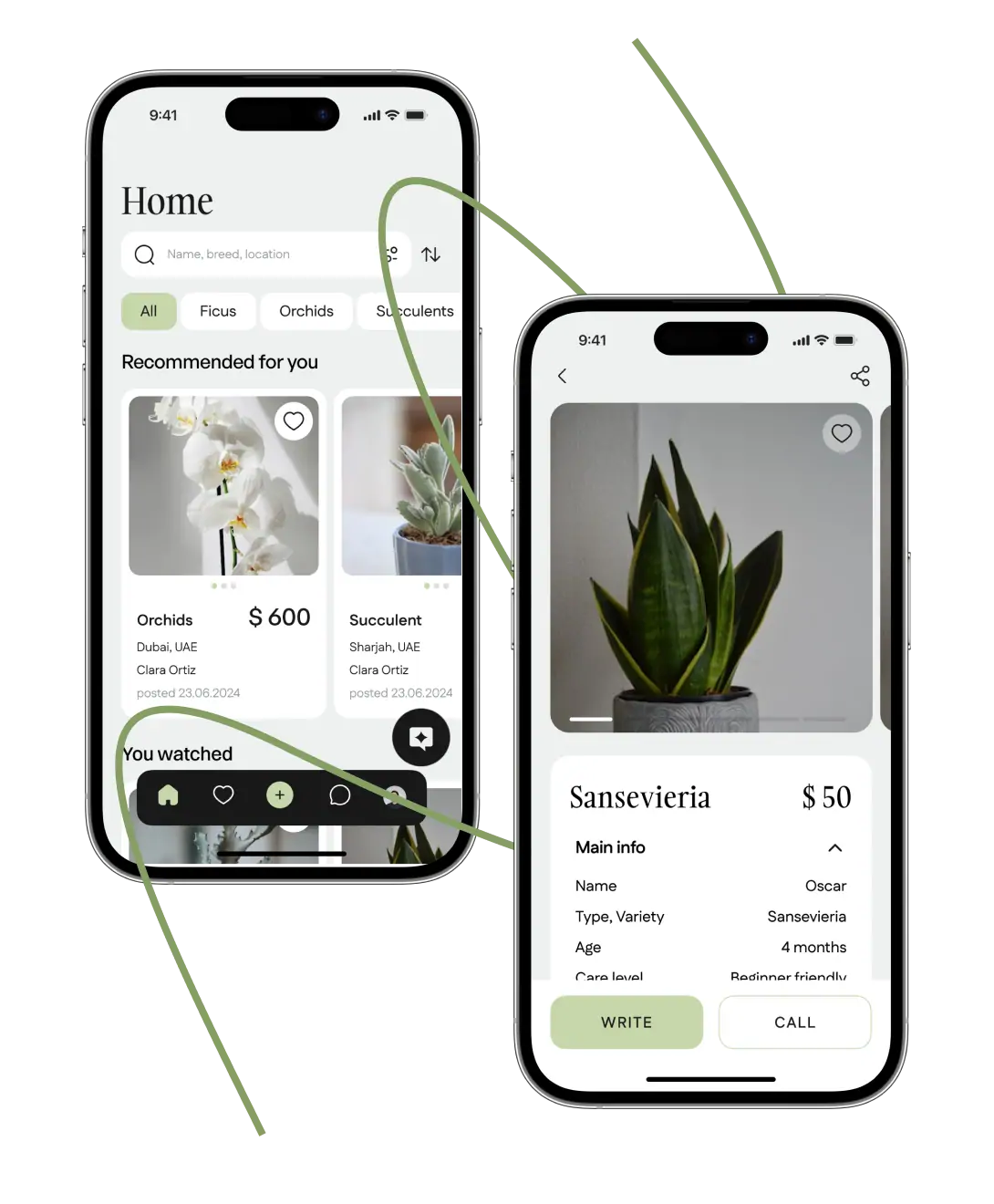
Plant marketplace app on two phones showing a product listings feed and a plant detail page.

Plant marketplace, UAE

We built a cross-platform marketplace app in which an assistant on the OpenAI API helps buyers find plants that match their preferences. Buyers ask it about plant care from a plant's page or in a separate chat, and it suggests alternatives when a plant is not for sale.
View case
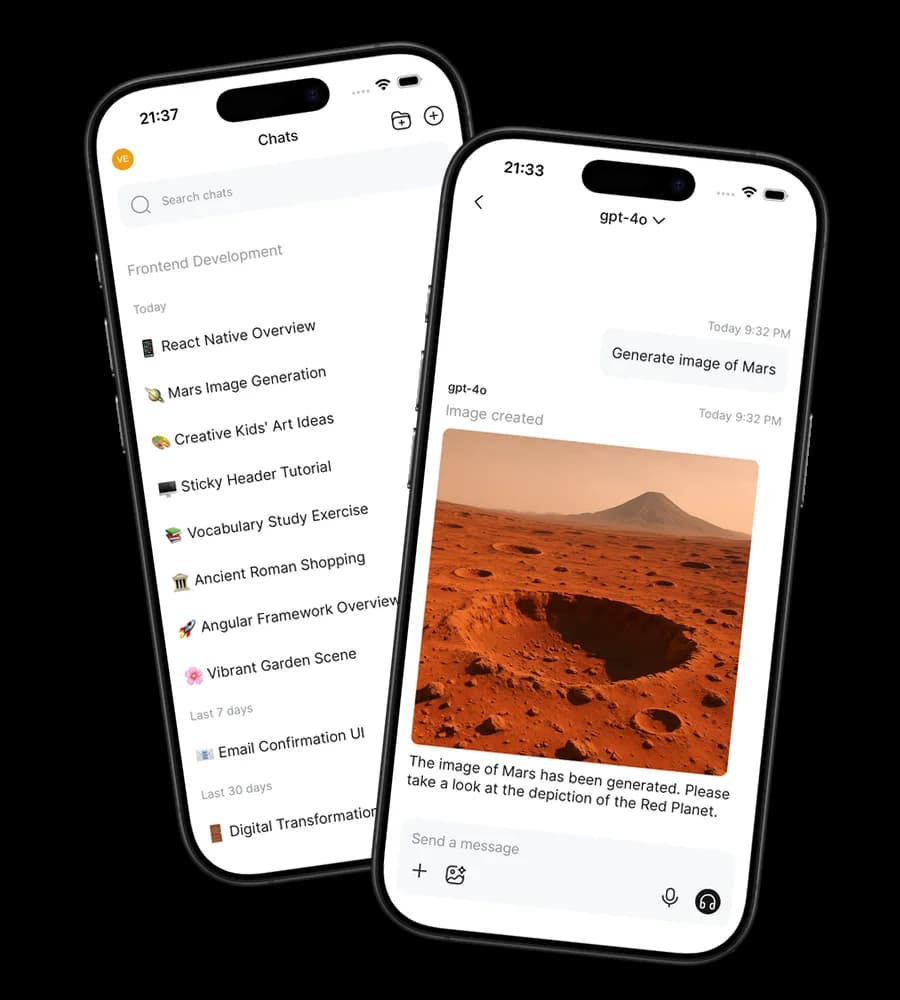
Open MobileUI app on two phones showing a chat with an AI assistant and the list of chats.

Open MobileUI

We built and ship Open MobileUI, our own open-source React Native client for OpenWebUI. It is in the App Store and Google Play, and its code is public on GitHub under the GPL-3.0 license.

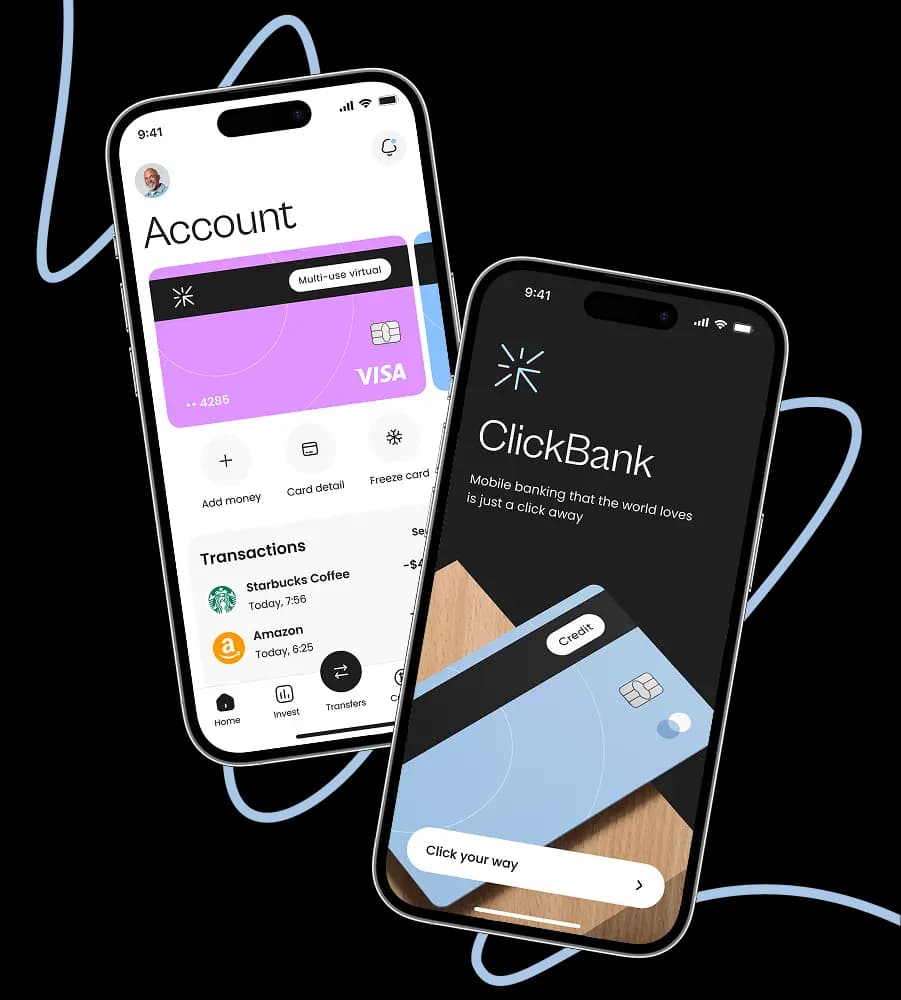
Neobank app on two phones showing an account screen with a virtual card and an onboarding screen.

Neobank app, UAE

We designed an AI assistant chat for a neobank app concept. It lists the user's monthly subscriptions with the money spent, finds the nearest cash machines and takes voice messages that turn into text. The project paused after the design stage.

View case
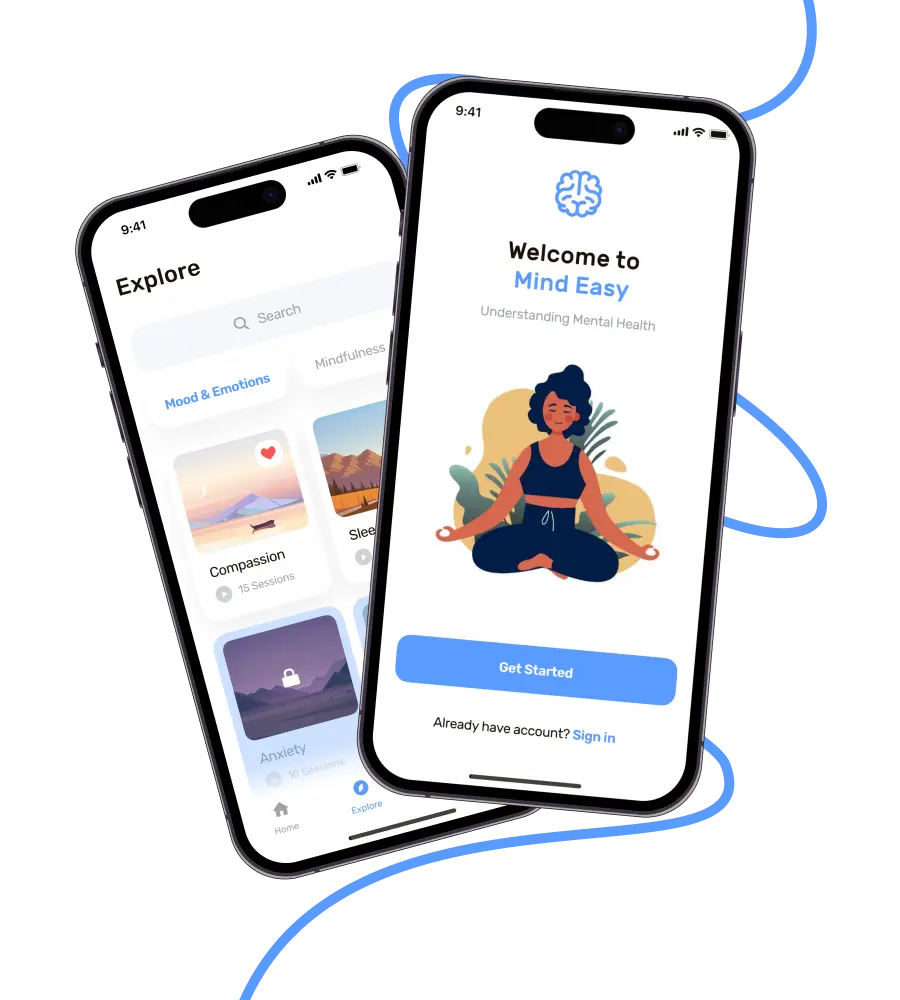
Mental wellness app on two phones showing a welcome screen and a library of mindfulness sessions.

Mind Easy

We designed a new version of the Mind Easy mental health app with the chatbot Olivia: users talk to it from the home screen and move around the app by voice. The app already existed, and development stayed with the client's team.

View case

Web, mobile and messenger channels

The assistant works where your users already are: on the web, in mobile apps and in messengers.

Websites and web apps

A chat inside your web app or on your site answers visitors on the page they are reading, so they get help without leaving it or writing an email. We add it to an existing product or build it into a new one with our web app development team.

Mobile apps

The assistant lives inside your iOS and Android app, cross-platform or native, so users ask questions without leaving the app. Answers can arrive as chat messages with push notifications, so users see a reply even after they close the app. We build cross-platform apps with our React Native development team.

Messenger bots

A bot in Telegram, WhatsApp, Slack or any other messenger with a bot API reaches customers in an app they already use, with nothing new to install.

Integrations and data sources

The assistant answers from your own systems and writes its results to your CRM and support tools, so your team does not copy data by hand.

Your databases

The assistant reads records from your product's database, so its answers use your current data rather than an outdated copy.

CRM and support tools

The assistant reads customer records from your CRM and support tools and writes results there, such as a qualified lead in the CRM.

Other business systems

The assistant connects through an API to other systems the job needs, so its answers can also use data from those systems.

User permissions

Your application checks permissions before data reaches the model or an action runs, so the assistant uses only what that user may see and do.

Handover to a person on your team

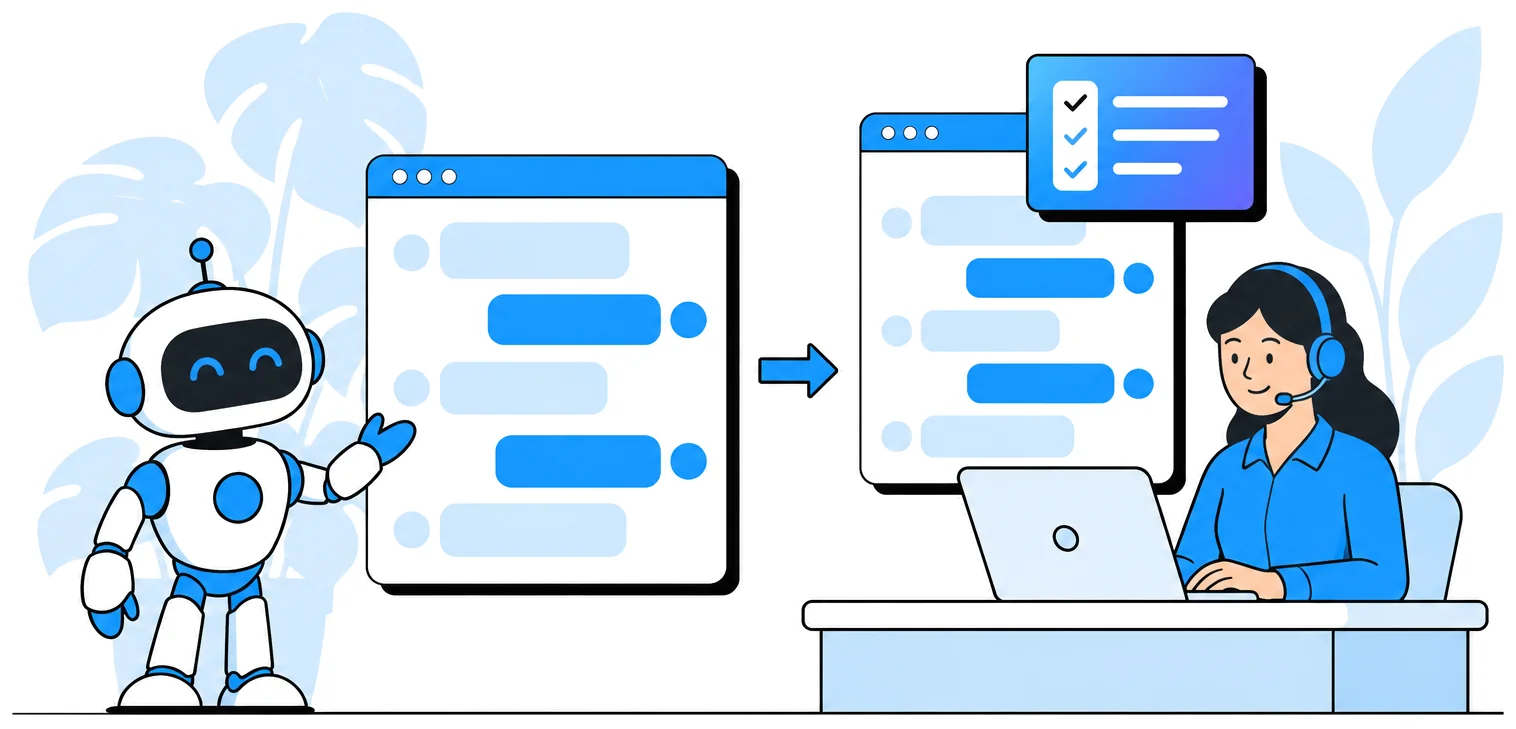
The assistant hands a conversation to a person when your rules say so or when the model cannot produce an answer.

Your team member continues in the same conversation and sees everything the customer has written, so the customer does not repeat the question. The assistant can also add a short summary of the request, so the person who takes over knows what is needed before reading the history.

You set the rules, for example a topic the assistant should not answer, a customer who asks for a person, or a question outside the data it reads. The conversation goes to a support employee in your support tool or to a manager in the site chat.

A support agent takes over a chat from an AI assistant and reads the conversation history with a short summary of the request.

Model choice, guards and data handling

We choose the large language model (LLM) for your budget and task and put guards around it.

Any model provider

We work with OpenAI, Anthropic Claude, Google Gemini and open-source models. We choose by your budget, the task's complexity, the input types such as images or video, and the features the assistant needs.

Self-hosted models and fine-tuning

We run open-source models on servers you control, for example when an API costs too much at your volume. We fine-tune a model when prompts alone do not give the answers you need.

Prompt engineering

Prompts set the assistant's tone, topics and length limits and give a fixed reply to out-of-scope questions. This is a large part of the work. Prompts are versioned, and your team can edit them in the admin panel.

Guards around the model

Code around the model allows only one pending answer per chat and sets a time limit for each request type. It treats a safety-filter stop or an empty answer as a failed call, so the app handles the failure instead of showing it as an answer.

Running costs before the build

We work out the model running costs from expected token counts and provider prices before we build, so you choose a model with an estimate of what it will cost to run.

Data and provider terms

A hosted model processes your data under its provider's terms, so those terms are part of the model choice. A self-hosted model keeps the data on your servers.

How we build your assistant

Six steps take the assistant from scope to support, and its answers are checked on your own examples before launch.

  • 1

    Scope and estimate

    We agree on the job the assistant does, its channels, the systems it reads from and the rules for handing over to a person. You get an estimate of the cost and timeline.

  • 2

    Conversation design and prompts

    We write the conversation flows, including replies for questions the assistant should not answer, and the prompts that set its tone and limits. The guards around the model are defined at this step too.

  • 3

    Chat interface design

    Our designers create the chat screens for your web app, mobile app or messenger flow so they match the rest of your product.

  • 4

    Model choice and answer checks

    We agree with you on a test set of real questions and the answers you expect, then compare models and prompts on it. We fine-tune a model where prompts are not enough. We move to the next step when its answers pass your examples.

  • 5

    Integration and testing

    We connect the assistant to your databases, CRM and support tools, add the permission checks and cover the model calls with automated tests, including tests for provider failures.

  • 6

    Launch and support

    We release the assistant in the agreed channels and keep improving its answers after launch, using the reports from your team. Support terms and response times are agreed in the support agreement.

Our AI chatbot tech stack

We build the assistant on Laravel or Python and connect it to the model provider your task needs.

Model providers

OpenAI, Claude, Gemini and open-source models, called directly or via OpenRouter, a gateway that lets us switch models without rewriting code.

Backend

Laravel and Python. In Laravel, the neuron-ai framework and queued model calls with timeouts, so a slow model does not stall the app.

Web

Next.js for web AI features, with model calls made only on the server, so your API keys never reach the browser.

Mobile

React Native for cross-platform apps, plus native iOS and Android apps, with replies delivered as chat messages and push notifications.

Chat backend

Where your backend is Laravel, our package ronasit/laravel-chat can run the conversation, so the assistant reuses chat code that already works.

Admin panel

The admin panel your product already has, Laravel Backpack or a custom one, where your team manages prompts.

Pricing

We price an assistant inside your existing product as one AI feature. A new product built around AI is priced as an AI product from scratch.

AI integration and agents

Starting at

$3,000 per AI feature

Timeline

From 1 week

  • One AI feature in an existing product, such as a support chatbot or recommendations
  • Assistants, agents and MCP servers
  • Design of new screens is included
Get a Free Estimate

AI leadership

Evgeny Leonov, CTO at Ronas IT

Evgeny Leonov

CTO, Ronas IT

Evgeny Leonov, CTO of Ronas IT, leads our AI work and has guided more than 120 apps from idea to release.

Before we write code for an assistant, we work out what each answer will cost on the models that fit the task. A client should see an estimated model bill before launch, not a surprise after it.

Then we check the answers on the client's own questions. An assistant that sounds right is easy to build. One that is right on the client's data is the real work.

Related articles

AI-based knowledge management system: Basic overview, benefits, and implementation advice.
Tech
How AI-based knowledge management systems help companies improve performance
2023-08-31 • 14 min read
A hands-on guide on integrating AI into existing business processes
How to
Integrating AI into existing business processes: A hands-on guide for entrepreneurs
2025-09-17 • 15 min read
Building a React Native chat app
Tech
Building a chat app with React Native
2026-08-04 • 14 min read
A thorough guide to creating a custom AI agent for businesses
How to
How to build a custom AI agent from scratch: navigating the 6 key steps
2025-08-17 • 21 min read

FAQ

How much does it cost to develop an AI chatbot?

An assistant inside your existing product costs from $3,000 per AI feature. That price covers one AI feature, such as a support chatbot, and the design of its new screens. The final figure depends on the channels, the systems the assistant connects to and the size of the test set its answers must pass. We also estimate the model running costs before the build.

How long does it take to build an AI chatbot?

One AI feature in an existing product takes from 1 week. A separate analysis phase comes first only if you want one, and it adds to the timeline. We give you the timeline together with the estimate, once we agree on the scope.

Can I build my own AI chatbot instead of hiring a team?

Yes, and for a simple FAQ bot a no-code bot platform is often enough. A team is worth it when the assistant must read your database, respect user permissions, write leads to your CRM and hand conversations to your staff. That work is backend integration, prompt engineering and answer testing.

Can you add an assistant to an app another team built?

Yes. We add the assistant to your existing web or mobile product through its backend and API, and connecting to that API is part of the AI feature price. We start by reviewing how your product stores and serves data, because the assistant reads through the same rules. The chat screens are designed to match your current interface.

Does the assistant learn and improve after launch?

It improves through our release process rather than on its own. When your team reports a wrong answer, we add the question to the test set, change the prompt, data or model, and check the fix against the whole set before release. Prompts are versioned, so each change can be compared with the previous one.

Who owns the assistant's code and prompts?

You do. We create the repository in your organization on GitHub, Bitbucket or GitLab, or keep it in our GitLab and move it to you on request. The handover of code and access is written into our standard contract. The prompts are stored in your product's database and edited in your admin panel, so they stay with the product.

Send us what the assistant should do, and we will reply with a rough estimate and the questions we need answered first.