E-learning platform development: how to build one platform for online, live, and in-person training


E-learning platform development means building the web product, and often a mobile app, where learners take courses and you track their results. A custom e-learning platform starts at $20,000 and takes at least 8 weeks. The same platform can also run live online classes and in-person sessions and take payment. Before the build, an optional paid analysis phase can turn your idea into a feature list and an estimate.
This guide is for training companies, course businesses, and teams inside larger organizations that plan their own platform. It explains which type of platform you are building, what each user needs, how live and in-person training fit next to online courses in one blended learning platform, and what the build costs. For the service itself, see our education app development page.
Which type of e-learning platform you are building
The type decides who pays, who creates the content, and which features come first.
| Type | Who uses it | What the software must handle |
|---|---|---|
| Course business | You sell your own courses to learners | Course catalog, checkout and subscriptions, access rules, content protection |
| Course marketplace | Many instructors sell their courses to learners | Instructor accounts, payouts to instructors, reviews, course moderation |
| Training for staff or partners | Employees, partners, or client teams you train | Single sign-on, assigned learning paths, completion reports, certificates |
| Live tutoring or coaching | Learners book time with a tutor or coach | Tutor matching, calendars, video lessons, payment held until the lesson happens |
Training for staff is a typical job for a learning management system (LMS). If that is your case, our guide to custom LMS development compares the cost of your own LMS with a subscription, and the LMS requirements checklist covers what to define before you buy or build one.
When a ready-made platform is the better choice
A ready-made product is the better choice when your courses are videos and quizzes and one checkout is enough: a hosted course platform or an open-source LMS such as Moodle costs less and starts faster. Build your own platform when the way you teach or sell does not fit one. A custom build pays off in these situations.
- Mixed formats in one record: online lessons, live classes, and in-person workshops must show up in one learner history and one report.
- Your own way of selling: for example, company seats and single courses in one catalog, or a free trial lesson before a paid package.
- Connections to your systems: the platform has to read from or write to your HR system, CRM, or booking system, and the ready product does not connect to them.
- The platform is the product: you plan to sell access to the platform itself to other schools or companies.
“When someone asks us to build a course platform, the first thing we ask is what the ready ones do not let them do. If the answer is a logo and colors, we suggest a ready product. If the answer is something their business depends on, that part is worth building, and the rest of the platform can stay simple.”
Roman Surikov, CEO at Ronas IT
Features an e-learning platform needs
Each role needs its own set of screens: learners take courses, trainers create them and run sessions, and admins manage users, money, and reports. Start with what every learner and trainer uses each week, and leave the rest for later versions.
Learners
- Account and profile: quick sign-up, and a profile that keeps courses, certificates, and payments in one place.
- Course catalog: search and filters by topic, format, and date, with a clear mark on which courses have live or in-person parts.
- Course player: video, text, files, and quizzes, with progress saved so a learner can stop on a laptop and continue on a phone.
- Schedule: live classes and in-person sessions in one list, with reminders.
- Progress and certificates: what is done, what is next, and a certificate at the end.
Trainers and instructors
- Course builder: upload lessons, add quizzes, and reuse a lesson in more than one course.
- Session management: create a live class or an in-person session, set the number of seats, and see who signed up.
- Grading and feedback: check assignments, leave comments, and record results from in-person work.
- Messages: a discussion for each course and direct messages with learners.
Admins
- Users and roles: add trainers, group learners, and give company clients their own space.
- Sales and payments: single courses, subscriptions, company seats, discounts, and refunds.
- Reports: enrollments, completion, attendance, and revenue by course.
- Content protection: access rules tied to the enrollment and watermarks on paid material.
Interfaces for these roles take design work of their own. Our e-learning platform design concept shows one way to arrange course descriptions, reviews, and subjects on one page.
How online, live, and in-person training fit in one platform
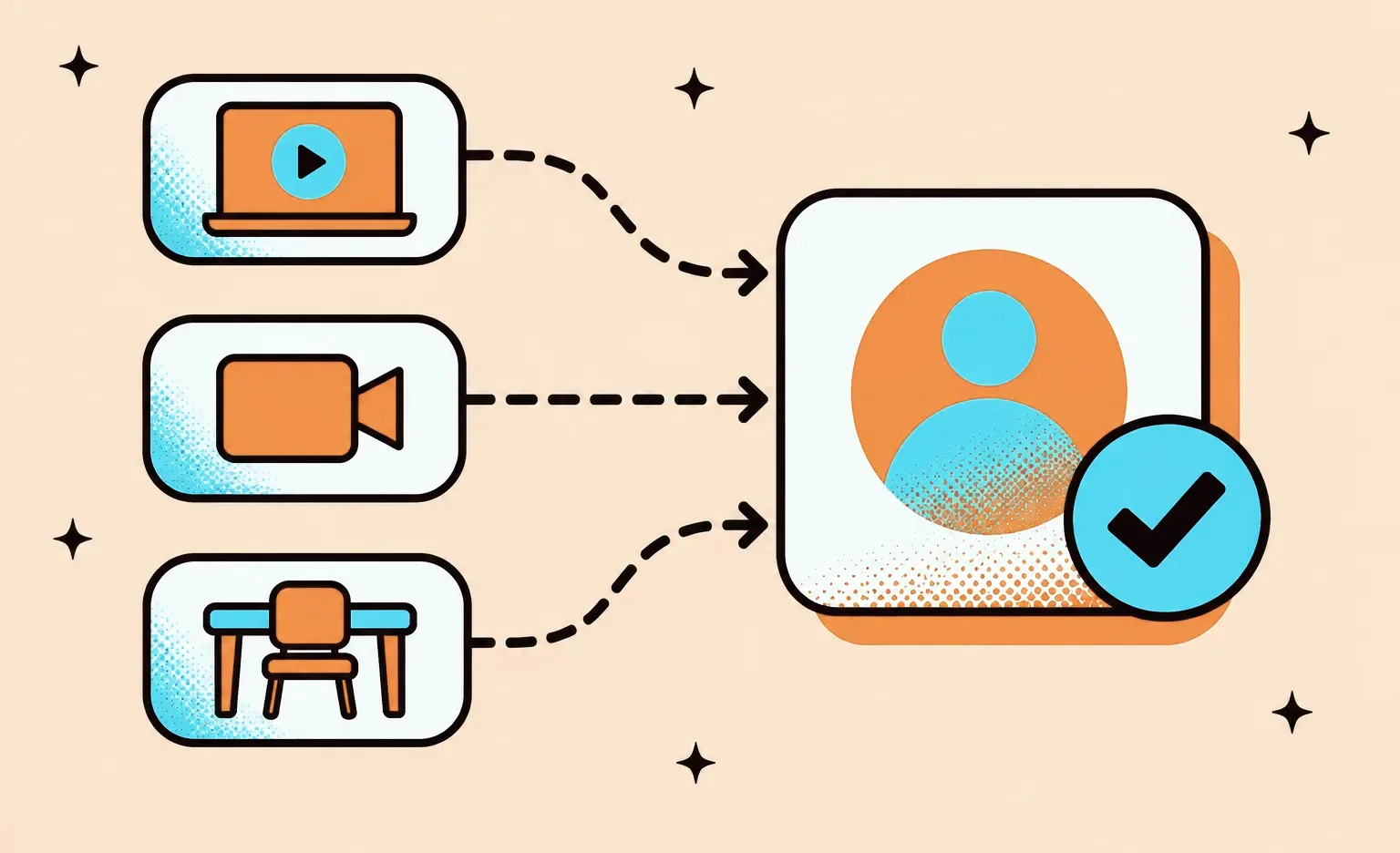
One platform can run all three parts of blended training when each part writes to the same learner record. A learner watches a lesson at home, joins a live class online, and attends a workshop in person, and the trainer sees one history for all three.
Self-paced online courses
Lessons, videos, files, and quizzes live in the course player. Video with sound needs captions: WCAG 2.2, the accessibility standard of the W3C, asks for captions for the audio in prerecorded video at Level A and in live video at Level AA. If you plan to buy ready courses, ask the seller which package format they come in before the build starts, because the course player has to open it.
Live online classes
There are three ways to add live video, and they differ in how much work they take and how much control they give over the class screen.
- Link to a meeting tool: the platform stores the class time and sends each learner a meeting link. This is the fastest start, but the class happens outside your platform, and attendance has to come back through the tool's API or by hand.
- Embed meetings: the Zoom Meeting SDK shows the Zoom meeting and webinar experience inside your own app or website. Learners stay on your platform, and the class screen looks like Zoom.
- Build your own video screen: the Zoom Video SDK provides video, audio, screen sharing, and chat as a service, and your team builds the screens around them. This gives full control and takes the most work.
“Before you choose how to run the video, write down what the platform has to know after each class, for example who came, who missed it, and what the trainer noted for each learner. That data goes into the same learner record as the online lessons and the in-person sessions. Then judge each video route by how this data gets back to the platform, not only by how the call looks.”
Evgeny Leonov, CTO at Ronas IT
In-person sessions
The in-person part needs features that a course player does not have. Each session has a place, a date, a seat limit, sign-up with a waiting list, and reminders. On the day, learners check in, for example with a QR code that the trainer scans. After the session, the trainer records attendance and results. To keep in-person activity in the same record as online work, the platform can send each activity to a learning record store in the xAPI format. The IEEE 9274.1.1-2023 standard, based on xAPI 1.0.3, covers activities experienced by an individual or a group, so a workshop fits next to an online quiz.
One schedule for all three
Learners and trainers need one calendar with live classes and in-person sessions together, synced to the calendars they already use. Admins need the same view with rooms and trainers, so two sessions never book the same room or the same person at the same time.
Architecture and tech stack
An e-learning platform is a web application with a backend, storage for video and files, and often a mobile app, and all parts share one API. The table shows what we choose by default for such a platform. Each part can change when a client already runs its own tools.
| Part | What it does | Our default choice |
|---|---|---|
| Web app for learners and trainers | Course player, schedule, profiles | React, or Next.js where pages must be found in search, such as the course catalog |
| Admin panel | Users, courses, payments, reports | Laravel Backpack or Laravel Nova |
| Backend and API | Accounts, enrollment, sessions, payments | Laravel with PostgreSQL |
| Real-time features | Chat and notifications during a live class | Laravel Reverb |
| Video and files | Store and serve lessons | Cloud storage such as Amazon S3 |
| Search | Search across courses and lessons | Elasticsearch, when the catalog is large |
| Mobile app | Offline lessons, push reminders, check-in | React Native with Expo |
A mobile app is worth adding when learners need lessons without an internet connection or push reminders; otherwise a web app that works well on phones is enough for the first version.
Learner data and AI across online, live, and in-person training
A blended platform keeps more personal data than a course player: progress and test results, recordings and chat from live classes, check-ins at a venue, and, in company training, records tied to each employee. Plan who may see each kind of data and how long it is kept before the build starts. AI features then add a model provider to the list of services that receive learner data.
Protecting learner data
For learners in the EU, the GDPR sets the main rules, and EU countries can add stricter ones for employee data. In the US, state privacy and breach notification laws apply, and FERPA joins them when the platform serves schools or universities. In practice, the platform needs:
- A contract with every service that handles learner data: under Article 28 of the GDPR, this covers the video provider, the email service, and the AI model provider.
- The security measures Article 32 names: encryption of personal data, the ability to restore it after an incident, and regular testing. For a training platform, this means encrypted video and files, trainers who see only their own groups, and backups that the team restores in tests.
- A plan for breaches: the GDPR asks you to notify the regulator within 72 hours where feasible, and California has required notice to affected people within 30 calendar days since January 1, 2026, under Civil Code section 1798.82. An audit log of who opened which records shows the scope of a breach quickly.
- Rules for recordings: the invitation to a live class says whether it is recorded, who can watch the recording, and when it is deleted, and the platform deletes it on that date. France's regulator, the CNIL, asks video conferencing tools to tell users which information is recorded and reused.
- Care with online exam monitoring: the CNIL's advice on remote proctoring is to use the data only for the exam, to offer an in-person alternative, and to leave out automatic analysis of the candidate's behavior.
AI features for blended training
The AI features that fit this kind of platform work on what each format produces. For live classes, the video tool can turn speech into captions, a transcript, and a summary for learners who missed the class. Zoom describes these uses of speech-to-text in its AI features and states that it does not use customer audio, video, or chat to train AI models. For self-paced courses, an assistant can answer questions from the course materials and point to the lesson it used, and for in-person sessions, it can draft the follow-up message from the trainer's notes for the trainer to send.
The EU AI Act draws two lines for training products. Since February 2, 2025, Article 5 has banned AI that infers people's emotions in workplaces and education institutions, so a webcam score of how engaged a learner looks is out. AI that evaluates learning outcomes or watches for cheating during tests counts as high-risk, with obligations that apply from December 2, 2027. A trainer who reviews each AI grade before it counts keeps the feature simpler to defend.
How we build an e-learning platform
The first stage decides what goes into the first version and what waits for later, and every estimate after it depends on that list. When the scope is not written yet, this stage is our paid analysis phase, which you can skip if you already have the list. The stages below are our general practice applied to an e-learning platform, from idea to launch.

- Analysis phase. A business analyst describes each user role, writes user stories (short descriptions of what each user needs to do), splits features into versions, and prepares the estimate of cost and timeline. Our guide to the discovery phase explains this stage in detail.
- Design. Designers draw the screens for each role, starting with the course player and the schedule.
- Development in sprints. After each sprint, you can try the new part of the platform on a test server, such as the course player for one role or a quiz with its grading.
- Pilot. One course runs with a real group of learners, including one live class and one in-person session, before the wide launch.
- Launch and support. The platform goes live, and the team fixes issues, updates libraries, and adds the features that waited for later versions.
In a discovery phase for a tutoring platform, where students book video lessons with tutors, our business analyst mapped the needs of students, tutors, and admins, split the features into versions, and wrote business rules for payments, refunds, and cancellations. The plan puts students, tutors, and admins on the web, and makes the student side work on phones instead of building a separate mobile app. It also relies on ready integrations for payments (Stripe Billing), video lessons (Zoom SDK), calendar sync (Google Calendar API), and support chat (Intercom). The platform is not released yet, so the case shows the plan rather than the result.
How much e-learning platform development costs and how long it takes
The starting price of $20,000, with a timeline of at least 8 weeks, covers a web platform with courses and learner accounts, content protection such as watermarks and access control, and connections to payment, analytics, and collaboration tools. Custom design, project management, and testing are part of that price. In the table below, the e-learning platform, the course marketplace, and the LMS are three different starting points; the other rows are added to the one that fits your type.
| Part of the work | Starting price | Timeline | When it applies |
|---|---|---|---|
| Analysis phase (optional) | $1,000-$2,000 | At least 1 week | Before the build, to turn course and role requirements into a written scope |
| E-learning platform | From $20,000 | At least 8 weeks | You sell your own courses or classes, taught by your own trainers or tutors |
| Course marketplace | From $20,000 | At least 8 weeks | Many instructors or tutors sell to learners and get payouts |
| LMS for staff training | From $15,000 | At least 6 weeks | You train employees or partners and issue certificates |
| Cross-platform mobile app | From 50% of the web platform's price | Depends on scope | Learners need an app for iOS and Android next to the web platform |
| Support and maintenance | From $1,000 per month, from $2,000 with mobile apps | After launch | The launched platform needs monitoring, fixes, and updates |
For example, a training company that sells courses, runs live classes through a meeting link, and wants its own design starts from $20,000 for the web platform, with design, project management, and the meeting and payment connections inside that figure. An optional analysis phase before it adds $1,000-$2,000, and an iOS and Android app for the same learners brings the total to from $30,000. Training for your own staff is a different product: an LMS with course management, progress tracking, and certification starts from $15,000.
What to do next
The decisions below shape the estimate more than any feature list, and you can make them before the first call.
- Pick the type. Course business, marketplace, staff training, or live tutoring. The type decides the starting price; for tutoring, the price also depends on whether the tutors are your own staff or sell to learners on the platform.
- Describe one course from start to end. Write how a learner moves from sign-up to the certificate, with every online, live, and in-person part.
- Choose the video route. A meeting link, embedded meetings, or your own video screen.
- List the systems to connect. Payments, calendars, your HR system or CRM, and any courses you already own.
With these answers, the estimate, or the analysis phase if you choose one, can go straight to user roles and versions, and the first version can launch with one video route before the platform grows.


Frequently Asked Questions (FAQs)
How much does it cost to build an e-learning platform?
A custom web platform with courses and payments starts from $20,000, and so does a marketplace where many instructors or tutors sell to learners, though payouts and seller accounts push its estimate higher. An LMS for training your own staff or partners starts from $15,000. These prices already cover custom design, project management, testing, and the integrations the platform needs. An iOS and Android app next to the web platform adds from 50% of the web price. A rough estimate is free, and an optional analysis phase of $1,000-$2,000 ends with a detailed estimate for your platform.
How long does it take to build an e-learning platform?
A web platform with courses takes at least 8 weeks to build, and an LMS for staff training at least 6 weeks. The real timeline depends on the scope. If you order the analysis phase, it adds 1 week before the build. Every one- to three-week sprint ends with a working piece you can check.
What is the difference between an e-learning platform and an LMS?
A learning management system (LMS) is one kind of e-learning platform. It assigns training to people you already know, such as employees, and tracks who finished what. A platform for a course business also has to sell: a public course catalog, a checkout, and subscriptions. One platform can do both, for example when a training company sells seats to other companies and reports completion back to them.
Can one platform combine online courses, live classes, and in-person training?
Yes, if all three parts write to the same learner record. Online courses need a course player, live classes need a video tool, and in-person sessions need seats, sign-up, a check-in on the day, and attendance that the trainer records. The learner and the trainer then see one history instead of three.
Should we use Zoom or build our own video for live classes?
First decide what the platform has to know after each class, such as who came and who missed it, and then compare the three video routes by how that data gets back. A link to a meeting tool is the fastest start, but the platform then learns who attended only from the tool's API or manual entry. Embedded meetings keep learners on your platform. Your own video screen gives full control and takes the most work. Zoom offers an SDK for each of the last two routes.
Does an e-learning platform need a mobile app?
Not always at the start. A web platform that works well on phones lets learners check the schedule and watch lessons without an app. Add a mobile app when learners need lessons without an internet connection, push reminders before a class, or a quick check-in at an in-person session.
How do you protect paid course content?
Tie access to the enrollment, so a lesson opens only for a learner who paid or was assigned the course. Serve video through links that the platform gives only to a signed-in learner and that stop working after a short time, and add a watermark with the learner's name. No method stops a person from filming the screen with a phone, so the goal is to make sharing traceable and inconvenient.
Who owns an e-learning platform built by an agency?
You should. Ask who owns the code, whose cloud account the platform runs in, and how the handover works if you change teams. With us, the platform runs in your own cloud account and the code belongs to you, so a new team takes over the same setup.