Telegram mini apps: The new perspective for digital businesses


The concept of Telegram mini apps has gained traction as businesses seek new ways to engage users. By using Telegram's extensive reach, these apps enable companies to offer custom software solutions, from interactive games and DeFi platforms to productivity tools and e-commerce solutions. In this article, we explain the concept of mini apps, how they work, how to build such an app, and how to find Telegram mini app development services.
What are Telegram mini apps and how did they appear?
Telegram, launched in 2013 by Pavel and Nikolai Durov, started as a secure messaging platform. It focused heavily on user privacy, using end-to-end encryption and self-destructing messages. Over time, it has grown into much more than a messaging app. One of its most significant advancements is the introduction of Telegram mini apps, which open up new possibilities for business integration.
Mini apps started when Pavel Durov announced the idea of using web apps inside the Telegram messenger. The goal was to extend Telegram's functionality without developing standalone apps. By adding web technology directly into the app, Telegram made it easy for users and developers to explore new possibilities and improve what the app can do.
A Telegram mini app or a tApp is a lightweight web app that operates within Telegram's platform. Such apps are built using web technologies like HTML, CSS, and JavaScript. They allow businesses to connect with users through a seamless interface without the need for separate downloads. Mini apps support quick authorization, payments, and personalized notifications. Digital goods and services are sold only for Telegram Stars; physical goods and services are paid through a third-party payment provider, by card, Google Pay, or Apple Pay. A mini app can also connect to The Open Network (TON) blockchain when it needs crypto payments or other blockchain features, but most mini apps work without it.
Difference between a mini app and a Telegram bot
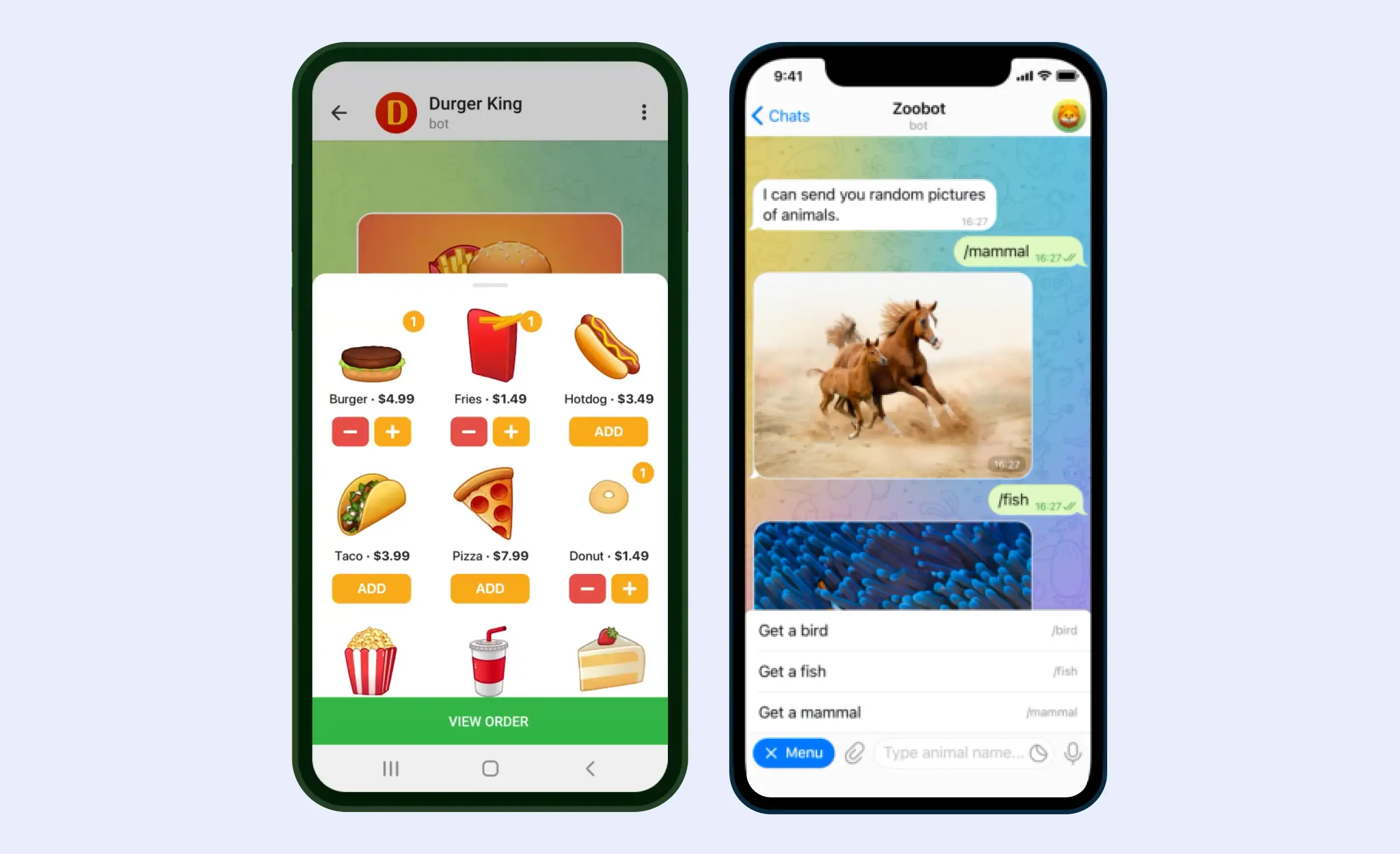
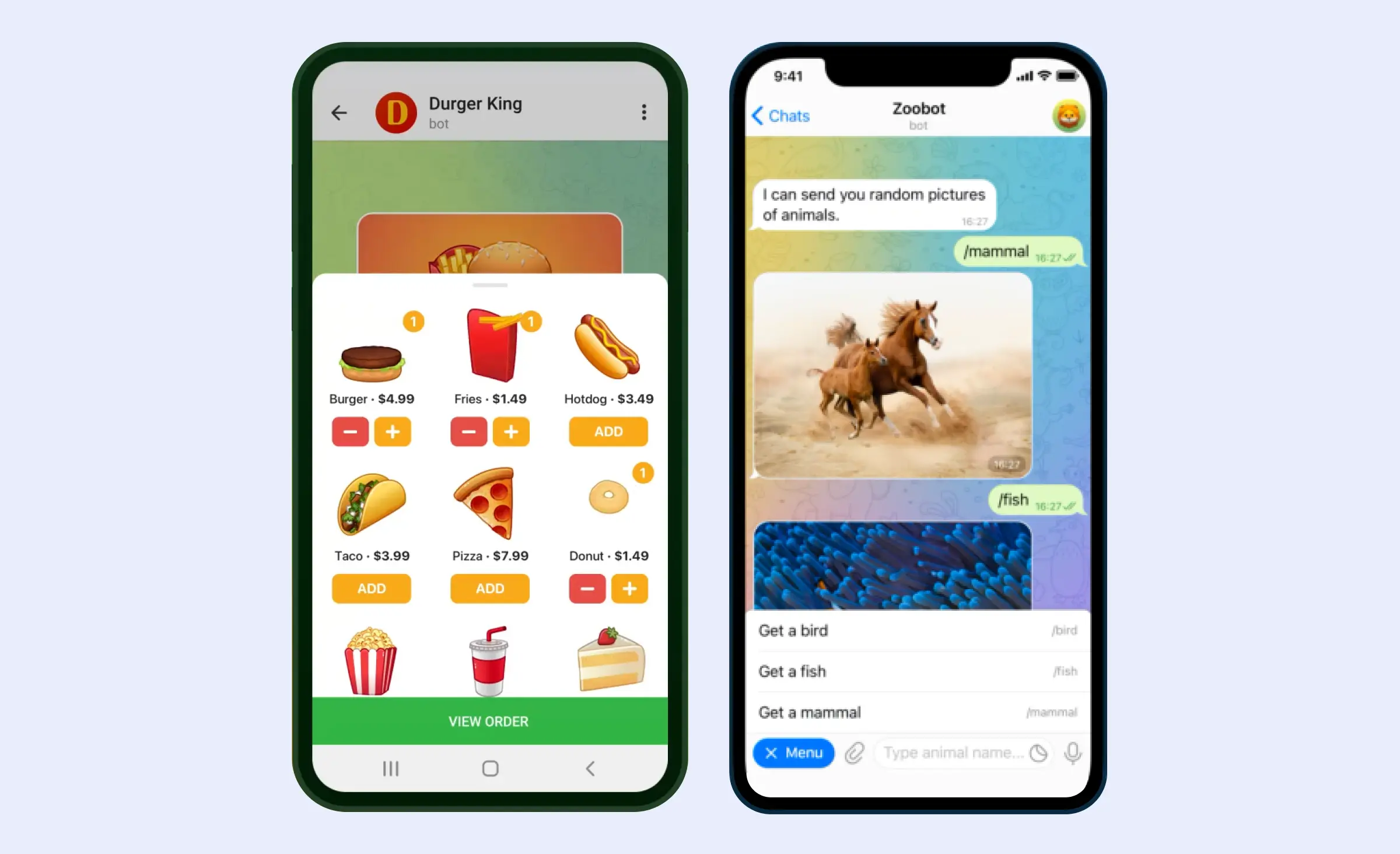
People often confuse Telegram mini apps with Telegram bots, but they're different. Bots focus on text and user commands, offering simple interactions. In contrast, mini apps provide a richer experience with graphics and web features for games, content sharing, and productivity. While they can use bots for extra interaction, mini apps stand out on their own.
Are mini apps worth developing?
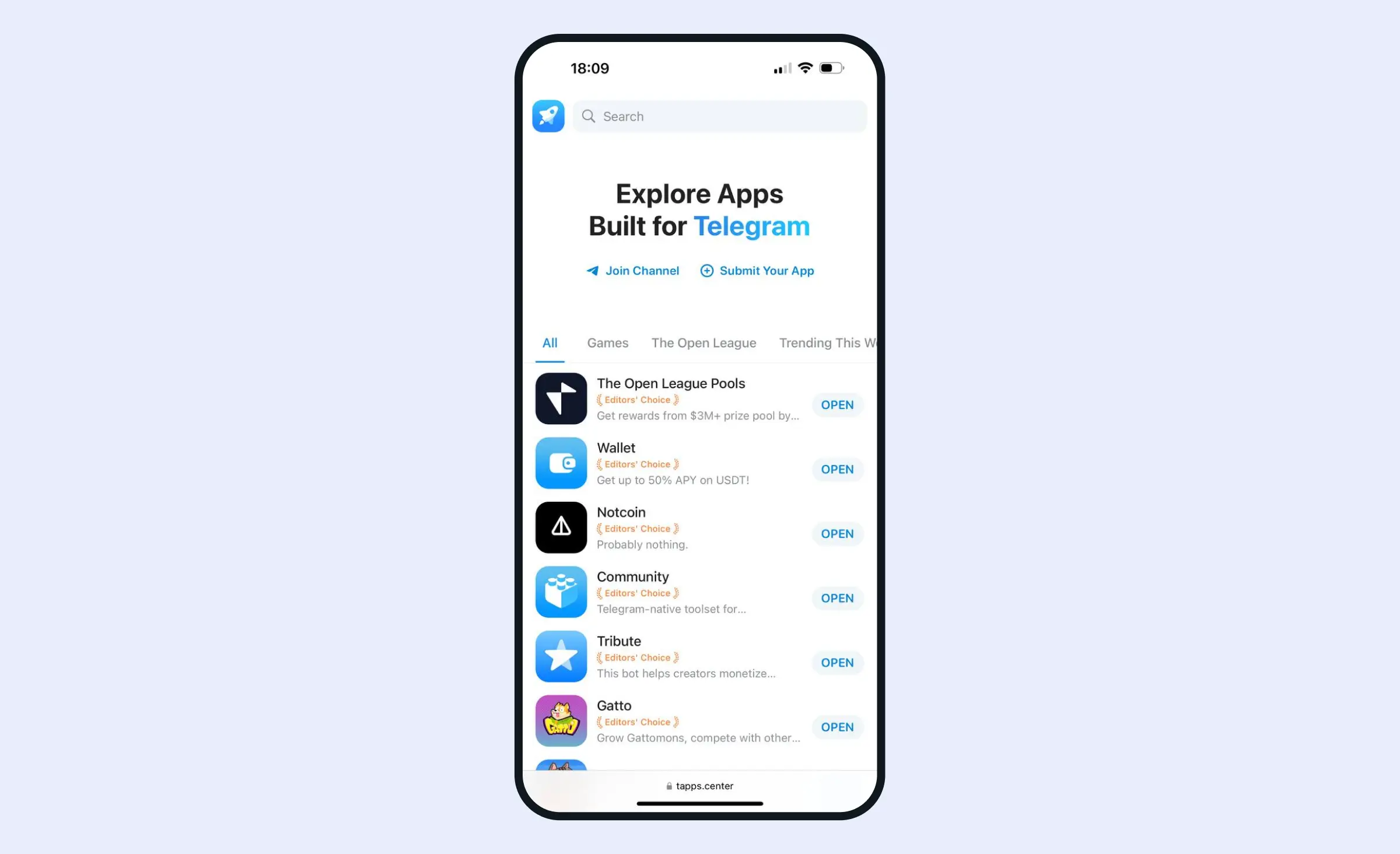
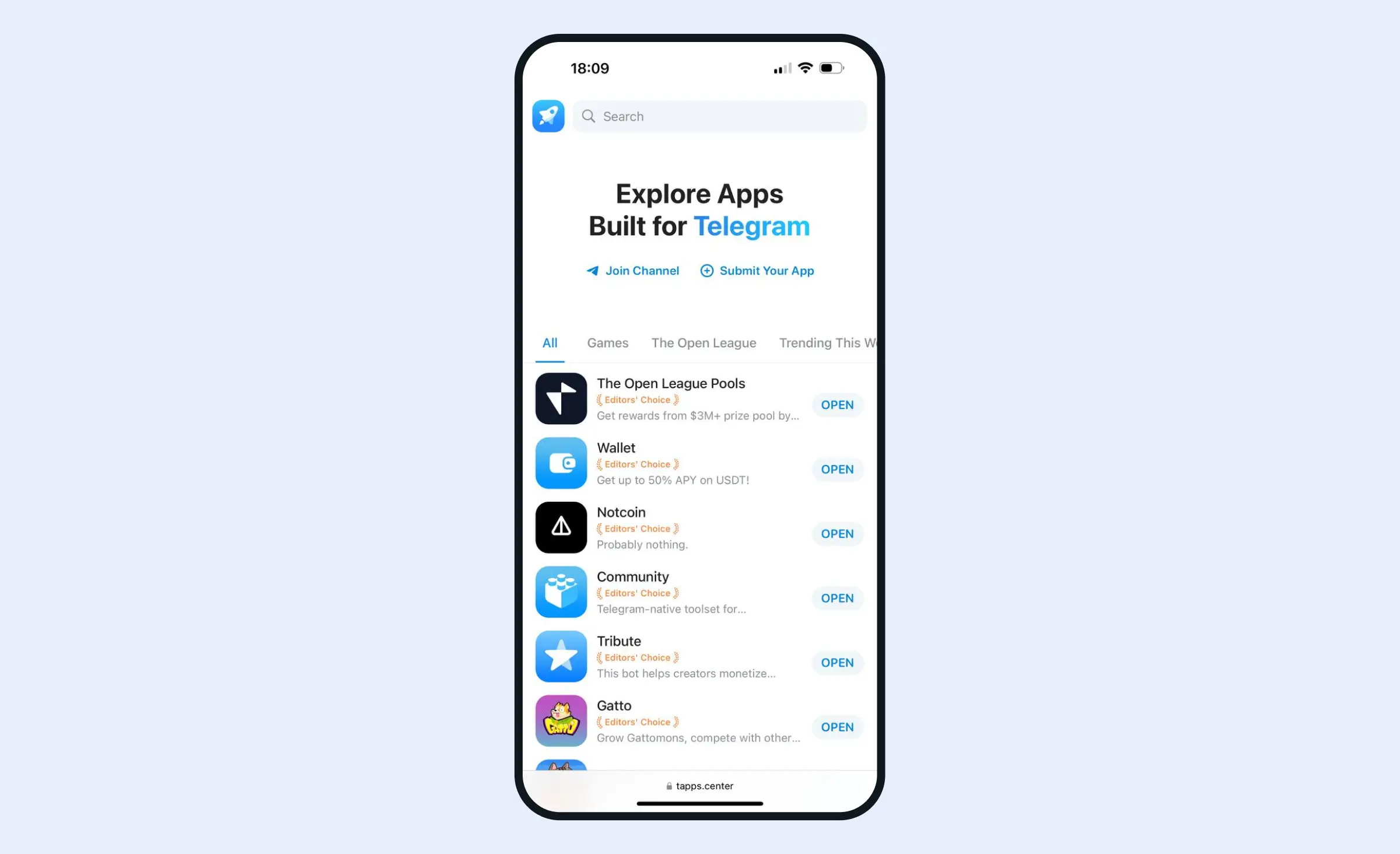
Telegram passed 1 billion monthly active users in 2025, and a mini app reaches those users inside the app they already have, with nothing to install. Telegram also keeps adding to the platform: its Mini Apps 2.0 update brought full-screen mode, home screen shortcuts, subscription plans, and access to geolocation. The community-run Telegram Apps Center lists mini apps from third-party developers. Telegram has also launched its own Mini App Store, which helps developers to distribute their tApps and users to find them. Entrepreneurs can create apps that fill gaps or improve user experience.
With Telegram's wide user base, mini apps can reach people of different ages and interests from all around the world. Entrepreneurs can monetize these apps through in-app purchases, subscriptions, or ads. Another big advantage of mini apps is their cross platform compatibility. This means your app can be used on any device with Telegram, like Android, iOS, macOS, Windows, and Linux, which saves time and resources in development.
Mini apps are a modern technology that can help attract new users to your product, promote your brand, and increase its recognition without a significant investment. You can create contests or games to encourage user participation and conversation, which can result in an organic increase in brand awareness.
How do mini apps work?
Telegram mini applications are straightforward for users. They launch directly from within Telegram, so users don't need to install any additional software. Users interact with the app in a familiar setting, making it intuitive. Data and settings can sync across devices, offering a seamless experience.
Here's how a mini app functions in Telegram:
- Initialization: The user starts a mini app by clicking a button or through a Telegram bot.
- Loading: Telegram loads the mini app using WebView and initializes it with a given URL.
- Interaction: Users engage with the Telegram mini app's interface, which may include forms, games, or other interactive elements.
- Synchronization: If enabled, data and settings sync across devices for continued use.
- Completion: Once finished, the user can close the mini app and continue using Telegram.
Sign-in happens in the loading step. In most launch modes, Telegram passes the mini app a string called initData with the user's Telegram ID and first name, and, when available, the last name, username, and language. A phone number arrives only if the user agrees to share it in a separate popup. Anyone can send your server a forged copy of this string, so the backend checks it before trusting the user ID: it recalculates an HMAC-SHA-256 signature with a key derived from the bot token and compares it with the hash field Telegram added, and it can reject data whose auth_date is too old. The user data itself is personal data, so store only what the app needs and handle it under the privacy laws of your users' markets, such as the GDPR in the EU.
Developing a Telegram mini app: Tools and tips
Creating the interface
When designing your Telegram app, make it feel like a natural part of the messenger and work well on mobile devices. Start with a mobile-first approach to make sure your app is easy to use and looks good on small screens. Follow Telegram's quick and smooth interface by focusing on fast load times and fluid animations, targeting a 60fps frame rate for a high-quality visual experience. Use responsive design methods like flexible layouts and CSS media queries to ensure the app fits various screen sizes and orientations.
To create a familiar feel for Telegram users, design your app's buttons and navigation bars to look like Telegram's own UI elements. This helps users feel comfortable and trust your app as they use it. Make sure to include labels on inputs and images for accessibility, so people with visual impairments can use your app easily. Use Telegram's API to match the app's colors with users' light or dark themes, ensuring a seamless look that enhances user comfort.
Choosing web app development tools
These apps function like regular web apps, so you can use any tech stack for web app development.
Client side: Develop the interface using HTML, CSS, and JavaScript. Consider using frameworks like React.js or Vue.js to speed up development and ensure your app is responsive and visually appealing.
Server side: Your Telegram web app can interact with server-side APIs written in languages and frameworks like Laravel, Node.js, or Python. The server handles data processing, database interactions, and communication with external services.
At Ronas IT, we're experienced in building robust web applications using React and Laravel as our regular tech stack. You can request our Telegram mini app development services by using the button at the end of the article.
Choosing integrations
Telegram Bot API
The Bot API allows developers to create bots that handle user input, process data, and communicate with external servers, effectively serving as the bridge between the user and the mini app. This makes Telegram a versatile space for app development.
Web Apps API
This Telegram API provides the tools necessary to create interfaces that look and feel native to Telegram's environment.
TON development tools
For Web3 projects, Telegram mini apps can integrate blockchain technology, particularly the TON blockchain. This integration allows features like cryptocurrency wallets, smart contracts, and decentralized identities. TON enables near-instant transactions and cross-chain interoperability with other blockchains like Ethereum.
BotFather
It's Telegram's official tool for bot creation. BotFather guides developers through setting up and managing their mini apps, making the initial stages more straightforward.
TON Connect
Link your mini app to a user's TON wallet with TON Connect. This integration allows secure and easy cryptocurrency transactions, enabling users to manage their digital assets within Telegram.
Payment gateways
Integrate payment options like Stripe and other Telegram payment providers for physical goods, or Telegram Stars for digital goods and services, to implement transactions and monetization. Providing multiple payment methods can appeal to a broader audience and increase revenue opportunities.
Considering challenges
Creating a Telegram mini app involves several challenges that require more than just coding skills. One major challenge is handling integrations. Like any complex project, piecing together different parts of an app needs careful work. Each integration must be done right to avoid problems, making this task time-consuming and demanding.
Another key area is understanding Telegram's authorization protocol. You need to implement this correctly to ensure secure user access and follow Telegram's strict rules. Mistakes here can cause big access issues in your app. Setting up server architecture is also challenging. Unlike usual server setups, mini apps need to handle heavy traffic on their own, separate from Telegram's servers. This requires strong infrastructure planning to keep the app stable and responsive under heavy use. Also, integrating the app with TON requires developers to have experience with blockchain technologies.
Because of these complexities, using Telegram mini app development services can be very helpful. Development experts can manage integrations, build strong server infrastructure, and ensure everything follows Telegram's protocols, which reduces error risks. They can also design the app to blend with Telegram's interface and run smoothly. By using Telegram mini app development services, you get a customized solution with great performance and reliability, freeing you to focus on business tasks instead of technical hassles.


Which apps can you create for Telegram?
Gaming and entertainment
Developers can build games that users can play directly within Telegram chats. These games offer simple fun or more complex narratives without leaving the chat environment.
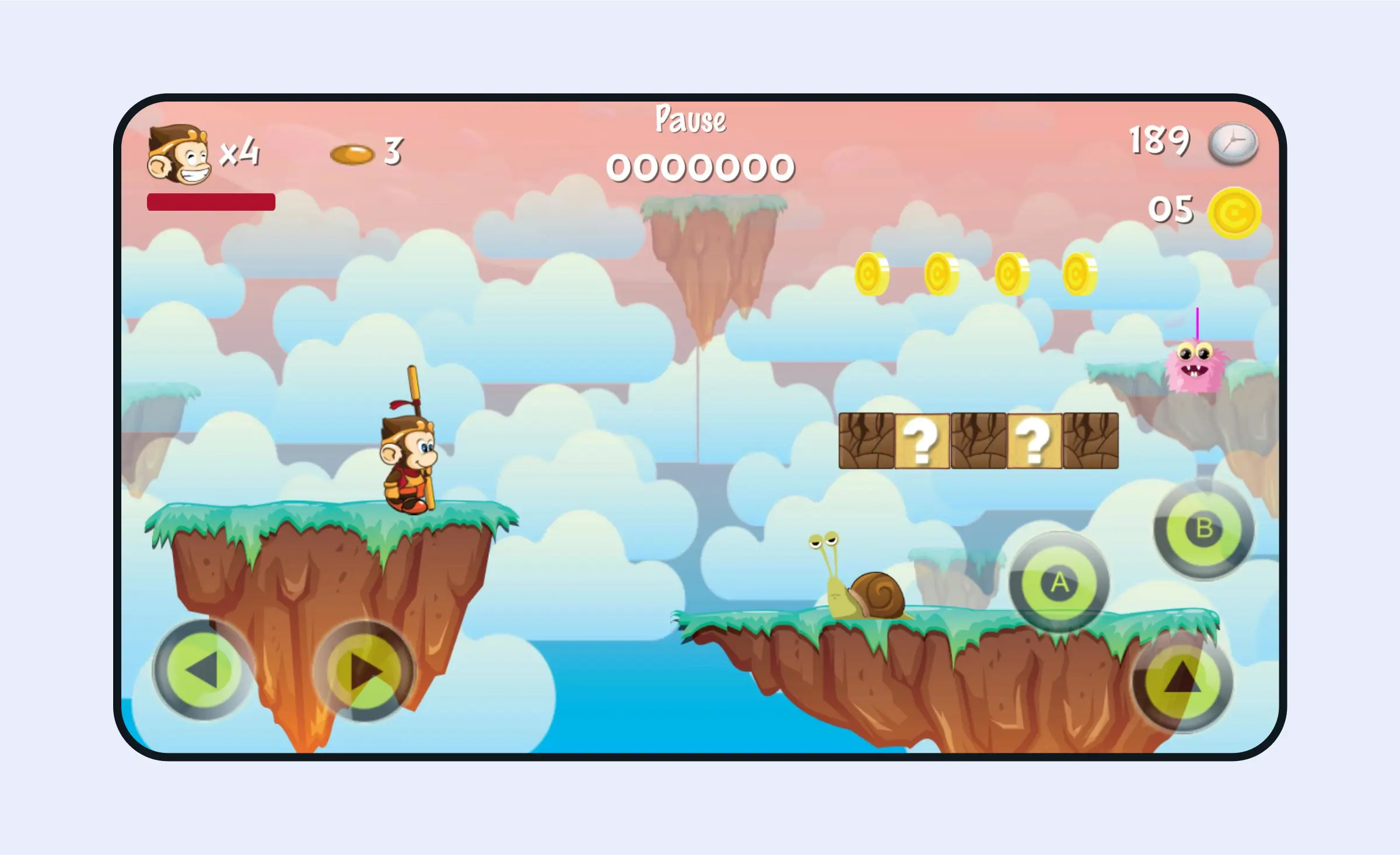
Kong Hero is a colorful 2D platformer in a cartoon style where players guide a monkey through obstacles, face enemies, and collect coins to unlock new characters, offering variety and increasing difficulty with each level. Players can defeat enemies by stomping, striking with weapons, or shooting, requiring dexterity and strategy to progress and complete challenging levels.
Decentralized finance (DeFi) applications
Entrepreneurs can develop DeFi mini apps, allowing users to manage, trade, and stake their crypto assets within Telegram. These apps simplify accessing DeFi markets by integrating financial services directly into the chat experience.
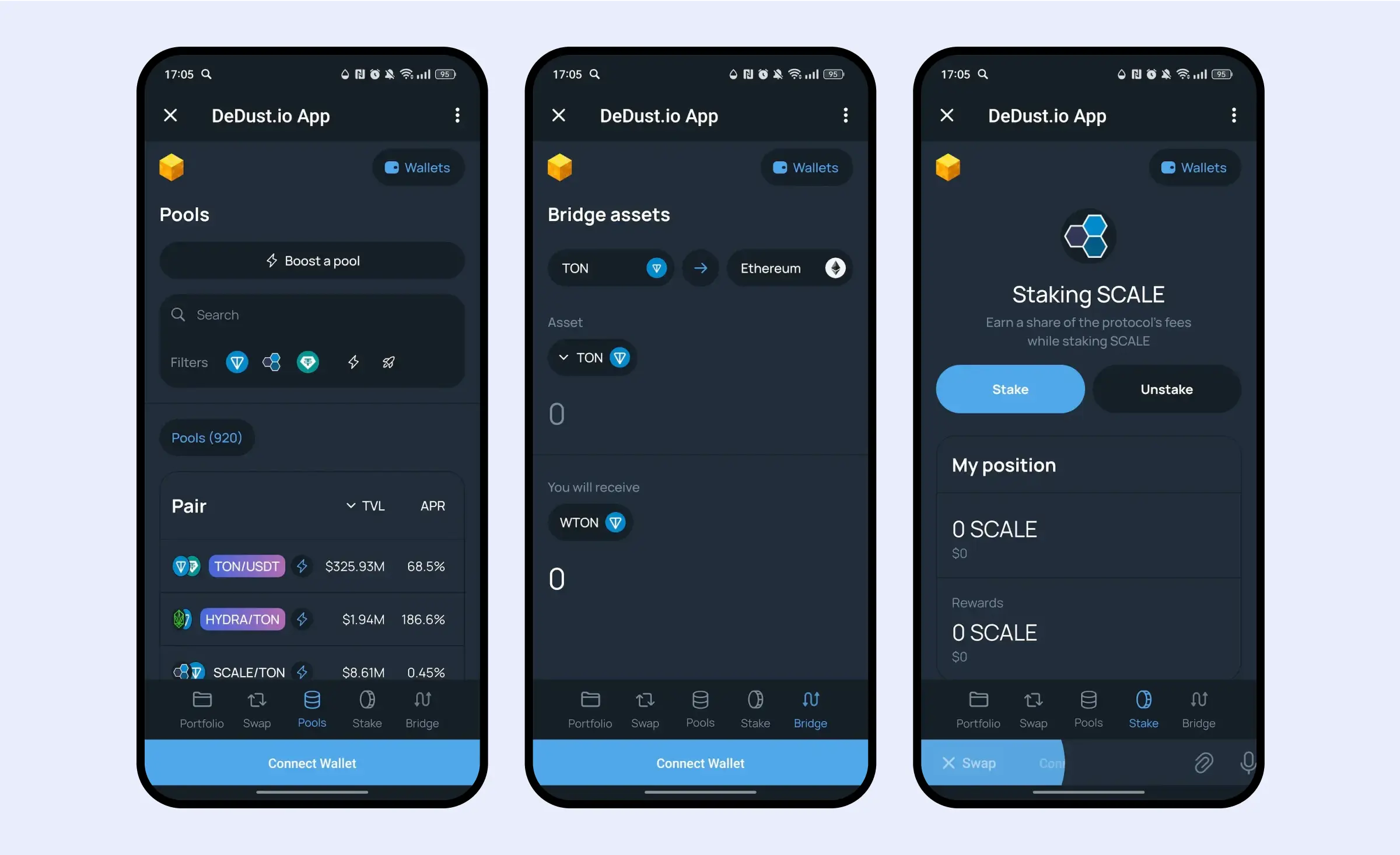
This AMM DEX on TON allows any token exchange, offers a portfolio tracker, and lets users earn commissions by providing liquidity.
NFT marketplaces
Entrepreneurs can develop mini apps that function as NFT marketplaces, allowing users to buy, sell, and trade digital assets within Telegram chats.
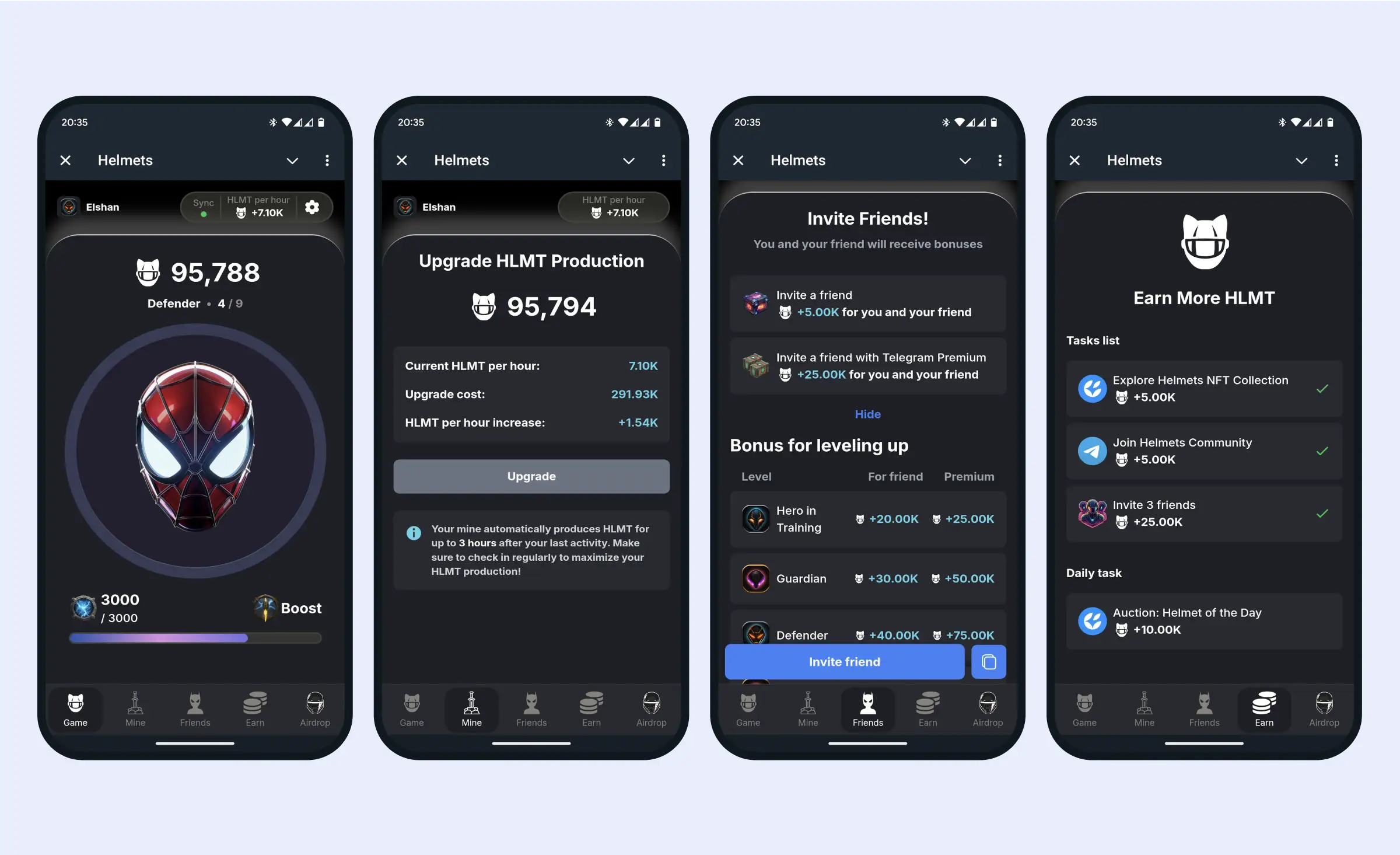
In the Helmets Telegram mini app, users collect points by completing tasks, upgrading production, and inviting friends, with NFT Helmets as their key to unlocking future shipments of the upcoming HLMT token.
Dating platforms
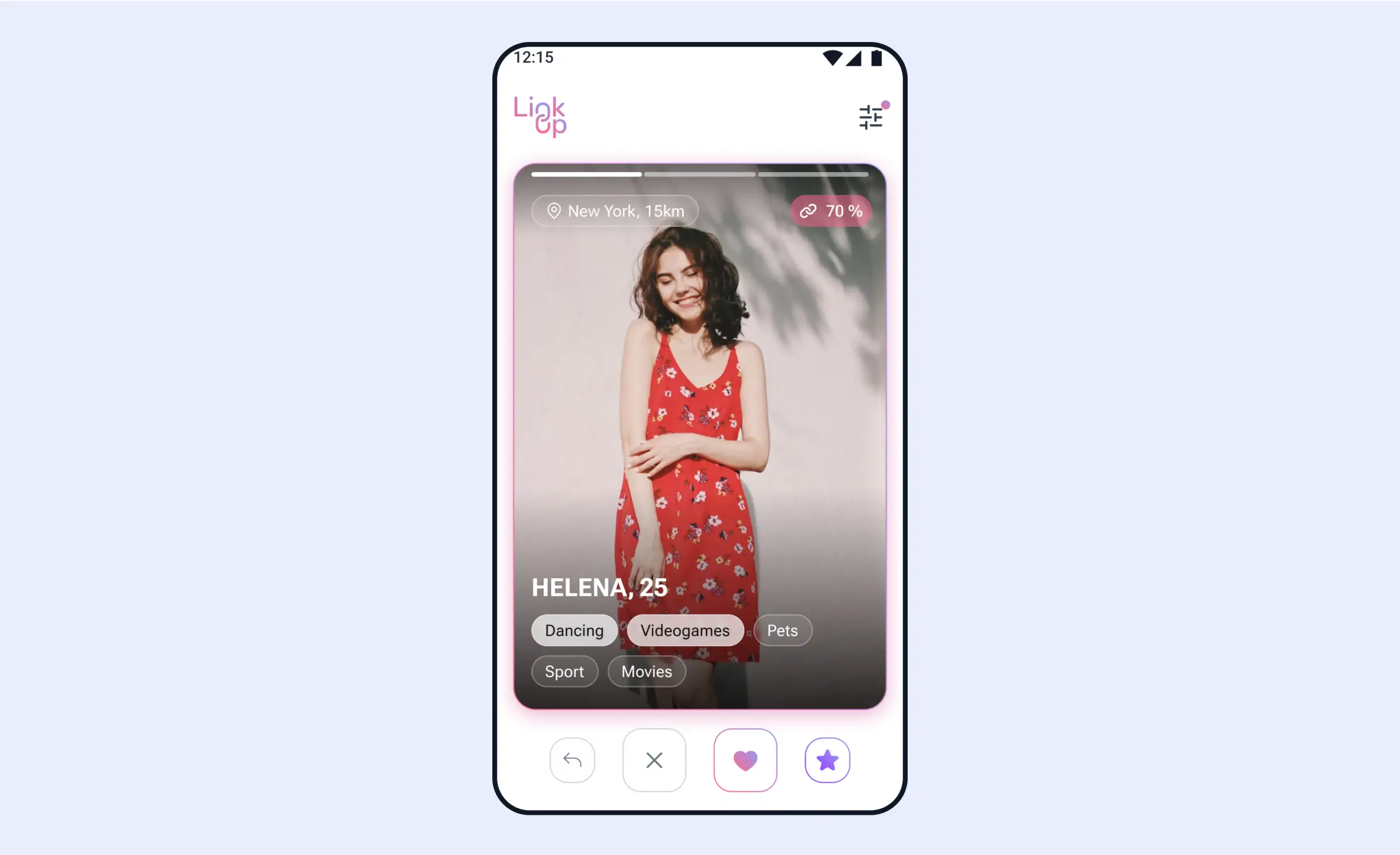
Entrepreneurs can create dating apps within Telegram, focusing on privacy and security. These apps use features like end-to-end encryption and strict verification to ensure genuine connections among users.
Health and wellness
Mini apps can support users in achieving their health goals by offering fitness trackers, meditation guides, and nutrition tips within Telegram. These tools encourage self-care and wellness directly from the chat interface.
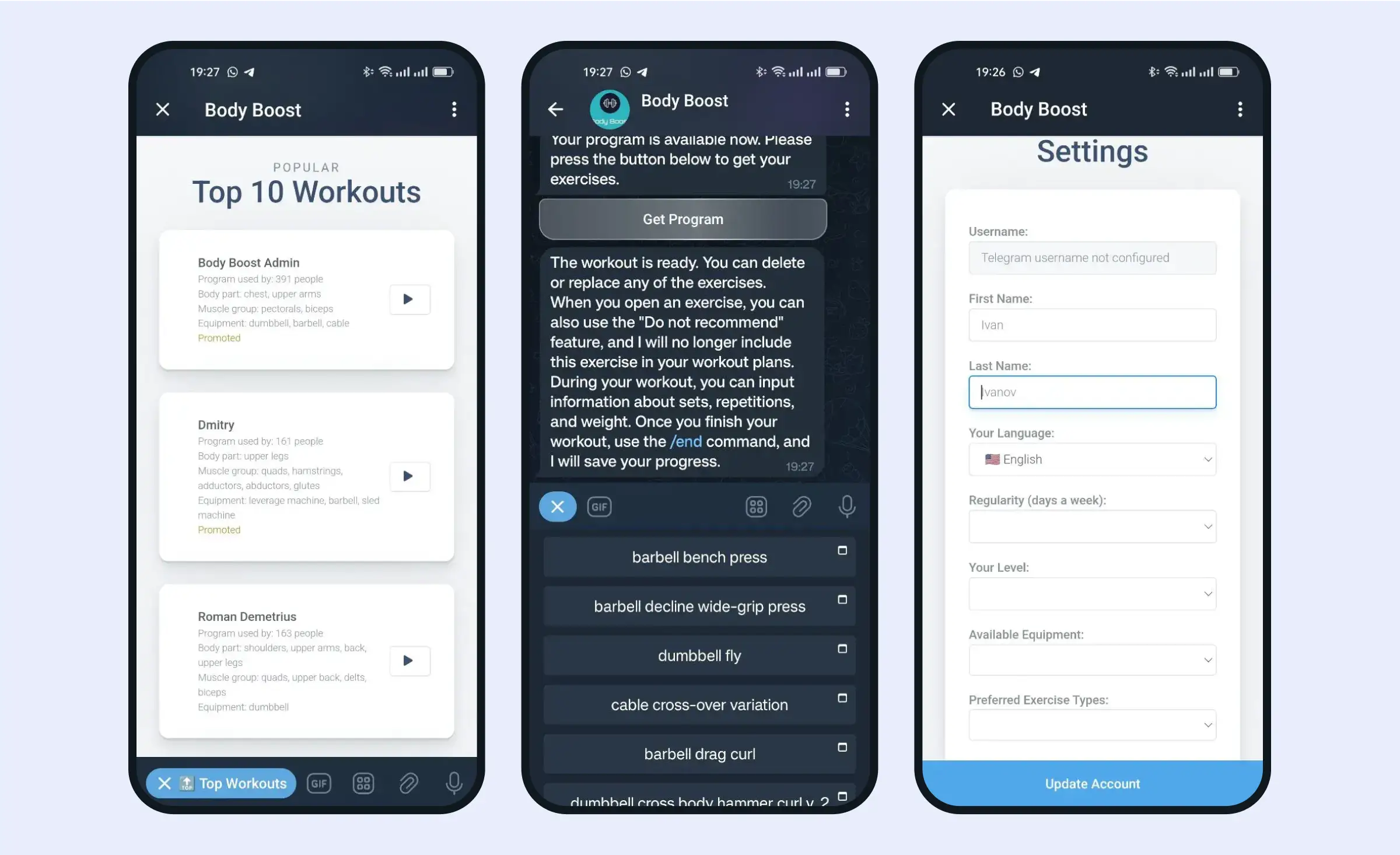
Body Boost is a fitness companion that offers personalized workouts, tracks users' progress, records workouts, and supports them with detailed exercise descriptions, both for beginners and seasoned athletes.
Productivity tools
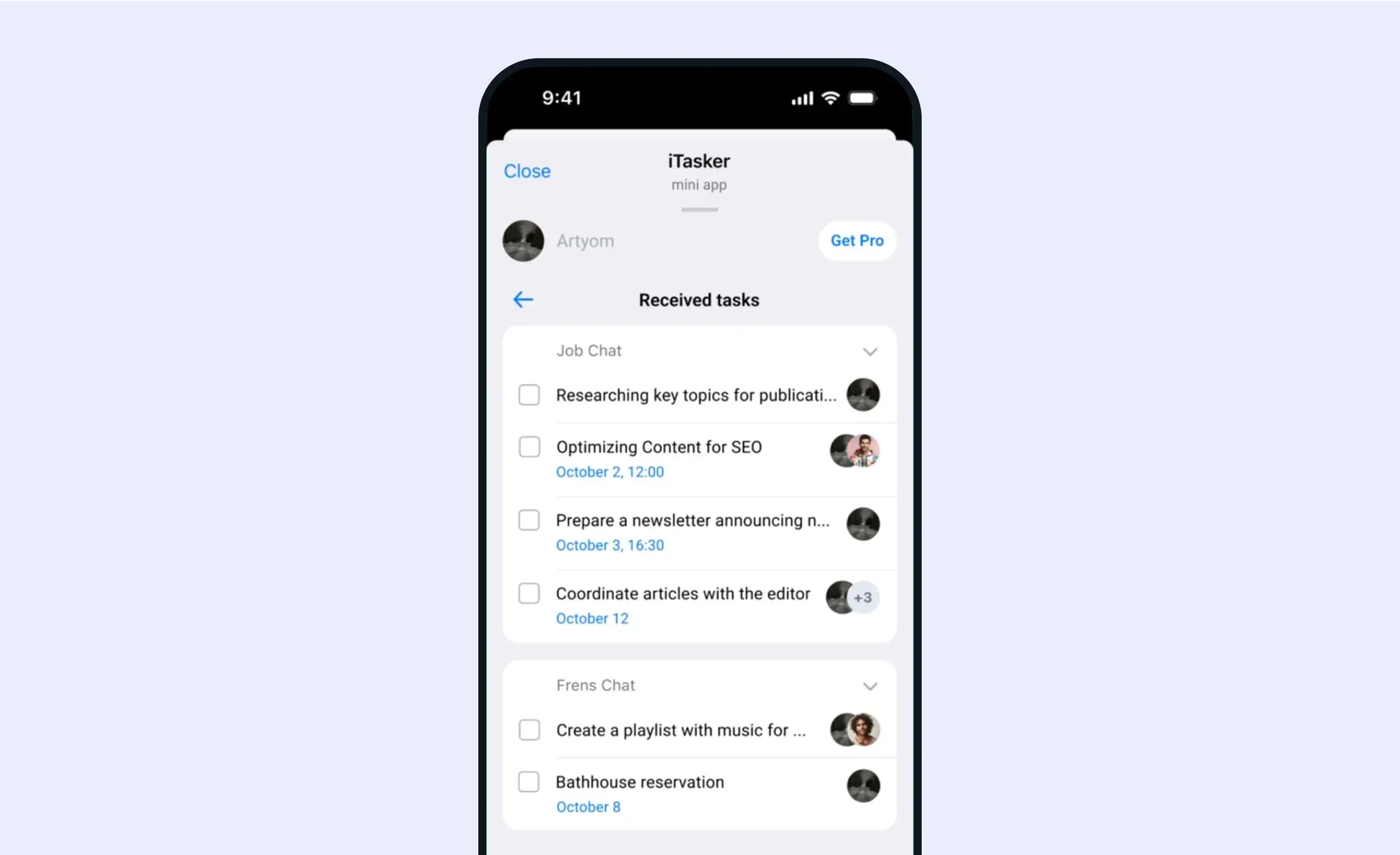
Developers can create apps to boost productivity, such as task managers, note-takers, translators, and tracking tools. These tApps help users stay organized and efficient within the Telegram ecosystem.
Where to find Telegram mini app development services?
Developers need to understand Telegram's platform. Experience with Web3 and the TON infrastructure matters only when your app includes blockchain features, such as a TON wallet connection or crypto payments.
Using platforms like Fiverr and Upwork, you can search for developers for mini apps and Telegram bots, along with reviews to help you choose the most reliable ones. If your app needs blockchain features, you can also look on Clutch for blockchain developers who can integrate them. Apart from that, you can also look for experienced web developers and ask them whether they can accomplish such a task.
The demand for Telegram mini app development services is expected to grow as more businesses recognize the potential of reaching Telegram's large user base. If you're interested in building your own mini app, we can assist with our Telegram mini app development services. We can design and develop custom solutions to fit your business needs. Contact us to discuss your app idea and how we can help you implement it.
How to develop a Telegram mini app step by step
Mini app development follows the path of any web product, with a few steps that are specific to Telegram: the bot, the check of launch data (the signed user data Telegram passes to the app), and the payment rules. The order below is our usual web project process with those steps added, from the first written scope to the launch.
- Define one core flow. The client and our team write down the one task the first version does and how it earns. If the scope is still loose, an optional paid analysis phase can turn it into a written list of what users do and how the screens connect, with a budget and a timeline.
- Create the bot. A developer registers the bot in BotFather and sets its mini app and menu button. A second bot is created in Telegram's test environment, which is fully separate from the main one.
- Design the screens. The designer draws mobile-first screens that use the user's theme colors, respect the safe area (the part of the screen free of system elements like the notch or navigation bars), and place actions where Telegram puts its own buttons.
- Build the front end and the backend. Front-end developers build the web app; back-end developers build the server that checks launch data, stores data, and talks to Telegram through the Bot API. If the team needs to manage content or orders, an admin panel is built as well, inside the same budget.
- Connect payments and outside services. The backend creates invoices, confirms each order before payment, and delivers the goods after Telegram reports a successful payment. CRMs, maps, or a TON wallet connection are added here.
- Test inside Telegram. The team checks the app in the test environment and in the Telegram apps for iOS, Android, and desktop, using Telegram's debug modes. Stars payments run in the test environment, and card payments for physical goods run through a test provider.
- Launch. The team points the production bot at the live URL, sets the main mini app, and uploads preview media to the bot's profile so users see what the app does before they open it.
We usually split the build into sprints of one to three weeks, and each one ends with something the client can open, such as a new screen on the test bot.
“It is easy to picture a mini app as a small website with a bot attached. The app and the bot are one product with two ends: the order a user pays for in the app has to be the same order the bot confirms in the chat. I would plan how the two share that state before the screens are final.”
Alexander Storozhevsky, Lead Developer at Ronas IT
AI features in a Telegram mini app
Telegram does not supply an AI model. Its bot documentation says the platform handles messaging, display, access, and the bot's lifecycle, while the model, memory, and bot logic are up to the developer. An AI feature in a mini app is therefore a call from your backend to a model provider, and Telegram shows the result on the app screen or in the bot chat.
The chat side has interface pieces made for AI assistants. Streaming replies show a draft answer in a private chat while the model writes it, and the user can stop it. Topics keep separate conversations with one bot apart, such as an order and a support case. With guest mode, a user can mention a bot in a group or private chat it is not a member of and get an answer there.
Two uses that fit a first version:
- Support assistant: a booking or shop mini app answers questions about its own catalog, orders, and rules from your data, streams the reply in the bot chat, and hands the conversation to a person when it has no answer.
- Help with input: the user describes what they need in a sentence or sends a photo, and the model fills in the search filters or the order form, which the user checks before paying.
A model can be wrong, so the app shows the user what it filled in and asks for a confirmation before any payment or booking. AI providers bill each call, so the backend also limits how often one user can call the model.
When we build the mini app, an AI feature is part of its MVP scope and price. Adding one AI feature, such as a support assistant, to a mini app you already run starts at $3,000 and takes at least 1 week, including the design of any new screens.
How much does Telegram mini app development cost?
At Ronas IT, a mini app with one core flow costs from $5,000 as a basic MVP and takes at least 2 weeks. The price covers the design, the web interface, the bot, the backend, and an admin panel if your team manages content or orders. A mini app with several flows and roles costs from $10,000 as an extended MVP and takes at least 5 weeks. Both prices include testing, project management, and the payment provider or CRM the app connects to.
What else goes into the budget:
- Analysis phase, optional: $1,000-$2,000 and 1 week, before the build, if you want the scope written down first. A rough estimate without it is free.
- Outside services: not a separate line. A mini app for booking studio classes, with card payments through a provider and a link to your CRM, still starts at $5,000 as a basic MVP; more flows or roles move it to the extended MVP.
- Crypto products: a narrow wallet that shows balances and sends tokens is priced like any other mini app, from $5,000 or $10,000 by its flows. A wallet with swaps, many tokens, and heavier security work is a complex product from $20,000 and at least 8 weeks. An exchange that holds user funds and checks identities under KYC/AML rules is a regulated financial product from $30,000 and at least 10 weeks: custody and identity checks add to its scope, and the final price follows that scope.
- A mobile app later: if the mini app proves demand, a mobile app on the same backend costs from 50% of the mini app's price.
- After launch: support and maintenance of the mini app, its bot, and its backend starts at $1,000 a month; new features are estimated separately. Hosting is paid to the cloud provider.
Telegram takes no commission on payments through a provider, though most providers charge their own fees. These are starting prices; the final budget depends on the number of flows and roles in your first version.
Short summary
Telegram mini apps offer a big opportunity for businesses to connect with a worldwide audience. These apps range from games and finance tools to productivity solutions, helping companies engage users directly on Telegram. A first version does one task well, with its bot, backend, and payments built in, and grows from there once users show what they need.
What to do next
- Write down the one task your mini app should do and who will use it in Telegram.
- Decide how it earns: Telegram Stars for digital goods, a payment provider for physical goods and offline services.
- List the outside services it needs, such as a payment provider, a CRM, or a TON wallet connection.
- Budget from $5,000 for one flow, with its payments, CRM link, and admin panel inside that figure, or from $10,000 for several flows and roles. If the scope is still loose, you can start with the optional analysis phase.
Frequently Asked Questions (FAQs)
What is a Telegram mini app used for?
A business uses it to let people finish a short task without leaving Telegram: order food, book a slot, pay for a subscription, play a game, or manage a crypto wallet. The mini app is a web page that a Telegram bot opens, so users sign in with their Telegram account and skip the app store.
What is the difference between a Telegram bot and a mini app?
A bot works through messages, commands, and buttons under messages. A mini app is a full web interface that the bot opens. You cannot have a mini app without a bot: the bot opens the app, and it can send messages, such as confirmations and reminders, after the user closes it.
How much does Telegram mini app development cost?
At Ronas IT, the cost starts at $5,000 for a mini app with a single core flow, and the work takes at least 2 weeks. A version with several flows and roles costs from $10,000 and takes at least 5 weeks. The bot, the backend, the admin panel, payment and CRM connections, testing, and project management are inside both prices. A crypto wallet follows the same scope rule: one that shows balances and sends tokens is an MVP, while one with swaps, many tokens, and heavy security work starts at $20,000 as a complex product. An exchange that holds user funds and verifies identities under KYC/AML rules is a regulated financial product and starts at $30,000.
How do you monetize a Telegram mini app?
It depends on what you sell. Digital goods and services, such as premium features or paid content, are sold for Telegram Stars, and Stars also support subscriptions. Physical goods and offline services are paid through a third-party payment provider, and Telegram charges no commission on those payments.
Which technologies are used to build a Telegram mini app?
Any web stack works, since a mini app is built like any other web app. The front end uses HTML, CSS, and JavaScript, often with React or Vue, plus the script Telegram provides to connect the page to the app. The backend can use any server framework. Our default choice is React for the front end and Laravel for the backend.
How do you test a Telegram mini app before launch?
Telegram runs a separate test environment with its own accounts and bots, so the team can try the app without touching real users. Payments in Telegram Stars are tested in that environment, and card payments through a provider are tested with a test provider that bills no real card. Telegram also offers debug modes for its iOS, Android, and desktop apps, which let developers inspect the mini app while it runs.
How do I hire Telegram mini app developers?
Look at agencies, freelancers on marketplaces such as Upwork and Fiverr, or web developers who can learn the Telegram part. Before you sign, ask how they check Telegram's launch data on the server, which payment method your product needs, and where the code and hosting will live.
Can a Telegram mini app work with crypto and TON?
Yes. TON is a blockchain integrated with Telegram, and TON Connect lets a mini app link to a user's TON wallet to read its address and ask the user to sign transactions. The app never gets the user's keys. A crypto wallet is priced by its scope: a narrow one that shows balances and sends tokens fits an MVP, and one with swaps, many tokens, and deeper security work is a complex product. An exchange that holds user funds under KYC/AML rules is priced as a regulated financial product.