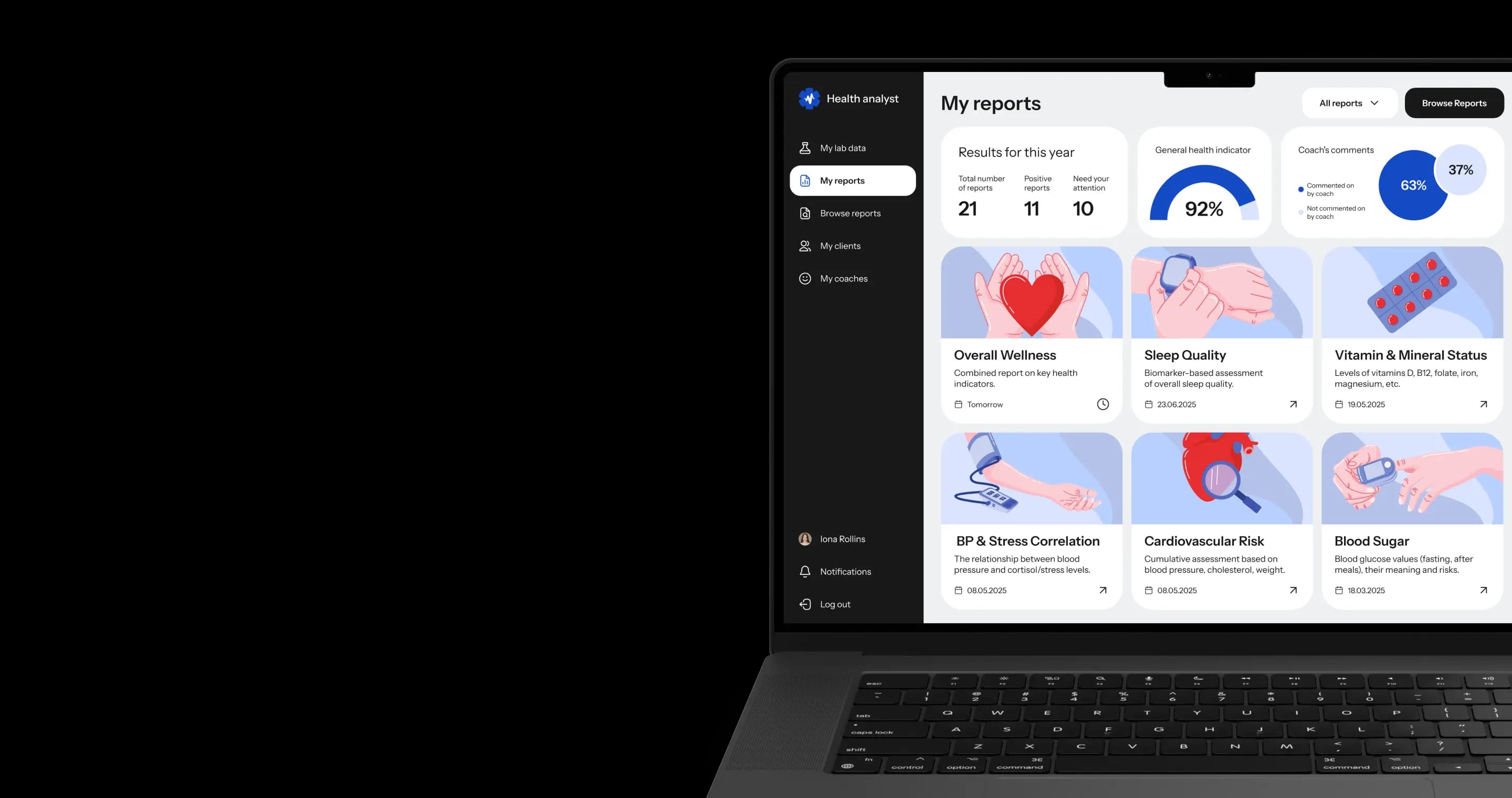
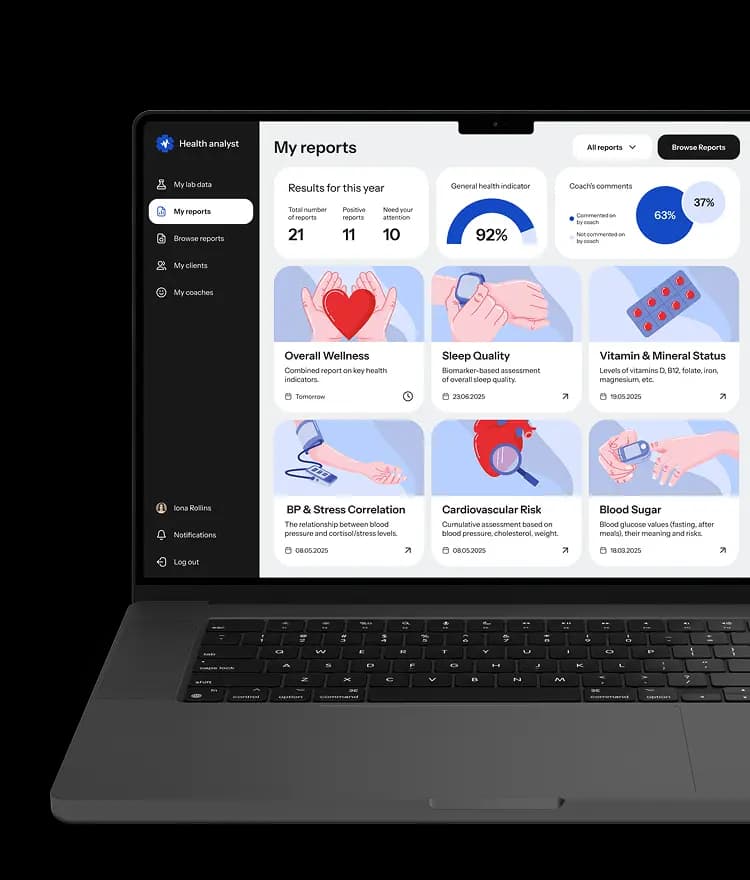
Web platform for analysing lab test results
A HIPAA-compliant healthcare app built from scratch
* We developed this project under an NDA, so we can’t disclose its name or provide a link to the product.


Project idea
Many patients receive their lab test results as raw metrics, often without any interpretation or guidance on how to use this information to improve their health.
To address this gap, one of our clients tasked us with creating a service that allows patients to upload their lab results, receive health reports, and get personalized recommendations from healthcare professionals.
Our client’s goal
Our client aimed to reach health enthusiasts and wanted to get a platform where users can store their lab test results and receive reports based on these metrics. Also, the client wanted to allow other healthcare businesses to offer this platform's functionality to their clients.
Standard solutions like CMS or template-based website builders lack the ability to create highly customized features, don't provide suitable options for handling sensitive medical data, and aren't built to adhere to strict security and privacy regulations. Therefore, the client sought our help with custom software development that better fulfills the project requirements.




Action plan
Develop
a web app and an admin panel from scratch
Create
an intuitive interface that can be easily scaled as the project grows
Make
the platform HIPAA-compliant
How the platform works
Authorization
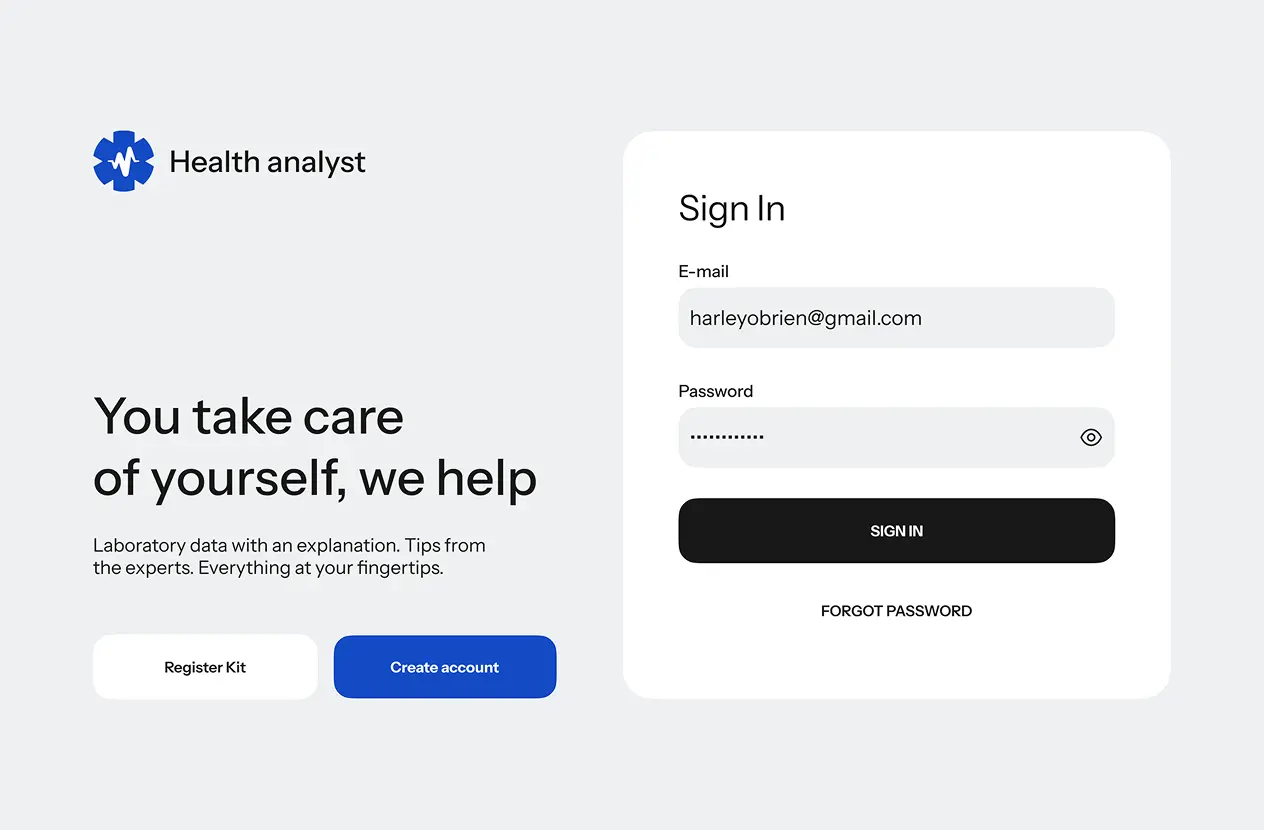
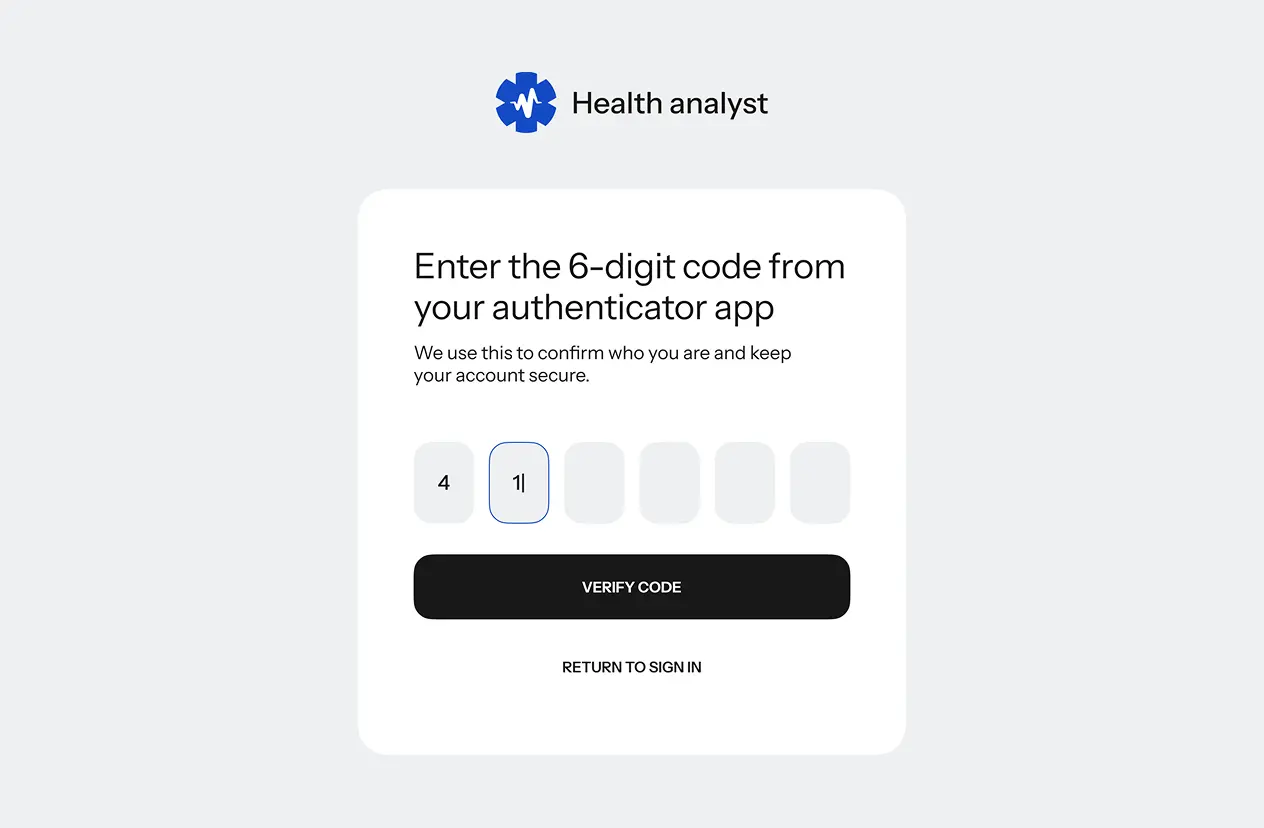
Users can sign in using app-based two-factor authentication.
This means they need to enter time-based one-time passwords from a third-party app to accomplish the second authentication step.
This platform doesn't require SMS or email codes to sign in.
Upload files with lab tests
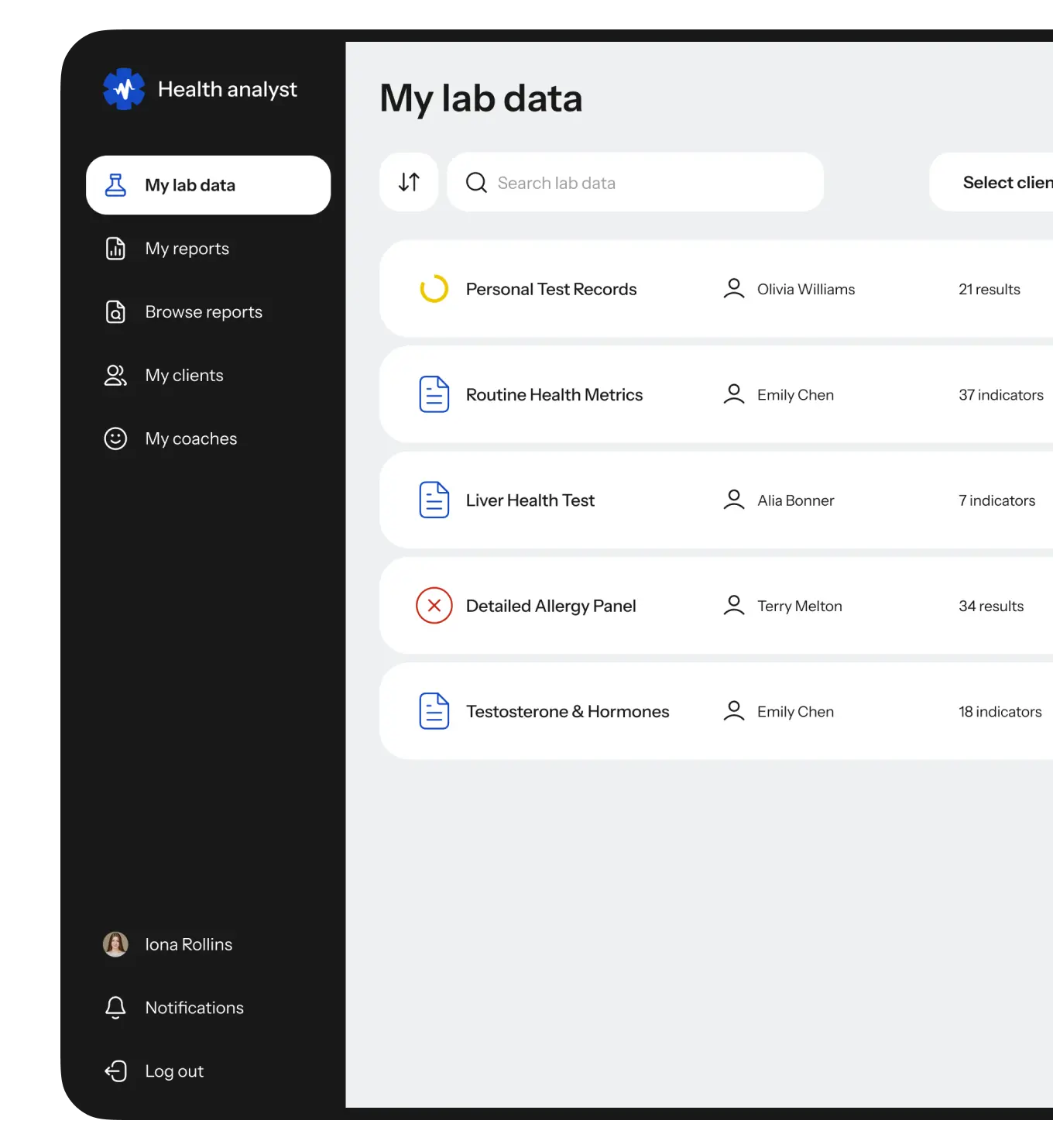
Users can manually upload and delete their lab test files. These files are organized within a single panel, creating a history of all lab tests that users can access on one page.
Patients can also undergo tests at a laboratory, with results automatically uploaded to the platform. The platform features integrated systems that seamlessly transfer data from the laboratory’s database, structuring it and making it readily available to users.
Browse available reports
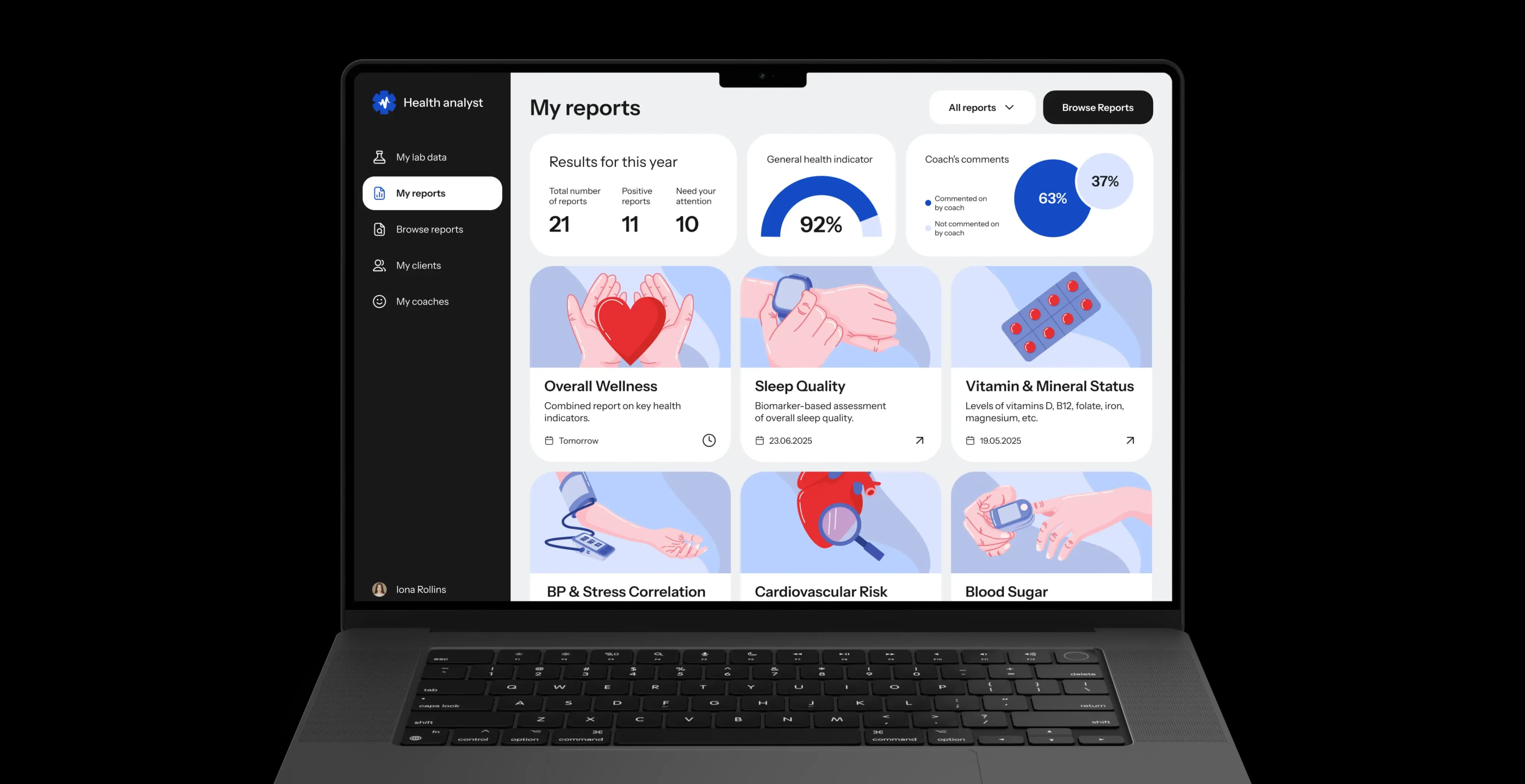
After receiving their lab tests, users can have the metrics interpreted in reports focused on specific topics, such as sleep quality, stress levels, nutrition, and more.
View reports
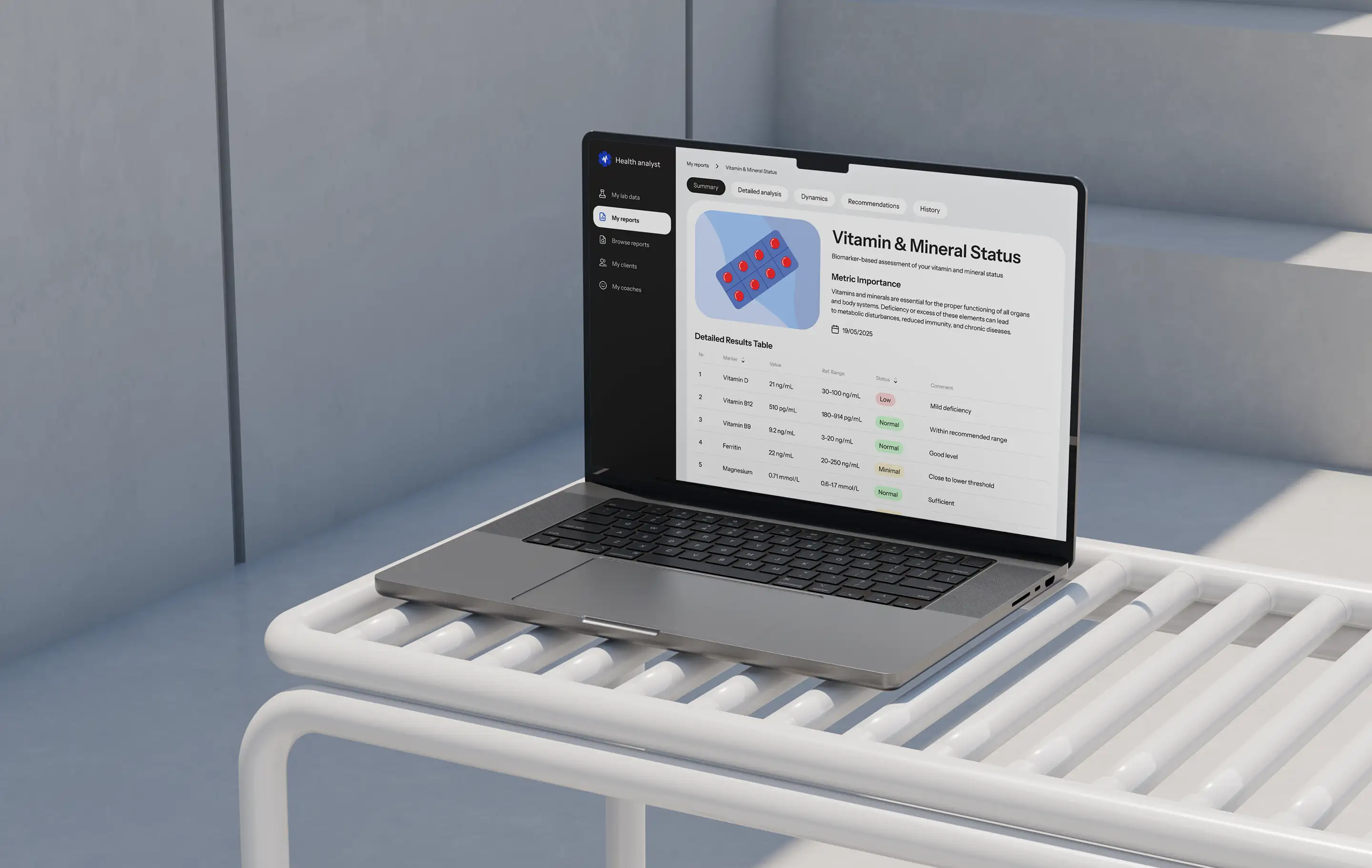
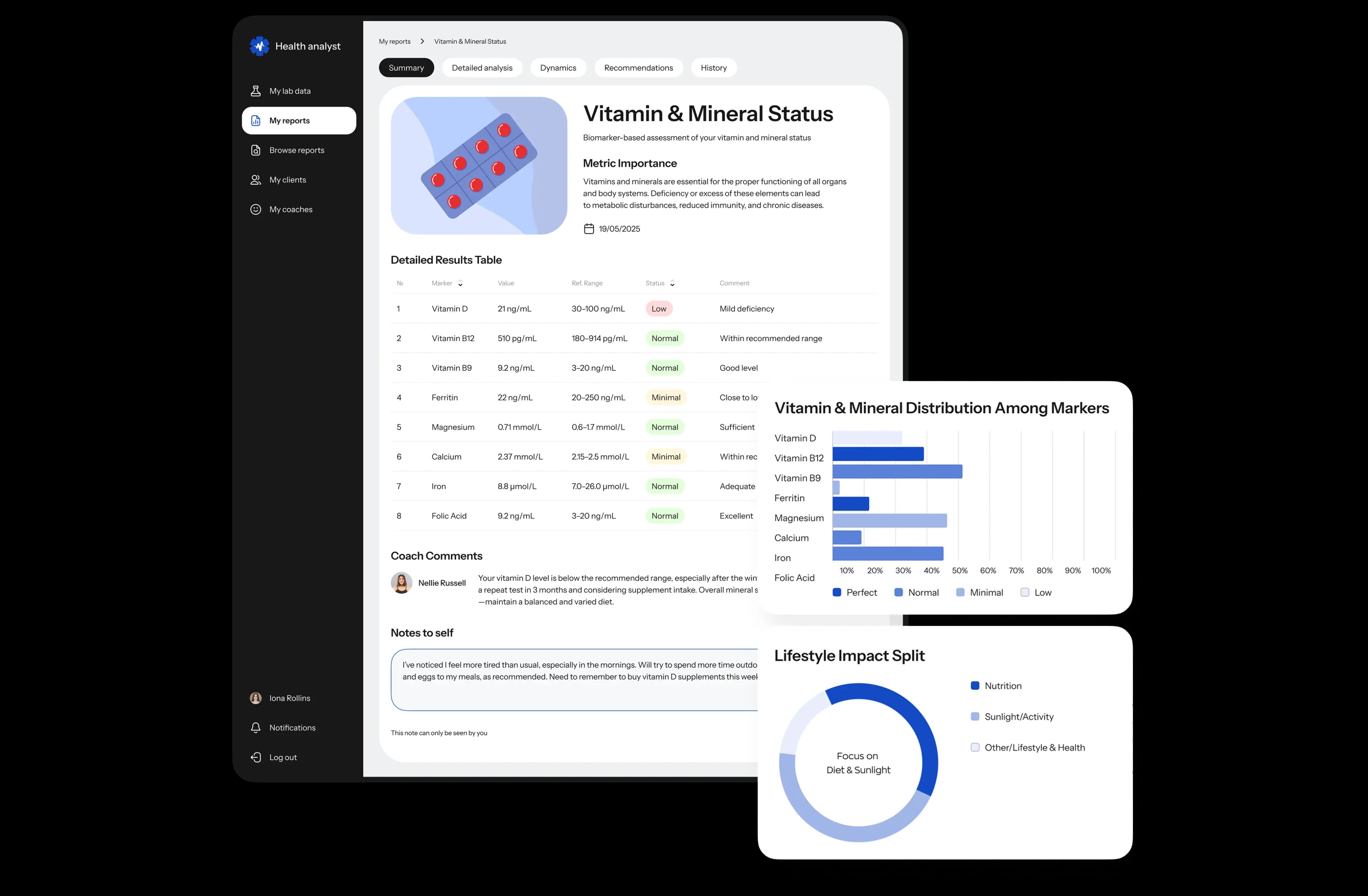
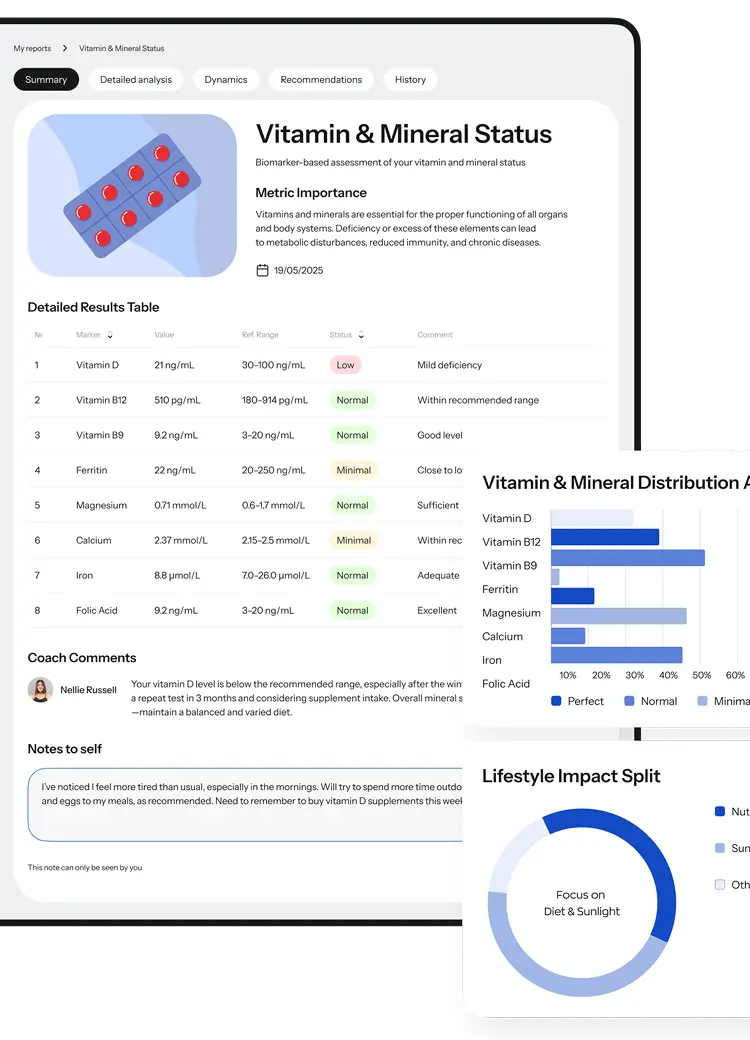
Each report displays information about the meaning and importance of the health metrics, provides a graph and tables summarizing the results, and can be commented on by a user’s doctor or coach.
Connecting with the coach
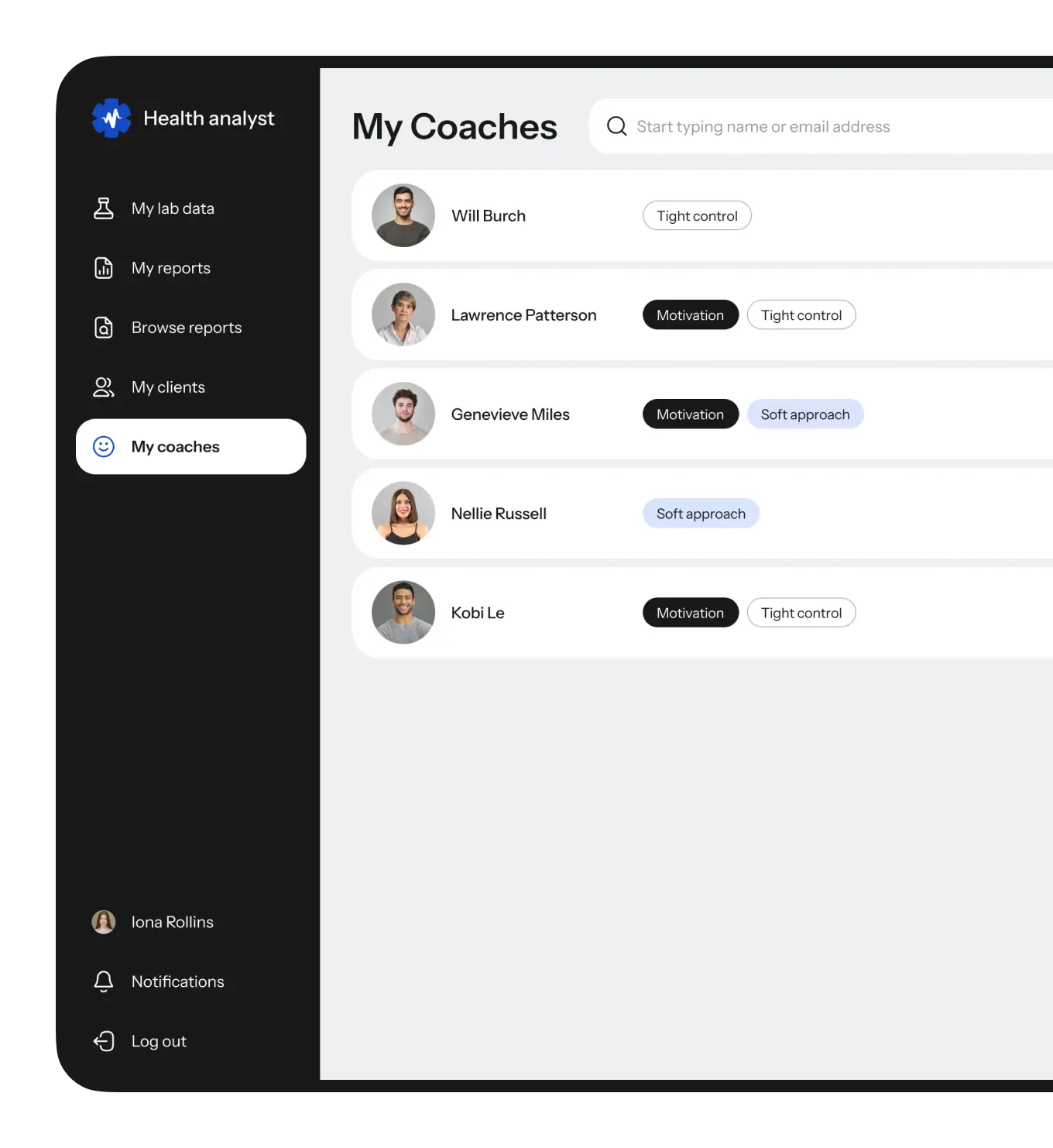
Similar to making friends in social networks, users of this healthcare platform can connect with their doctors or health coaches, who can view their lab results and provide advice.


Admin panel
Our goal
In developing the admin panel was to make it flexible to the needs of the client’s business and so that the client can scale their business based on the current demands without our help.
To achieve this
We built features to add new services, create discounts, and process user payments.
List of indicators
The admin panel is divided into several entities that can be transformed into new health reports that the platform offers to users.
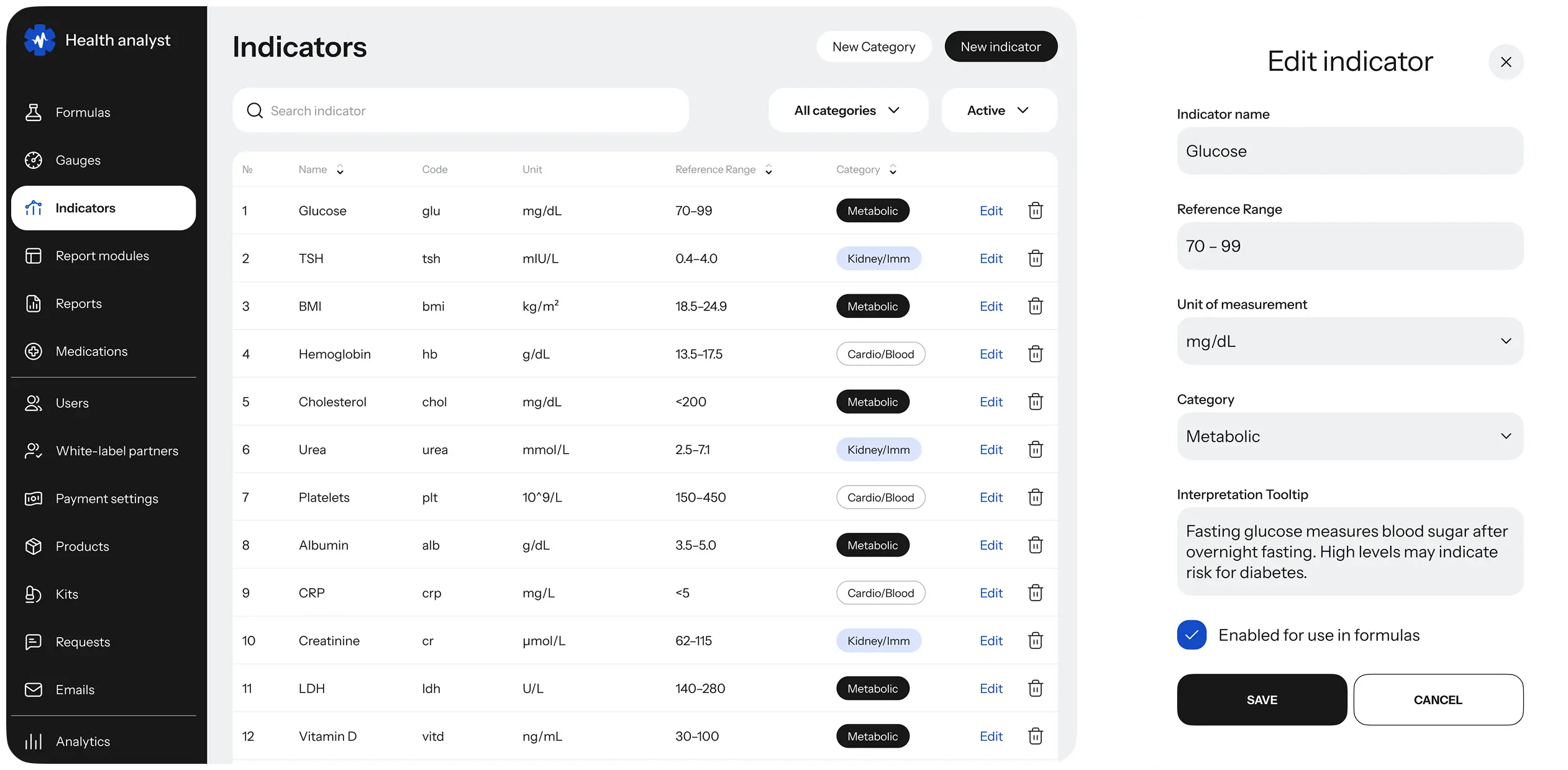
The first layer of these entities is health indicators that are metrics provided in files with lab tests.
All these indicators are listed in one place, so the admin can add or delete unnecessary ones.
Formulas
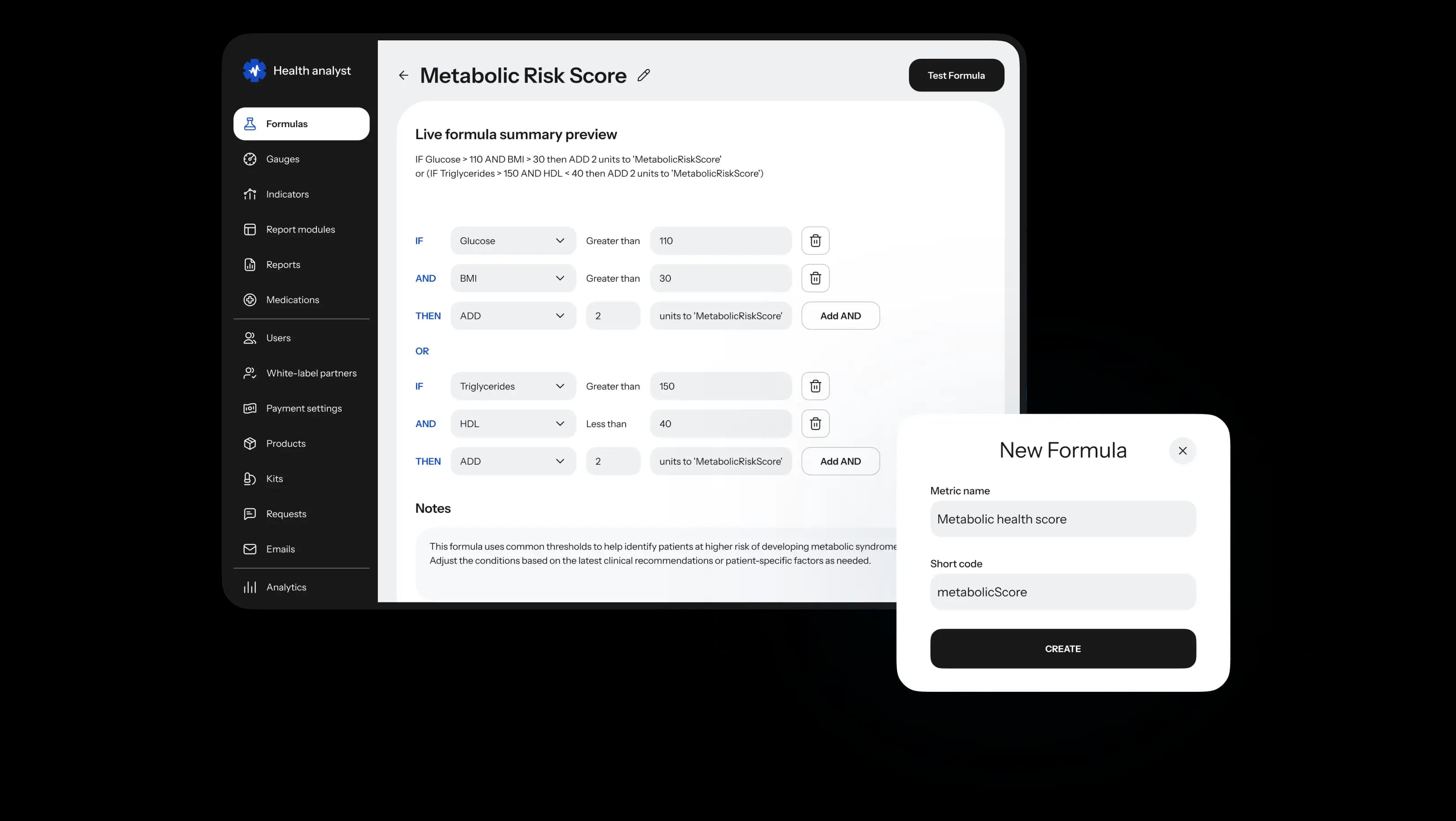
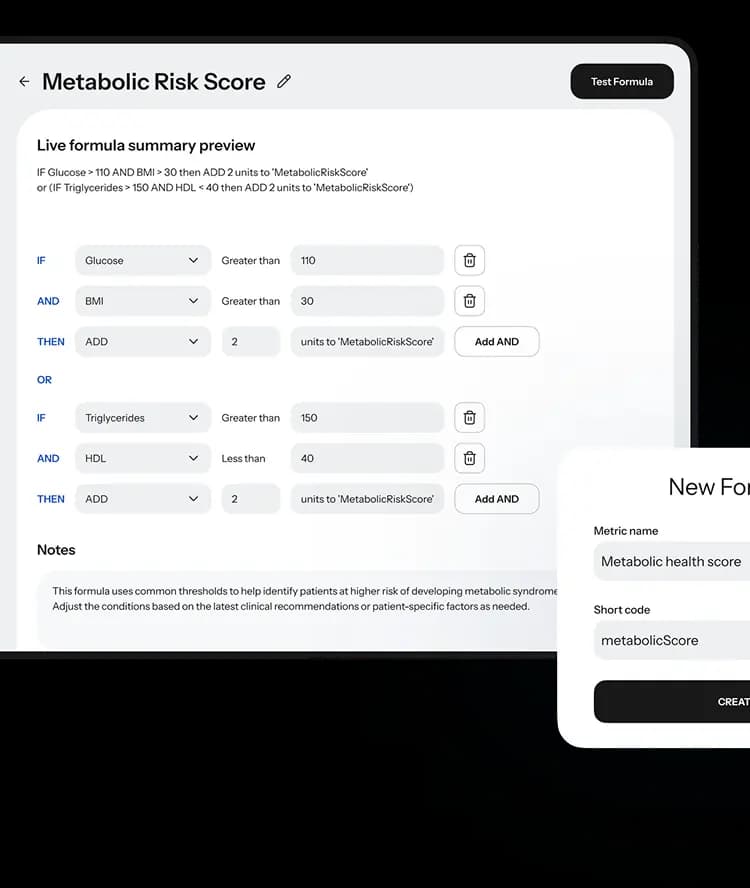
The next thing an administrator can use is a formula template. This panel allows mixing health indicators with mathematical operators to create new formulas.
Report modules
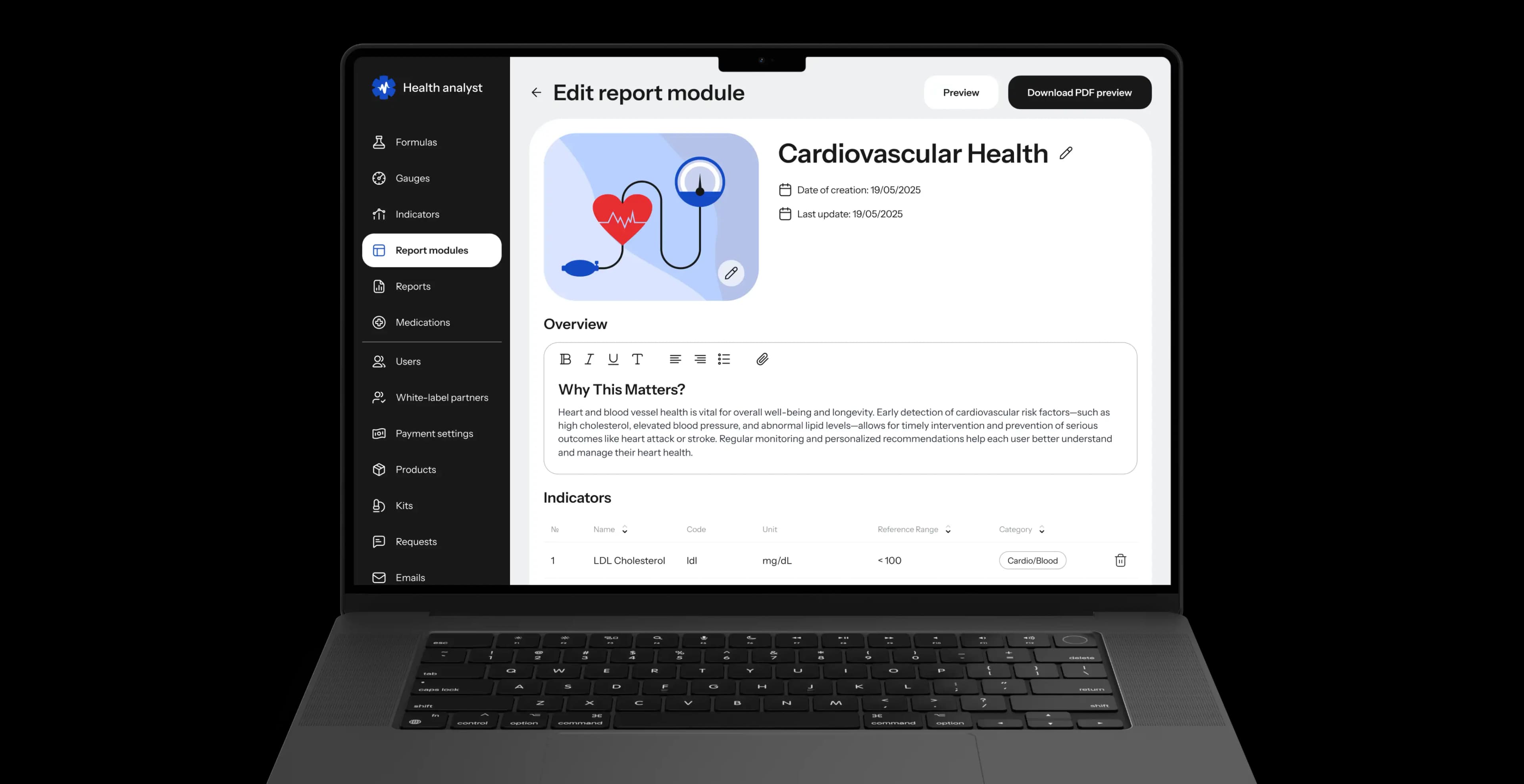
The next entity is the report modules, it is a set of different formulas, graphs, and tables that can be used as parts of the reports. An administrator can use them to create new reports dedicated to different topics and with different content.

Reports
Admins can offer ready-made reports to users. With the help of all these entities, an admin can offer new products and scale up the business as the strategy requires.



Managing business partners
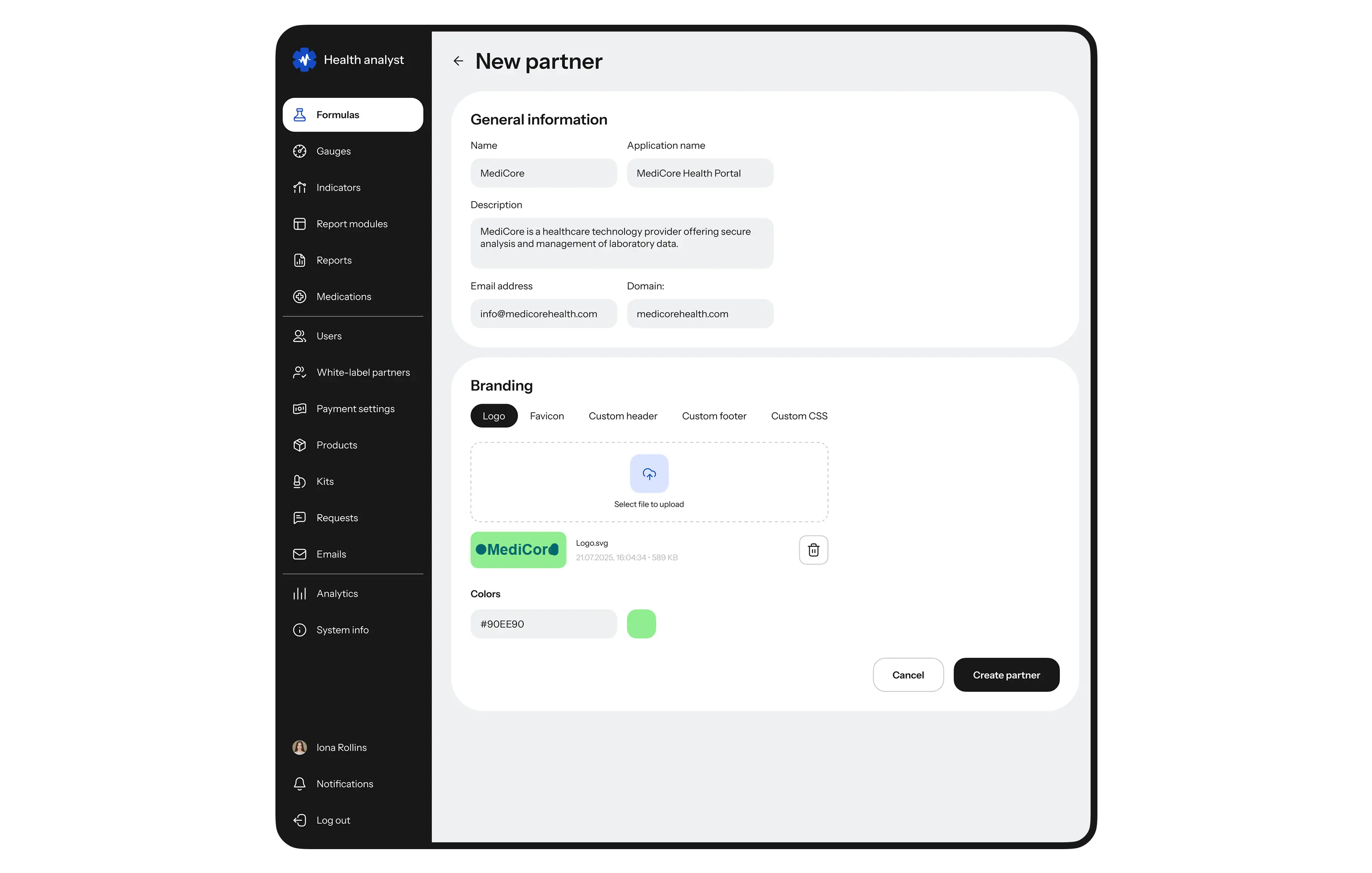
Administrators can enable business partners to customize the platform's design to reflect their brand identity and provide rights to use its functionality and infrastructure. They can add partners' names to the admin panel, update company information, and assist in modifying the design.
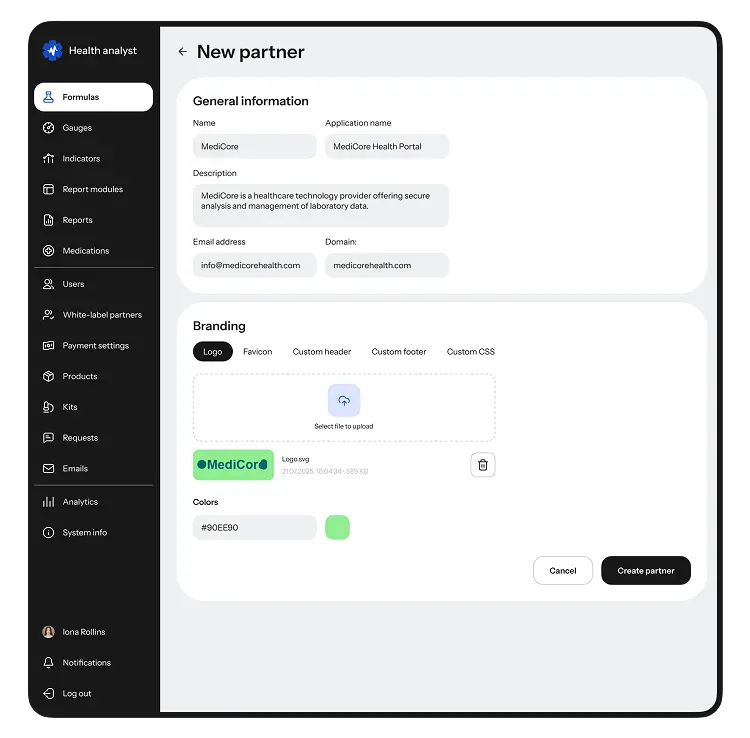
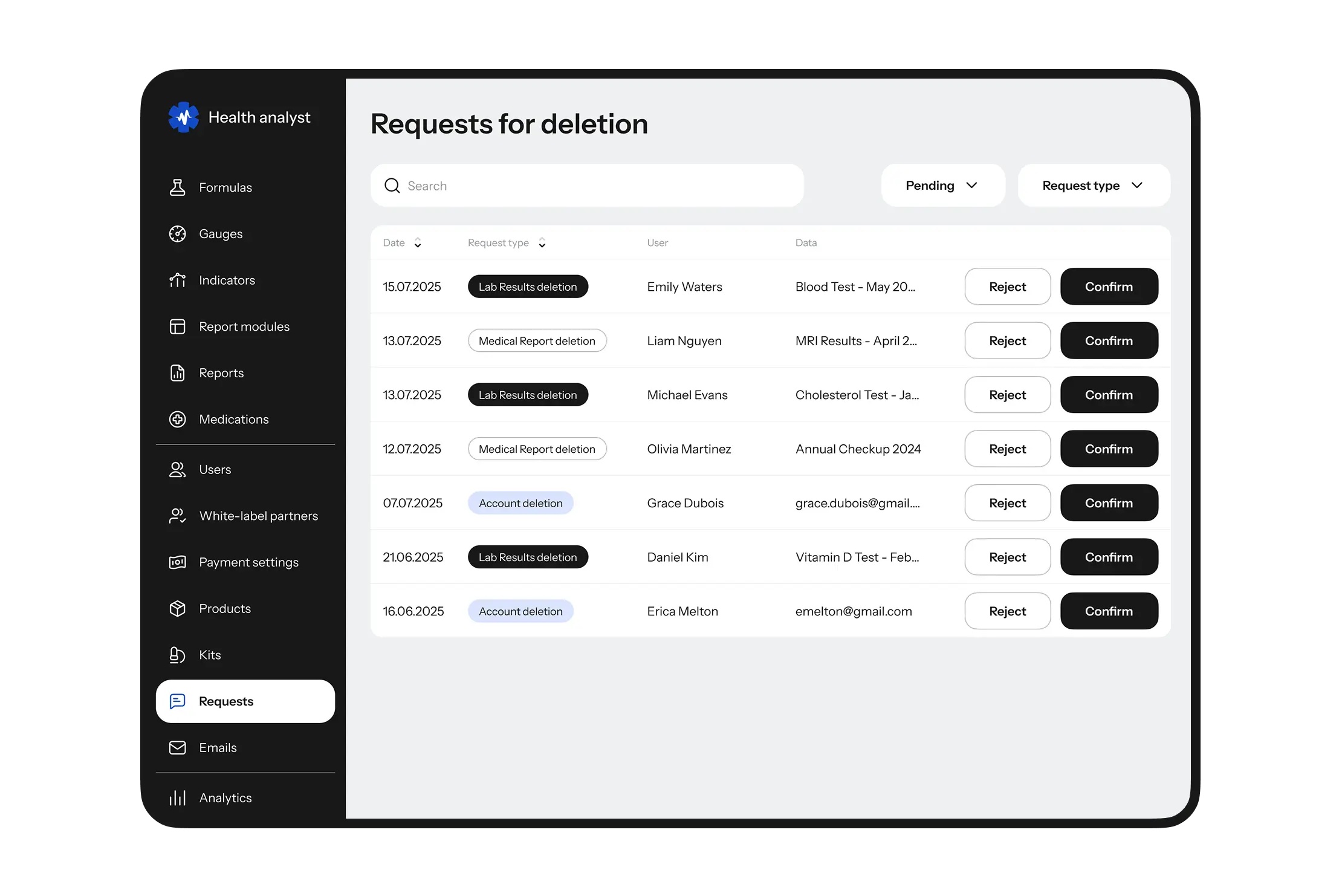
In addition to generating reports, the admin panel allows administrators to efficiently manage user accounts, send emails, assist users in deleting data, view platform analytics, and access a variety of other features to manage the service effectively.
UI/UX design
Creating a data model
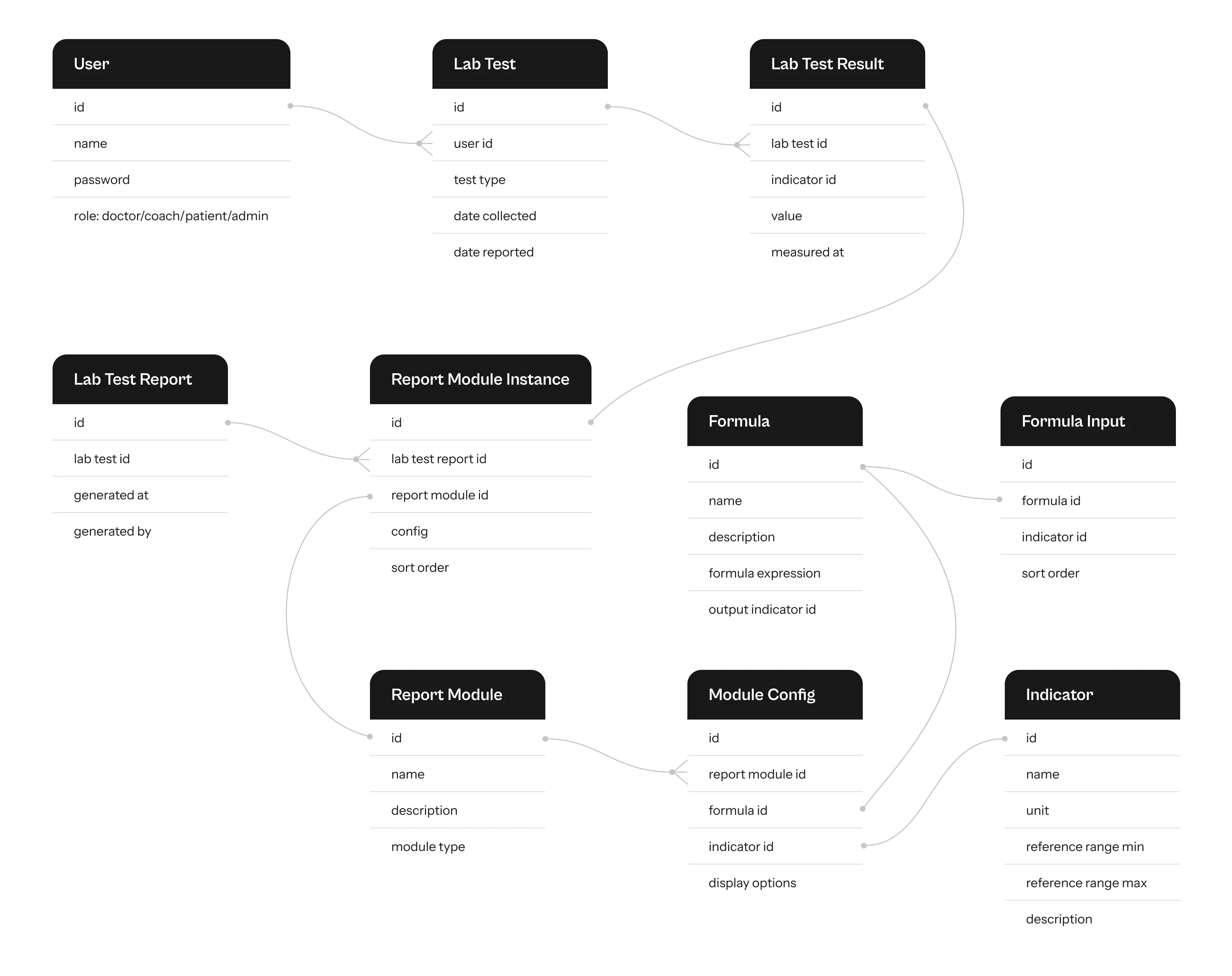
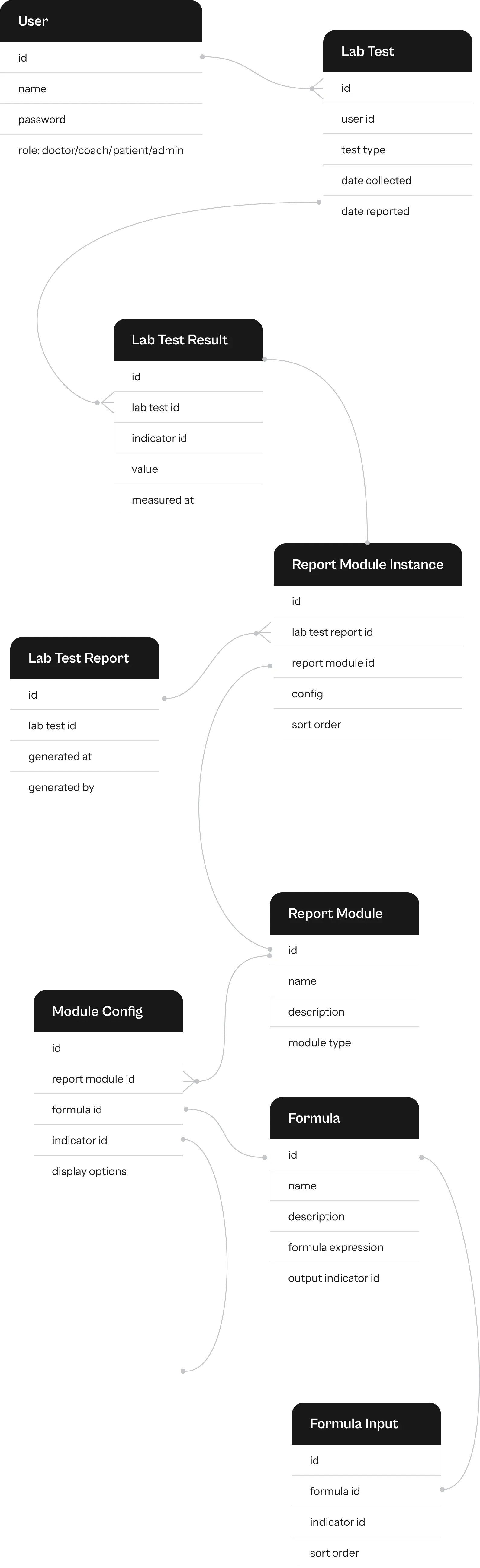
This application has a complicated business logic that needs to be implemented within the interface. That’s why we outlined several abstract entities, such as indicators, formulas, and report modules, and created a data model that showed how data transfers across the interface.
It was used not only by the designers but also during the phases of coding and database building. This preparatory step helped us to design an interface in compliance with business logic and ensure a smooth handoff from the design to the development stage.


Building navigation
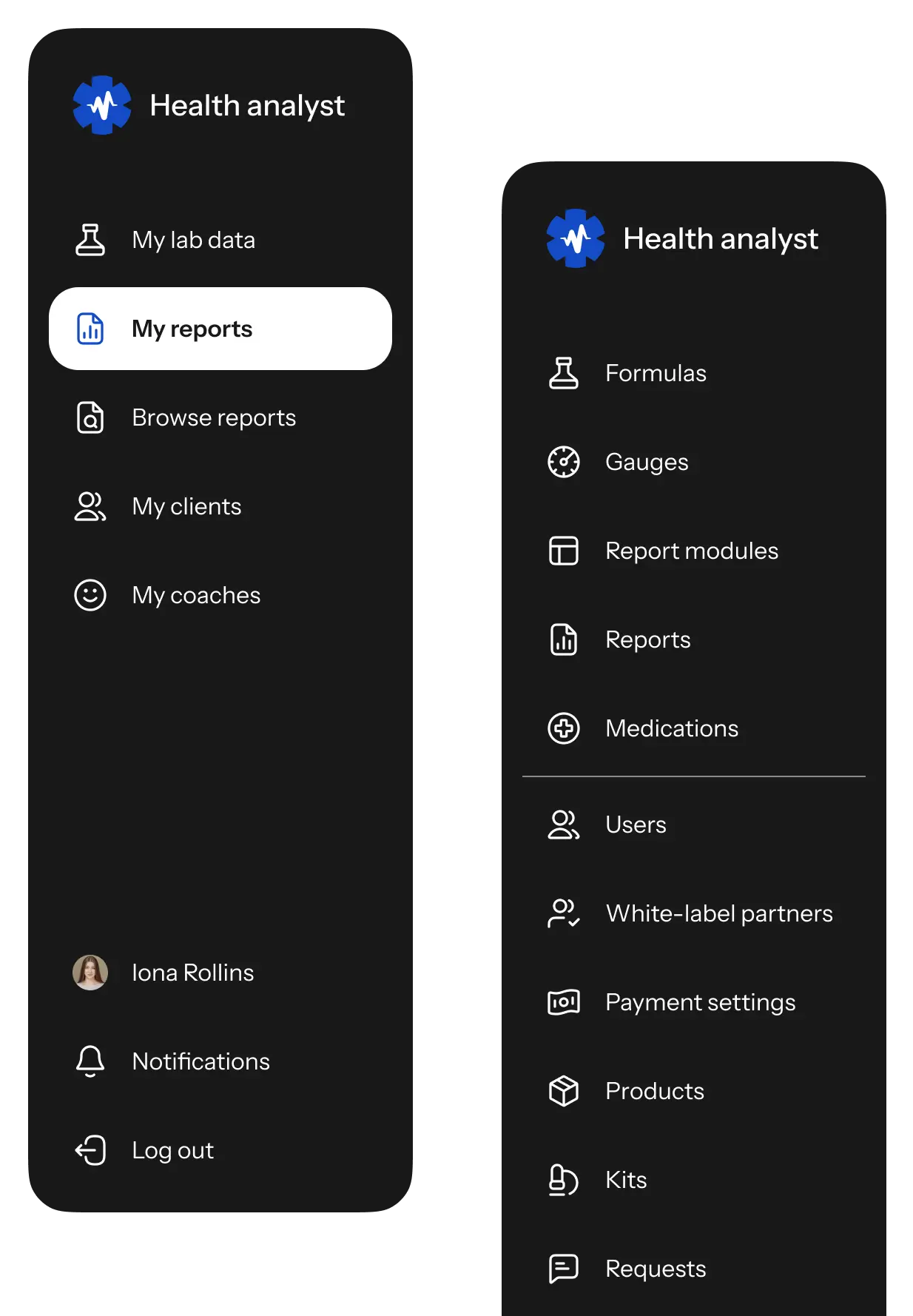
Healthcare applications are typically used by people with different levels of experience. Therefore, we tried to keep the navigation straightforward and arranged all the panels at the top bar in the user app and the side bar in the admin panel.
Thus, users can access any part of the app without switching to the homepage.
Creating UI design
Given the app's extensive text, graphs, and tables, we maintained a clear hierarchy and ample white space. We also used a single color accent for buttons and key UI elements to highlight critical information and guide the user through the interface.
In this design, we opted for a light background, accented with blue, and used a sans serif font to enhance readability and minimize visual clutter.
Since our client planned to work with other healthcare businesses through this platform, we kept the UI design neutral. A light design with a single color accent allows for easy adaptation to various branding styles while maintaining a versatile, neutral appearance.


Dealing with graphs and charts
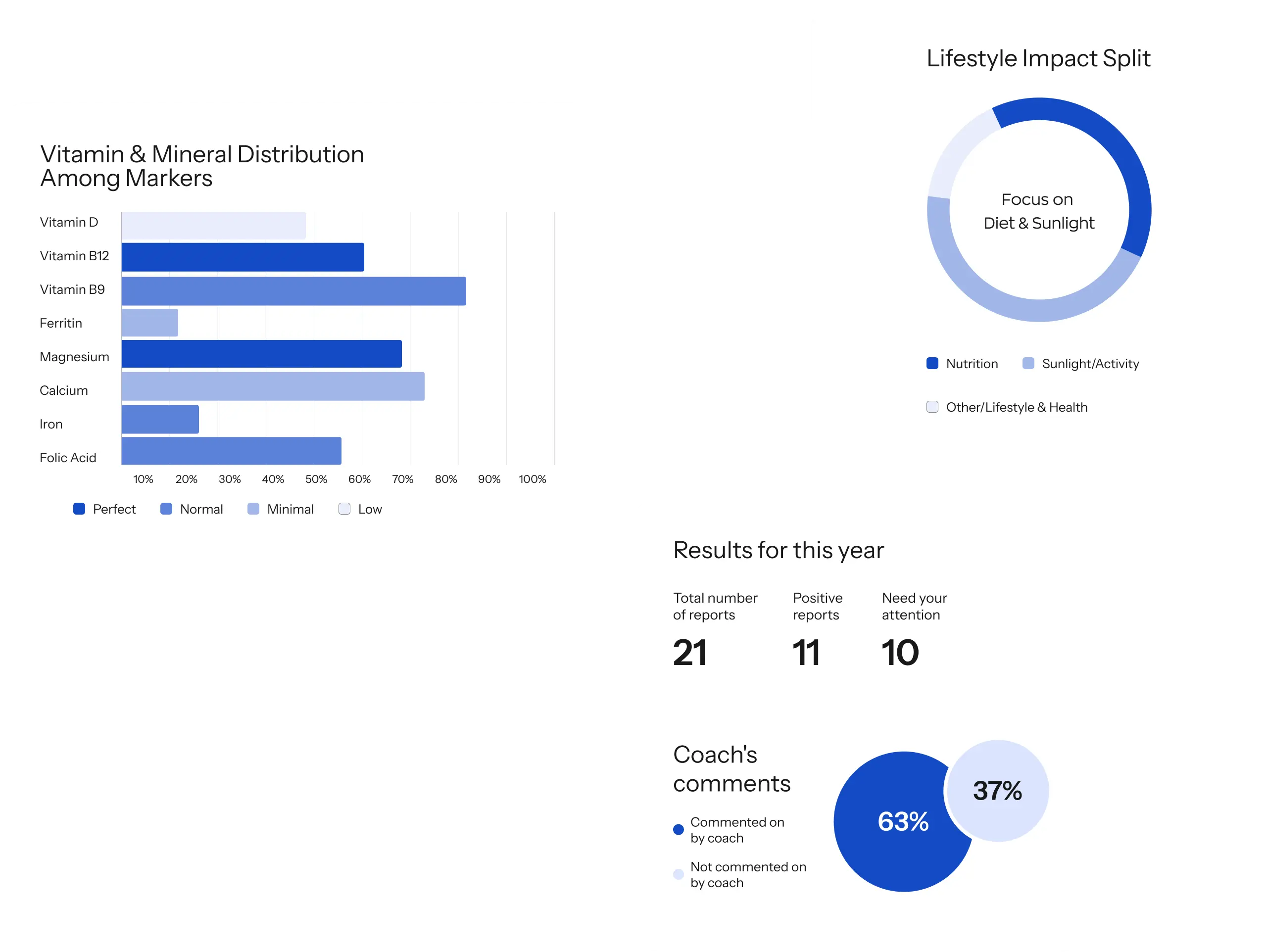
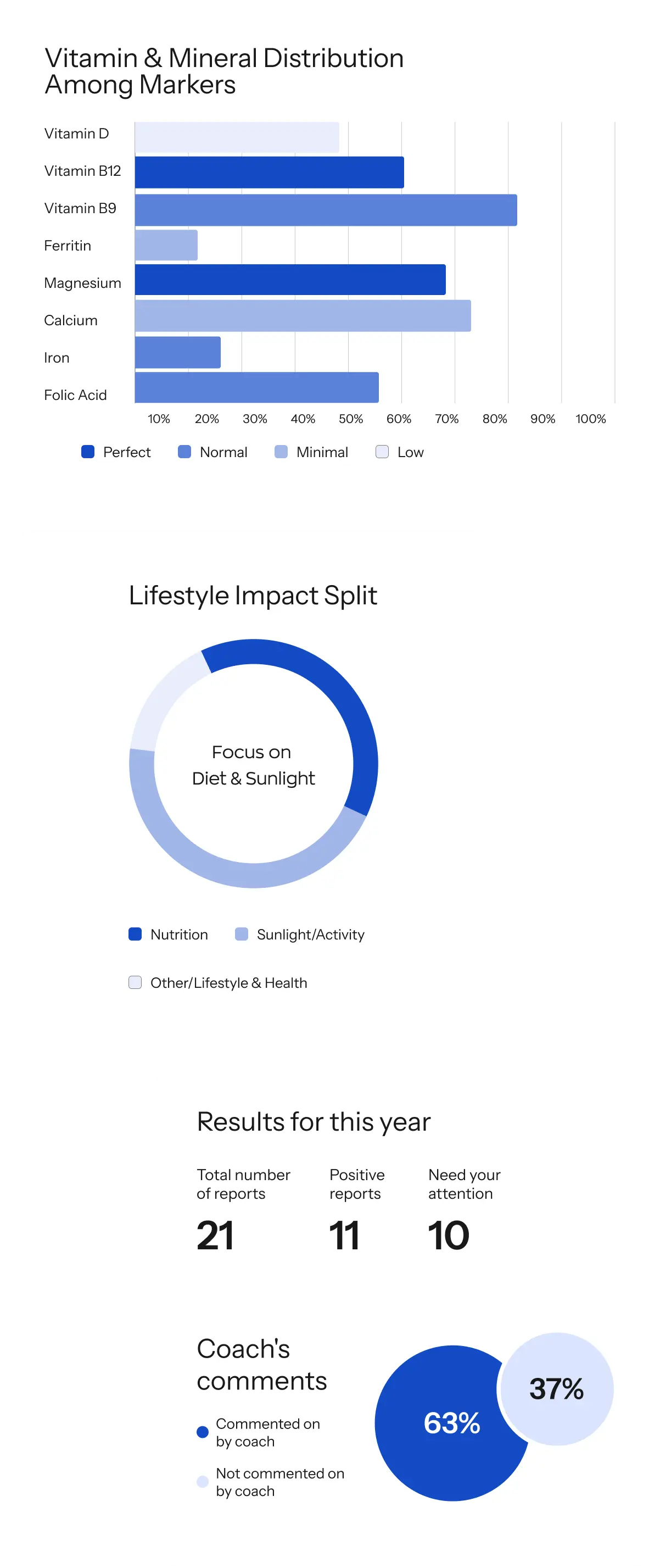
In this design, we opted for manually crafted graphs and charts to display health metrics rather than relying on libraries. This approach offers us greater customization and frees us from the limitations imposed by a pre-defined library.

Making visual clues
We included subtle prompts to guide users through the interface and inform them about the status of their lab files and reports.
In healthcare apps, visual clues are essential as they help users understand the handling of their valuable data and make the app feel more trustworthy.

UI kit
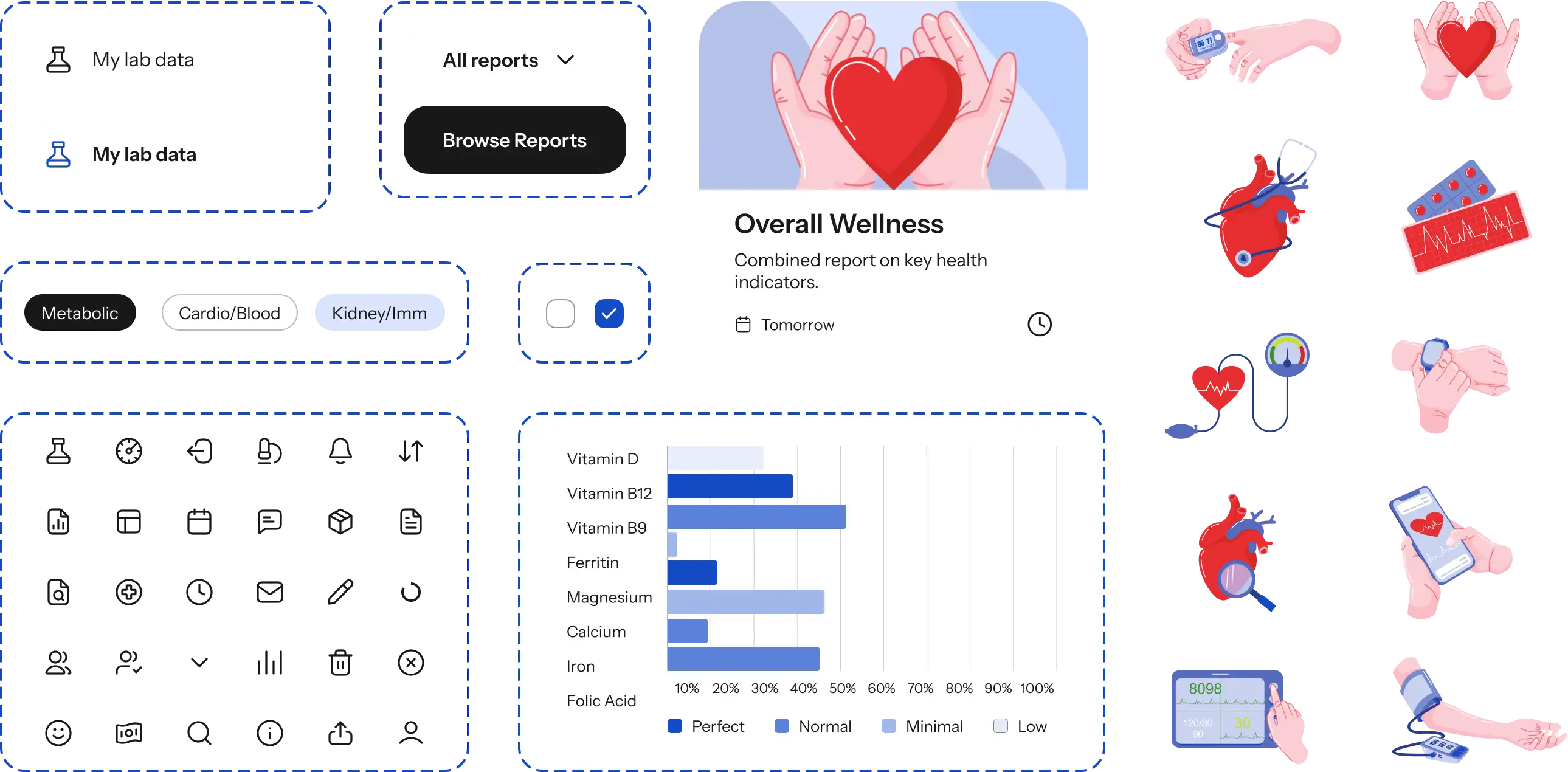
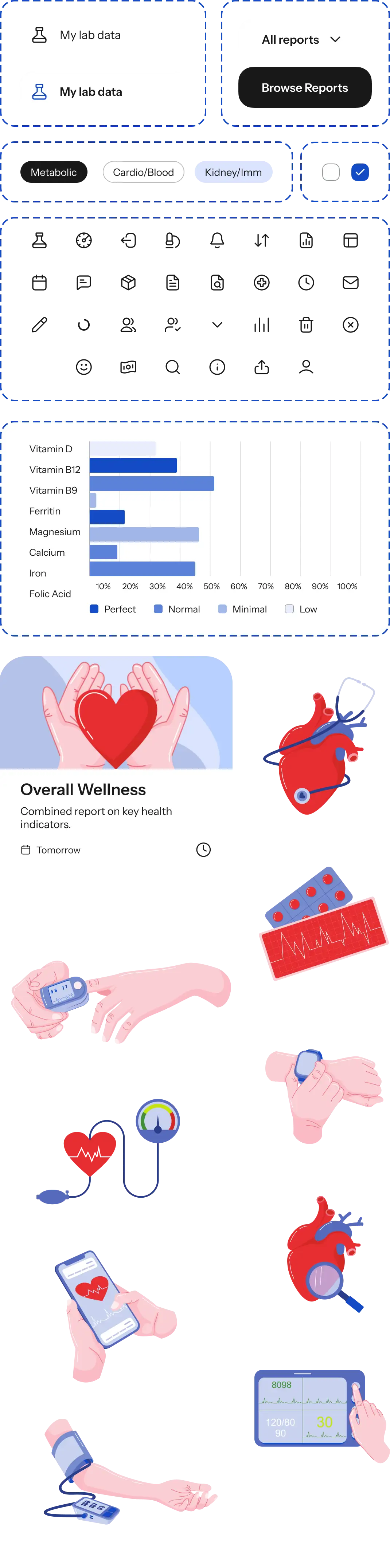
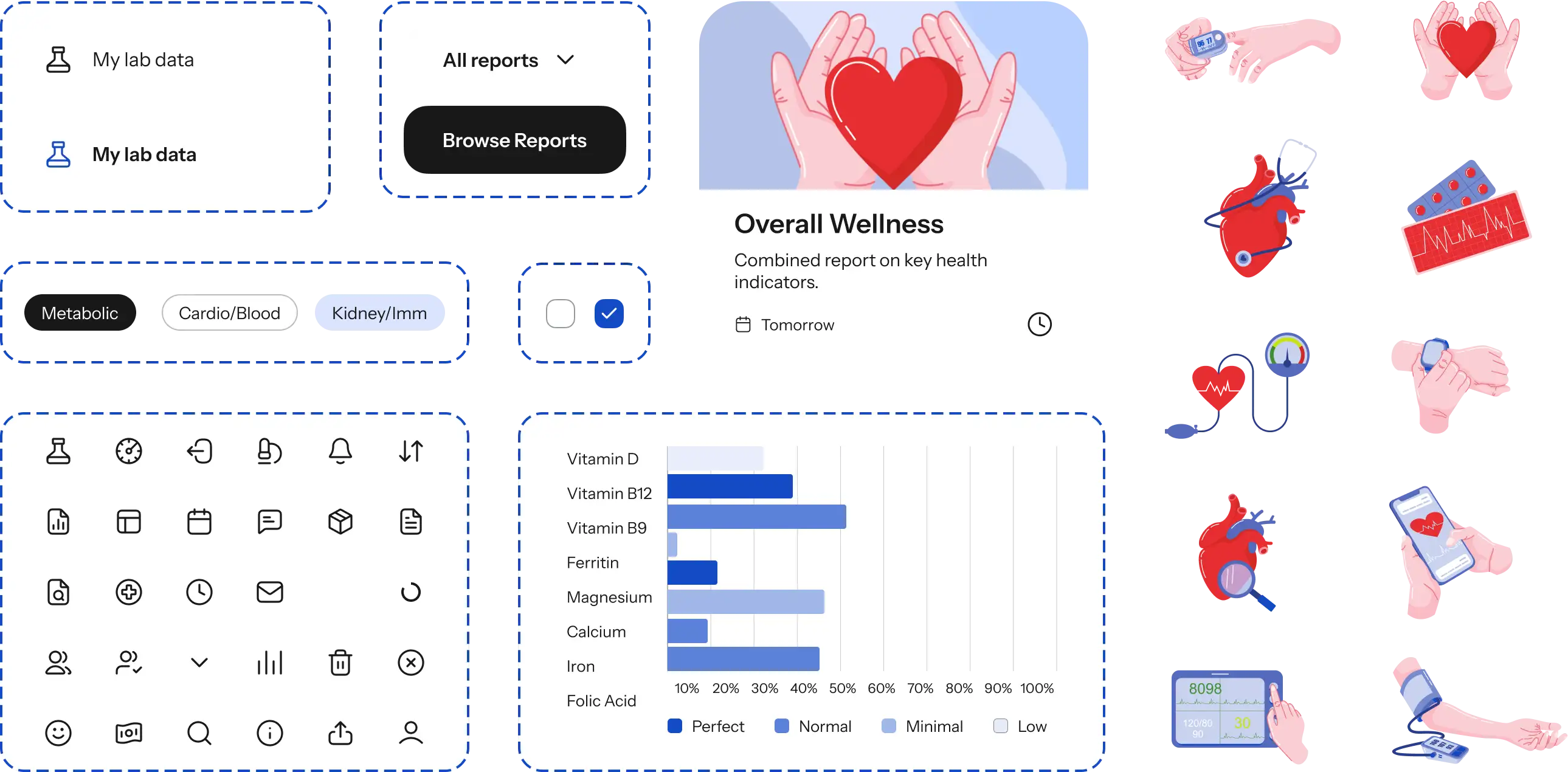
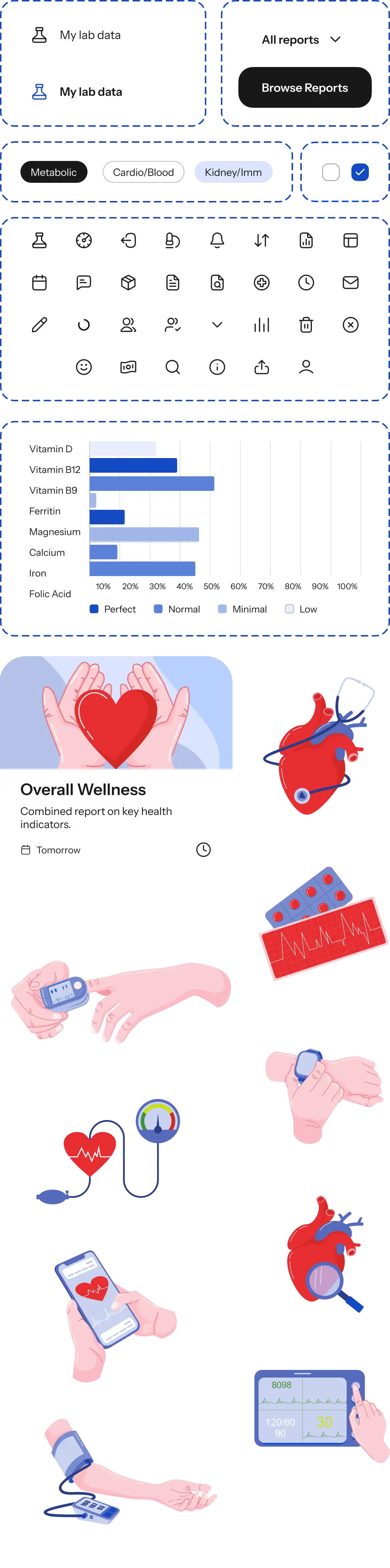
Our client intended to expand the app with additional features after the launch. To facilitate scalable design, we created a UI kit — a collection of pre-designed UI elements that can be easily assembled into new screens for efficient interface updates.


Development
We used Laravel for the backend and Angular for the frontend development. These technologies usually speed up our software development process since we can use a wealth of prebuilt code repositories that we gathered on our projects.
These technologies are versatile and well-suited for medium to complex applications. During development, they proved effective and stable, even as we added new features to the platform.
Integrations

Stripe
We integrated Stripe. It’s a payment processing platform that enables reliable in-app payments and makes sure they are smooth and secure.

Sharefile and Junction
Sharefile and Junction are used to transfer files of different formats from the laboratory’s network to the platform. These solutions comply with security regulations, which is why the data transfer becomes secure.

Cloud Build API
We also integrated the Cloud Build API, which enables the creation of custom designs and frontends for third-party businesses that use the platform.

Mailgun
We also integrated Mailgun, an email service. It enables users to delete their accounts and withdraw all their valuable data from the platform, which is required by key security laws.

This healthcare application requires storing vast amounts of user files and data, which means we needed a secure and reliable storage solution.
We addressed this by using GenomeStorage, a third-party service that securely holds all user test results. Also, we have created a database, hosted on Google Cloud SQL, which scales automatically to accommodate the project's requirements. Currently, the app manages several terabytes of data efficiently.


Ensuring HIPAA compliance
Given that the platform stores users’ medical data, it needs to be HIPAA-compliant. Otherwise, it wouldn’t be trusted by the users or potential investors. To make the platform compliant with this law, we have implemented the following procedures:
Our DevOps engineer constantly changes our cluster and Google Cloud Platform infrastructure.
Alerts for various events were configured to improve monitoring and response times.
Database backups were set up, and the retention period for these backups was extended.
Our developers enabled a two-factor authentication mechanism, essential for users with administrative roles, in compliance with HIPAA requirements.
Developed an automatic logout feature to enhance security after a specified period of inactivity.
Updated the lifespan of authorization tokens to ensure secure access management.
Currently, all the technical requirements for HIPAA compliance are in place; what remains is this year’s routine annual re-certification.
Challenges we encountered


When the first version of the platform was already released, our client decided to work with other healthcare businesses as well. We needed to add new functionality to the platform, and implementing this idea took about 6-7 months.
We developed the concept, got client approval, and executed the technical part. We managed to adjust the project thanks to the Agile approach, which allowed us to work in iterations and remain flexible to the client's needs. This functionality is now part of the platform, and we continue to enhance it.

In the initial phase, we faced challenges with implementing data storage in GenomeStorage, encountering frequent errors during app testing. Errors kept occurring because files weren't being processed, and the cause was unclear.
It took considerable time to diagnose, but eventually, we identified issues in the code and infrastructure and rectified them. Now everything operates as intended, and the data is processed correctly.


Results
This project is quite large-scale, and after launching the initial version, we've continued our collaboration with the client for 4 years. We have released functionality for typical consumers and other healthcare businesses partnering with our client. The platform is now a fully-functioning business tool with several hundred active users every month. Our client is satisfied with our work and stays with us for maintenance and further enhancement of the platform.
Our Ronas IT team has extensive experience in the healthcare sector, particularly in storing medical data and ensuring HIPAA compliance. We're eager to share this expertise with our clients.
Project team

