Is Laravel still the right choice for your web app?


Yes, Laravel is still a sound choice for the backend of a custom web app, especially when most of the work is user accounts, roles, payments, records, and connections to other systems. A new major version comes out every year, and each one gets security fixes for two years. At Ronas IT, a basic MVP with a React front end and a Laravel backend starts from $5,000 and takes at least 2 weeks.
Laravel does not fit every product. For an AI product built around a model you train or host yourself, a simple marketing site, or a standard online store, another starting point is usually better.
Is Laravel still relevant?
Yes. Laravel is actively developed, widely used by PHP developers, and backed by a funded company, which is what a business needs from a framework it will run for years. Its share of web development as a whole is smaller, because PHP is one of several backend languages. These are the facts behind that answer:
- Release cycle: according to the Laravel 13 release notes, a major version comes out every year, around the first quarter, with bug fixes for 18 months and security fixes for two years. Laravel 13 came out on March 17, 2026.
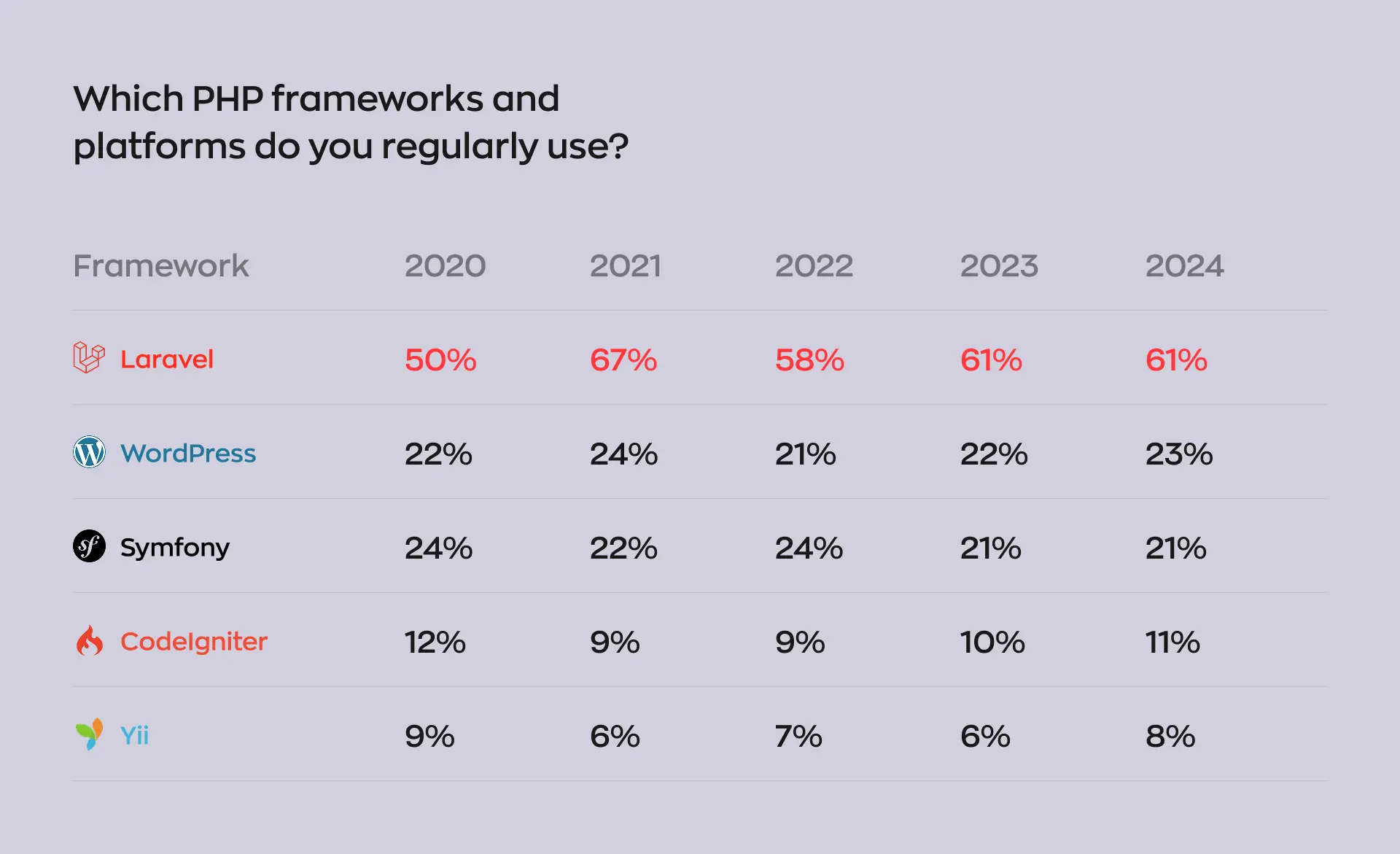
- Use among PHP developers: in the JetBrains State of PHP 2025, 64% of developers who work mainly in PHP use Laravel, ahead of WordPress at 25% and Symfony at 23%.
- Use across web development: in the Stack Overflow Developer Survey 2025, 8.9% of respondents said they had done extensive work in Laravel in the past year.
- PHP on the web: W3Techs counts PHP on 69.8% of the websites whose server-side language it knows, in its 2026 data.
- A company behind it: Laravel raised a $57M Series A from Accel in 2024 and launched Laravel Cloud, its own hosting platform, on February 24, 2025.
For a business, this means that a project started today moves to each new version through an official upgrade guide instead of a rebuild. You need to plan one upgrade a year.
What does custom Laravel web development include?
Custom Laravel development means building the server side of your product on Laravel: the database, the business rules, user accounts and permissions, the API that your website and apps call, background jobs, and the connections to outside services. The screens people see are a separate part, and we usually build them with React or Next.js on top of the same API.
| Product | What the Laravel side does |
|---|---|
| Web app or customer portal | Accounts, roles, business rules, records, and the API for the website |
| Backend for a mobile app | One API for the iOS and Android apps, push notifications, and the admin tools behind them |
| SaaS product | Company accounts, subscriptions and billing, usage limits, and team permissions |
| Internal tool or admin panel | Role-based access, approval steps, reports, and data imports |
| Integrations | Payments, CRM or ERP sync, identity checks, and background jobs that retry a failed call to an outside service |
| Real-time features | Chat, live order status, and notifications that reach the screen without a page reload |
If you are new to the split between the two sides, our guide to the frontend and backend in a mobile app explains which work belongs where.
When is Laravel a good fit, and when is it not?
Laravel fits products where most of the work is business logic around data: who can do what, what happens when an order changes its status, and which outside service needs to be told about it. It fits less well when the core of the product is a model you train or host, when the site needs almost no custom logic, or when a ready-made platform already does the job.
“Before we pick a backend, I ask what will change most often after launch. When the answer is the business rules, such as prices, roles, and approval steps, we keep each rule in one place in the Laravel backend, and the tests show what a change broke. Over the life of a product, that matters more than which framework is newest.”
Evgeny Leonov, CTO at Ronas IT
Laravel is a good fit for
- Products with many roles: marketplaces, booking systems, and portals where customers, staff, and partners each see and do different things.
- One backend for several apps: a website, an admin panel, and mobile apps that share the same accounts and data.
- Integration-heavy systems: payments, CRM, ERP, and identity checks that must stay in sync and recover when a call fails.
- A first version on a deadline: Laravel ships with authentication, queues, scheduled tasks, and database migrations, so the team spends its time on your features.
- AI features on hosted models: the official Laravel AI SDK, at version 1.0 since September 2026, gives one interface to OpenAI, Anthropic, Gemini, and other providers for agents with tools, embeddings, and speech, and can switch to a backup provider when one fails. The Laravel MCP package lets AI assistants call your app's functions through the Model Context Protocol; give those calls the same permission checks as the rest of the API.
Something else is often a better start
- The core is your own model or a data pipeline: training a model, running one on your own GPUs, or processing large datasets can live in a separate service, for example one written in Python. Laravel can still run the accounts, payments, and admin panel around it.
- A marketing site or a blog: a CMS or a landing page on Next.js costs less.
- A standard online store: a hosted platform such as Shopify with a custom storefront covers catalogs, payments, and orders without a backend built from scratch.
- Your own team works in another stack: if the in-house developers who will take the product over work in Node.js or Python, a backend in their language may be cheaper to own.
If your product is on the second list, we will tell you so and suggest an alternative.
Two Laravel projects we built
OddsCrowd and Hamperapp show two common reasons to choose Laravel: a first version on a fixed deadline, and one backend that serves several apps and user roles.
OddsCrowd: a platform for sports bettors with a fixed deadline
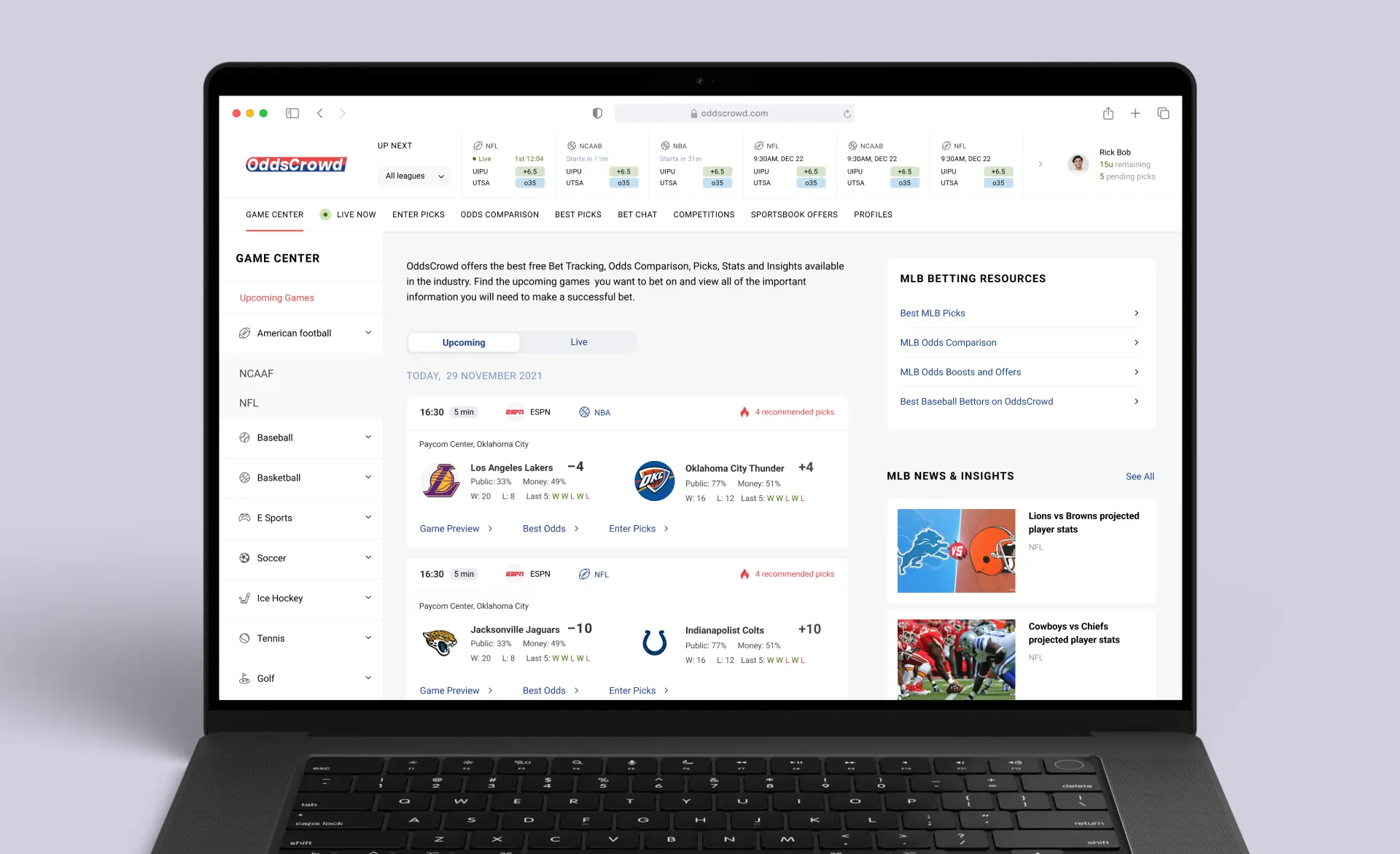
In 2018 we built the OddsCrowd web app, a community where sports bettors make forecasts, compare odds from legal US sportsbooks, and join contests; bets themselves are placed on the sportsbooks' sites. The client needed the app within four months, before major sports events. We built the backend on Laravel and the front end on Vue.js with Nuxt, and finished the first version in 14 weeks, within the deadline. OddsCrowd later added a mobile app, which we also built.
Hamperapp: one backend for four types of users
For Hamperapp, a laundry and dry cleaning service in Florida, we built one Laravel backend behind the customer web app, the admin and manager panels, and native iOS and Android apps. Four types of users work in the same system: customers place orders, drivers see new orders in real time, managers charge payments and edit orders, and administrators add services, laundries, commercial clients, and promo codes. When the case study was written, almost 80 local laundries were on the platform.
Our Laravel stack
Our default for a custom web app is Laravel with PostgreSQL on the backend, React or Next.js for the website, and React Native when the product also needs iOS and Android apps. The same Laravel API serves each of them. Around Laravel, we use these tools:
- Data and speed: PostgreSQL for records and Redis for caching and queues.
- Real-time features: Laravel Reverb, a WebSocket server for Laravel apps, for chat, live statuses, and notifications.
- Admin panels: Laravel Backpack by default, or Laravel Nova. A custom panel on Next.js or React, working with the same API as the rest of the product, is built when you ask for one or when the panel needs what Backpack and Nova cannot do.
- Tests and API documentation: each new feature and each bug fix comes with a described test case. Our open-source Laravel Swagger package builds the API documentation from tests that pass, so the documentation matches what the API does. It has more than 100,000 installs on Packagist.
- Project setup: our entity generator creates the standard set of classes for a new data type, and our project initializer prepares a new Laravel project and its settings.
- Monitoring and hosting: Sentry for errors, and Docker on AWS or Google Cloud, with Kubernetes or Docker Swarm on a VPS chosen per project and the infrastructure described in Terraform code.
How a custom Laravel project runs
A rough estimate is free; when the scope is not written yet, an optional paid analysis phase that takes at least one week comes first. Development runs in sprints that take one to three weeks; each closes on something you can open: an update on the development server, a screen ready to test, or new designs.
- Analysis: our analysts write user stories and flow maps, the team checks technical feasibility and reviews the architecture, and you get a scope document with the budget and the timeline. Our guide to the discovery phase explains what this stage settles.
- Environment: our DevOps engineers build the infrastructure from reusable Terraform modules, with production in your own cloud account, and create the frontend, backend, and infrastructure repositories with a working skeleton.
- Sprints: the developers write and test the code of each feature with AI agents. They describe each task, choose the architecture, and accept the code only after checking it. The project manager sends a weekly report on the features shipped, what you can use now, the plan for the next week, and the risks we see.
- Checks: automated tests and QA agents check every commit, and a failed test stops the build. Then come code review, a team lead review, and a manager review against the scope.
- Your review: you check each result on the development server before it goes to production.
- Launch and support: the app goes live in your cloud account, and Sentry tracks errors in production.
What a Laravel web app costs
A basic MVP covers the core features, with React for the screens and Laravel for the backend. It starts from $5,000, and the build lasts 2 weeks or more. A product beyond an MVP with complex business logic, often with high load or many real-time functions, is a complex product, which starts from $20,000. A modest real-time feature, such as a chat, can still fit an MVP. Design, project management, testing, the backend, and the admin panel are part of every price, and each price covers one client platform.
| Item | Starting price | Timeline | When it applies |
|---|---|---|---|
| Analysis phase | $1,000–$2,000 | At least 1 week | Optional, before the build when the scope is not written yet; you get the scope, an architecture review, the budget, and the timeline |
| Basic MVP | From $5,000 | At least 2 weeks | Core features on React and Laravel, to test the idea with users |
| Extended MVP | From $10,000 | At least 5 weeks | A first release with more features, roles, and integrations |
| Complex product | From $20,000 | At least 8 weeks | Scope past the first release with complex business logic; high load and real-time functions are common |
| Online store | From $6,000 | At least 3 weeks | A store with a catalog, payments, and orders: on a hosted platform for a standard catalog, on Laravel when orders or pricing rules are custom |
| Backend and API | From $2,500 | At least 2 weeks | A Laravel backend alone, when your own team builds the website or the app |
| Each extra client platform | From 50% of the first | Estimated with the scope | For example, a React Native app for iOS and Android next to the web app, on the same Laravel API |
| Support after launch | From $1,000 per month for one app | Ongoing | Monitoring, fixes, and updates; from $2,000 per month for a web app with its mobile apps |
Typical starting sums for a Laravel product:
- A web MVP: from $5,000.
- A web MVP with a cross-platform mobile app on the same Laravel API: $5,000 plus from $2,500 for the app, so from $7,500.
- A web product beyond an MVP, with complex business logic and high load: from $20,000.
Your cloud bill and support after launch are separate. Our article on what a website costs compares web apps with simpler sites.
Our engineers write and test the code with AI agents, make the architecture decisions, and accept every change.
How do you keep a Laravel app up to date?
Plan one framework upgrade a year. A Laravel version stops getting security fixes about two years after its release, so an app that skips upgrades is left without them. PHP versions also have an end date: according to the PHP supported versions page, each PHP branch gets two years of active support and then two more years of security fixes only.
- Laravel 12: bug fixes ended on August 13, 2026; security fixes last until February 24, 2027.
- Laravel 13: bug fixes until the third quarter of 2027; security fixes until March 17, 2028. It needs PHP 8.3 or newer.
“My advice to anyone planning the budget for an app is to give the upgrade its own line, next to hosting. Inside the feature budget, the upgrade has to compete with new features for the same money. With its own line, nobody has to argue for it again each year.”
Roman Surikov, CEO at Ronas IT
We use Renovate, a tool that opens dependency update requests automatically, and the test suite runs on each request before it is merged. Library updates stay small, and the yearly framework upgrade starts from a codebase that is already current.
An update can also bring in an attack. On May 22, 2026, Aikido Security found 233 compromised versions of three laravel-lang packages, which supply translations for Laravel apps. The attacker published version tags that pointed to commits in a fork, so the official repository looked clean. Composer's autoloader ran the new code on its own, and it collected .env files, cloud keys, SSH keys, and other credentials from the machine. Packagist, the registry Composer installs packages from, has since described its response: malware scanning of releases, versions that can no longer be rewritten by moving a tag, and a planned waiting period before a new release can be installed. On your side, the composer.lock file stays in the repository so every install gets the reviewed versions, and the servers and pipelines that install packages hold only the credentials their job needs.
What to ask a team before it builds your Laravel app
Six questions show whether a team will leave you with an app you control and can keep running.
- Where will the code and the servers live? The answer should name a cloud account you own and say how the code reaches you. With our Laravel development services, a project begins in a cloud account the client owns, and the code belongs to the client as well. By default, the repositories are created in the client's organization; if they start in our GitLab as an exception, the contract states when they are transferred.
- Which Laravel version will you use, and when is the next upgrade due? The answer should name a supported version and a date.
- How is a change tested? The team should be able to show you an example test case and the API documentation, and say which checks run before a change is merged.
- What does the estimate assume? It should state the stack, the team shape, and the outside services it counts on. Ours comes with a page that lists them.
- What will I see after each sprint? Expect a result you can check yourself, not only a status update.
- How do AI agents work on the code? Ask who accepts what an agent writes, whether it goes through the same tests and review, and which AI services see your code. Also ask whether the team uses Laravel Boost, the official Laravel package that gives agents Laravel guidelines and skills, or something similar, so that agents follow Laravel conventions.
What to do next
- Write down who will use the product, what each role does, and which outside services it needs.
- Check the list of cases where something else is a better start. If your product is on it, start with the option that list names.
- Mark the features that need real-time updates, and decide whether you need mobile apps.
- Choose a starting point: a basic MVP, an extended MVP, or a complex product.
- Ask for a rough estimate, and budget for support after launch, for one app or for the whole system, and a yearly upgrade.
First published 2025-03-28 by Evgeny Leonov, CTO at Ronas IT. Rewritten by Alexander Storozhevsky.