Mobile app backend: what it does, when your app needs one, and what it costs

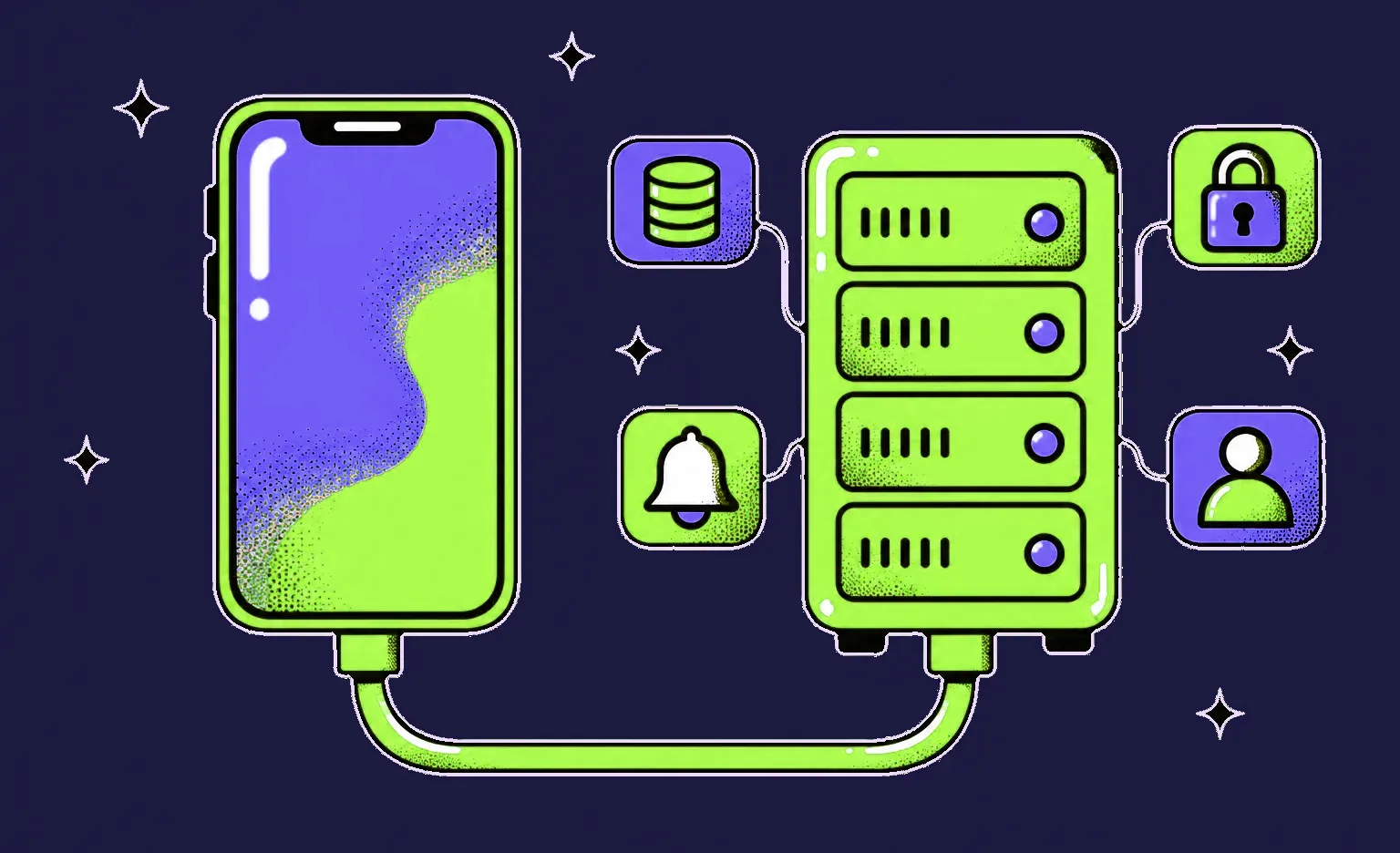
A mobile app backend is the server side of your app: it keeps user accounts and data, runs the rules that must not depend on the phone, connects payments and other services, and triggers push notifications. At Ronas IT, a backend API for a mobile app starts from $2,500, and a cross-platform app built together with its backend starts from $5,000. Most apps with accounts or shared data need a backend.
What a mobile app backend does
The app on the phone shows screens and collects input. Everything that has to be shared between users, kept safe, or checked by someone other than the user lives on the backend. The backend can take on these jobs.
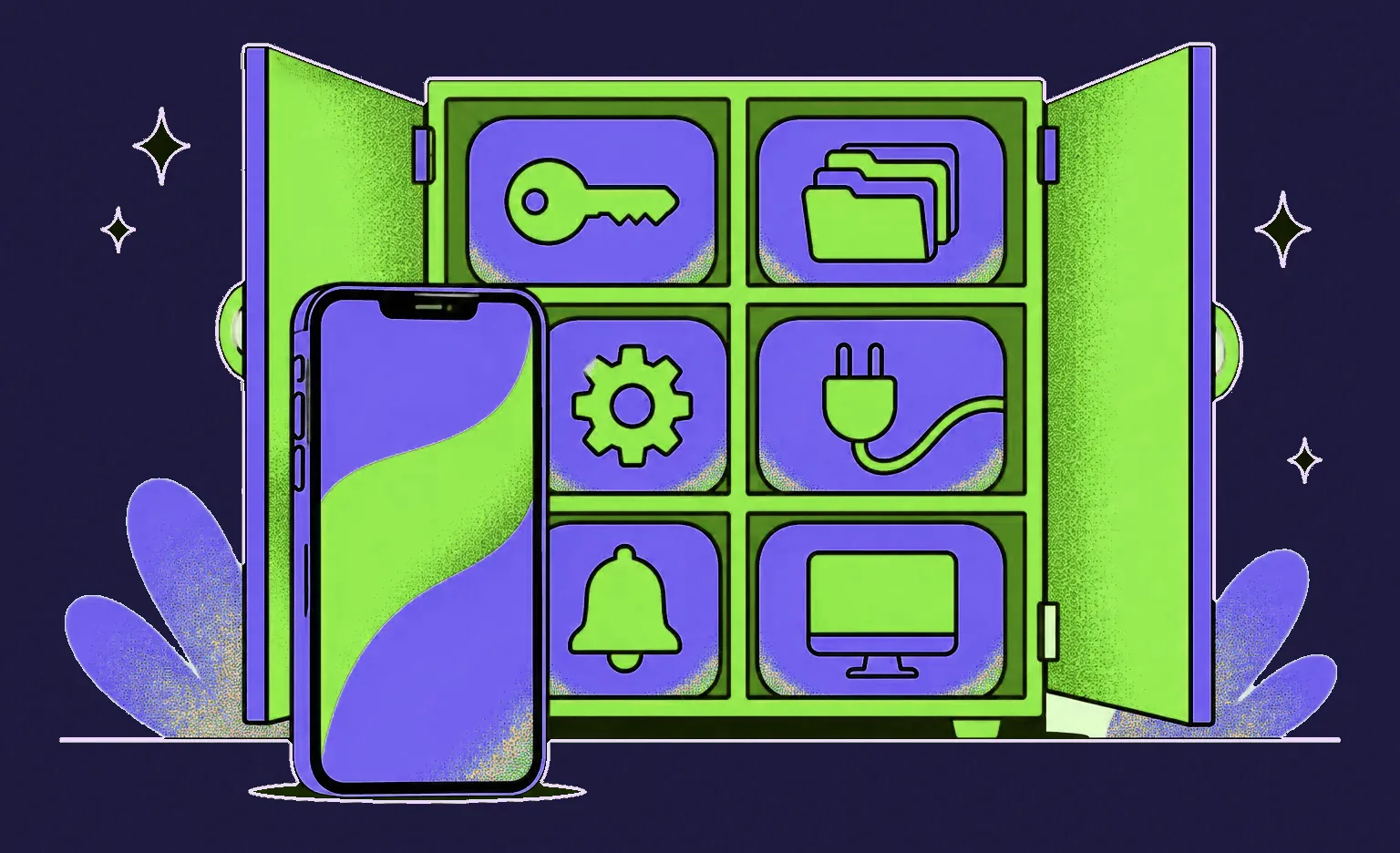
- Accounts and sign-in: the backend creates accounts, checks passwords or social sign-in, and issues the tokens that the app sends with each request.
- Data and files: profiles, orders, messages, and photos are stored in a database and in file storage, so they are the same on every device.
- Business rules: prices, stock, permissions, and payouts are calculated on the server. Someone with a modified copy of the app can bypass a rule that runs only inside the app.
- Integrations: payments, maps, email, and your CRM or ERP connect through the backend, which keeps the secret keys for these services off the phone.
- AI features: when the app drafts a message, answers a question, or reads a photo with a language model, the request goes through the backend too. OpenAI's API reference says not to expose an API key in client-side code such as browsers or apps, and to load it on the server. The backend also adds the user's own records to the request and caps each account's calls, so a modified copy of the app cannot run up the model bill. Our generative AI integration guide covers the rest of that setup.
- Push notifications: Apple and Google deliver a notification when a server asks them to. Apple calls this server your provider server in its APNs documentation, and Firebase Cloud Messaging names an app server or another trusted environment as the sender, apart from messages typed by hand in its console. The backend also stores the device tokens that tell these services which phone to notify.
- Admin panel: a web interface where your team manages users, content, orders, and reports.
Frontend vs. backend in a mobile app
In a mobile app, the frontend is the app itself: the screens, the navigation, and the logic that runs on the phone. The backend is a separate program on a server that every copy of the app talks to over the internet. One backend can also serve a web version and an admin panel, so every screen that your users and your team see works with the same data and rules.
| Question | Frontend (the app) | Backend (the server) |
|---|---|---|
| Where it runs | On the user's phone | On servers in the cloud |
| What it does | Shows screens, handles taps, saves data for offline use | Keeps accounts and data, runs rules, connects other services |
| Typical tools | React Native or Flutter, Swift for iOS, Kotlin for Android | Laravel, Node.js, or Python, with a database such as PostgreSQL |
| How a change reaches users | A new version, after App Store and Google Play review; a React Native app with Expo's update service can also get small JavaScript and image fixes over the air | As soon as the team deploys it |
The difference in how a change reaches users matters for planning: rules that may change often, such as prices or the content of the home screen, are easier to keep on the server, because you can change them without waiting for a new version of the app. React Native, which we use for cross-platform apps, is a frontend tool: it builds the app for iOS and Android, and the backend is written separately.
The same applies to rules the app checks before it shows a button, such as whether an order can still be cancelled. If the app and the backend each hold a copy of that rule, the copies drift apart, because users do not all update the app at once. Jay Freestone suggests sending the decision instead of the rule: the API returns the order together with the actions the user is allowed to take on it, and the app only shows or hides buttons. Change the rule on the server, and every installed version follows it.
“For every feature, I ask where the true version of the data lives. The app can keep a draft message, the last screen, or a cart, because losing them is only an inconvenience. Anything that other users, payments, or reports depend on belongs on the server, and the app shows a copy of it.”
Alexander Storozhevsky, Lead developer at Ronas IT
How the app and the backend work together
The app and the backend talk through an API: a fixed list of requests that the app can send and the answers it gets back. A typical request, such as booking a time slot, goes through these steps:
- The user taps a button in the app.
- The app sends a request to the API, together with the user's token.
- The backend checks the token and the rules: is the slot free, and can this user book it.
- It saves the booking in the database and calls other services if needed, such as payments.
- It returns the result, and the app updates the screen.
Most of our APIs use REST: the app sends a request and waits for the answer, as in the steps above. For live features, such as chats or order tracking, the backend keeps a WebSocket connection open and sends updates without waiting for a request. In Laravel projects, we use Laravel Reverb, a first-party WebSocket server for Laravel, for this. Our guide to building a chat app with React Native shows this part in more detail.
When the network drops, the app can show the data it saved last time and send the changes once the connection is back. If two devices changed the same record in the meantime, a rule has to decide which change wins, and that rule belongs on the backend.
Full offline use asks more of the backend than a cache does. When Notion built its offline mode in 2025, it had to guarantee that every record an offline page needs is on the device, and it does not open a page that is only partly downloaded. Polling the server for every page would not scale to millions of devices, so the server sends a message when a page changes. After a reconnect, the app compares when it last downloaded each page with when the server last changed it and fetches only the newer ones.
Does your app need a backend?
Your app needs a backend if it has user accounts, if data must be the same on several devices, or if users interact with each other. It can work without one if it runs fully on the phone and each user's data stays on that phone. Check the features of your first release against these cases:
- Accounts: sign-in, profiles, and password reset.
- Sync: the user opens the app on a new phone or on the web and expects to see the same data.
- Interaction between users: chats, bookings, marketplaces, comments, or ratings.
- Payments: the app should not decide on its own that an order is paid, so the backend checks the payment with the provider and creates the order.
- Content that changes without a release: catalogs, prices, news, or the layout of the home screen.
- Notifications triggered by events: a message from another user or a change in an order's status.
Account deletion adds backend work too. Apple's App Store Review Guidelines say that an app that supports account creation must also offer account deletion within the app. Google Play requires such an app to offer an in-app path to delete the account and its data, plus a web link where users can request the deletion. The app shows the button, and the backend deletes the data.
Apps such as a calculator, a converter, a habit tracker without sync, or a game without online play can skip a backend of their own. Even these can send analytics and crash reports to a ready-made service.
Custom backend, BaaS, or a mix
A custom backend is code that your team writes and owns, running in your own cloud account. A backend as a service (BaaS), such as Firebase or Supabase, gives you a hosted database, sign-in, file storage, and server functions that you configure instead of building. A product can also use a mix: a custom backend for the business rules and ready-made services for analytics, push delivery, or sign-in.

| Option | What you get | Fits when | Watch out for |
|---|---|---|---|
| BaaS | A hosted database, sign-in, storage, and functions; you pay the provider as usage grows | A prototype or an app with simple data and few rules | Your data model follows the provider, and moving to another backend later means rewriting parts of the app |
| Custom backend | Your own API, database, and admin panel, built around your rules | Payments, user roles, links to your own systems, reports | A larger starting budget and a team to maintain it |
| Mix | A custom backend for the core and ready-made services for the rest | Accounts and payments, plus analytics or push delivery from a ready-made service | Each outside service can change its terms or close |
Firestore, a Firebase database, is a NoSQL document database: it stores each record as a separate document. Supabase is built on a Postgres (PostgreSQL) database, which keeps data in tables linked to each other. This difference affects how easy it is to build reports or move the data to your own backend later.
Firebase Dynamic Links shows what happens when an outside service closes. Google shut down the service starting on August 25, 2025, and its FAQ says that all links served by the service stop working. On Lainappi, a rental app we built for the Finnish market, deep links (links that open a specific screen in the app) depended on this service. We moved deep linking to AppsFlyer, kept that code in one separate module, and shipped the change in days.
Our default is a custom backend on Laravel with a PostgreSQL database. In mobile apps, we use Firebase for app-side services such as analytics, and we do not choose it as the main database of a product. If your product already runs on Supabase, we can work with it. On Noah, a farmer marketplace in Sweden, we built native iOS and Android apps, a Laravel backend with an Angular admin panel, and Stripe payments, while Firebase gave the consumer app analytics, Google sign-in, and in-app messages.
How we build a mobile app backend
A rough estimate is free. When the scope is not written down yet, you can start with a paid analysis phase that turns the app idea into user stories and flows and reviews the architecture. Its result is a scope document with the budget and timeline estimate for the backend and the app. Then the backend is built in sprints that usually take one to three weeks. After each sprint, you can check the result yourself, for example a new build on the development server.
- Engineers and AI agents: an engineer designs the API, its data model, and the contract with the app, then sets the tasks and writes the endpoints and their tests with AI agents, has the agents review each commit, and accepts every change.
- Stack: Laravel with PostgreSQL and Redis for most backends, and an admin panel on Laravel Backpack by default or Laravel Nova. We build a custom panel in Next.js or React only on request or when neither package covers your needs. If you are weighing a JavaScript backend instead, see our article on React and Node.js.
- Tests and API documentation: every change comes with a test, and a version whose tests fail is not built for deployment. Our open-source Laravel Swagger package generates the API reference from the passing test suite, so the mobile developers work from documentation that matches what the API does.
- Push notifications: the open-source Laravel package for Expo push notifications that we maintain adds the API endpoints that the app calls to register a device's push token, and it sends notifications from the backend.
- Hosting: production runs in your own cloud account, and the environment is set up from our Terraform modules, which describe the servers and services as code.
How much a mobile app backend costs
In our projects, a backend API for a mobile app your own team builds starts from $2,500 and takes at least 2 weeks, with the integrations with outside services included. When we build the app too, there is no separate backend bill: the app price includes the backend, the admin panel, the integrations, design, project management, and testing.
| What you build | Starting price | Timeline | When it fits |
|---|---|---|---|
| Analysis phase for the app and its backend | $1,000-$2,000 | At least 1 week | Optional: before development, if there is no scope document yet, to write down the scope and the budget and timeline estimate |
| Backend API for an app your own team builds | From $2,500 | At least 2 weeks | The app needs accounts, data, and rules on a server; integrations are included |
| Cross-platform app (React Native) with its backend, a basic first version | From $5,000 | At least 2 weeks | A first release for iOS and Android with a few key features |
| Larger first release with more roles and connected services | From $10,000 | At least 5 weeks | More roles, user flows, and integrations, still as a first release for the market |
| App with real-time features for high load | From $20,000 | At least 8 weeks | Chats or live tracking for many users at once |
For example, an app with accounts, card payments, and an admin panel for your team can fit a first version from $5,000. If users also book time slots, the booking rules raise the starting price to $10,000. A web version of the same app adds from 50% of the app's price.
After launch, the cloud provider and the ready-made services you use bill you directly. Support for the app with its backend and admin panel covers monitoring, fixes, and regular updates and starts from $1,000 a month; with a web version too, from $2,000. If you want us to run the servers as well, DevOps and hosting for the backend's environments, release pipelines, and monitoring starts from $200 per month.
What to do next
- List the features of your first release and mark the ones that need a backend.
- Decide which data and rules must live on the server and which can stay on the phone.
- Write down the outside services you need: payments, maps, email, or your CRM.
- Compare a BaaS, a custom backend, and a mix by when each one fits and what to watch out for.
- Plan the budget from the prices above, including support after launch.


Frequently Asked Questions (FAQs)
What is a mobile app backend?
It is the server part of a mobile product. The app on the phone shows the screens, and the backend keeps user accounts and data, runs the business rules, connects services such as payments and maps, and asks Apple and Google to deliver push notifications. The same backend can also serve a web version and an admin panel.
Can you build an app without a backend server?
Yes, if the app runs entirely on the phone and keeps each user's data only on that device: a calculator, a converter, a single-device habit tracker, or an offline game. As soon as the app has accounts, data that must match on several devices, payments, or users who interact with each other, it needs a backend, either your own or a ready-made service.
What is the difference between frontend and backend in a mobile app?
The frontend is the app that runs on the phone: screens, navigation, and the data it saves for offline use. The backend runs on servers and is shared by every user. A change to the app's native code reaches users through a new version and store review. In a React Native app that uses Expo's update service, small fixes to its JavaScript, styling, and images can also arrive over the air. Changes to the backend reach users as soon as the team deploys them.
Is React Native frontend or backend?
Frontend. React Native is a framework for building the mobile app itself for iOS and Android from one codebase. The backend that the app talks to is a separate program, written with a server framework such as Laravel or Django, or on Node.js.
What backend should I use for my app?
For an app with accounts, payments, roles, and an admin panel, choose a custom backend on a mature framework with a relational database. Our default is Laravel with PostgreSQL. A backend as a service such as Firebase or Supabase fits a prototype with simple data and few rules. If your team already works with Node.js or Python, a backend on that stack can be the better choice for you, because your team will maintain it.
What is mobile backend as a service (MBaaS)?
It is a ready-made backend that you configure instead of building: a hosted database, sign-in, file storage, and server functions, used through the provider's SDK, a code library added to the app. Firebase and Supabase are two common examples. You pay the provider as usage grows, and your data model and rules follow what the service supports.
How do you build a backend for a mobile app?
Start with the features of the first release and decide which data and rules must live on the server. Then design the API the app will call, choose the stack and the database, and build the backend in short sprints with tests for each change. Set up push notifications, the admin panel, and the outside services, and deploy the backend to a cloud account that you own.
How much does a mobile app backend cost?
At Ronas IT, a backend API for an app your own team builds starts from $2,500, with integrations such as payments or maps included. When we build the app as well, there is no separate backend bill: the backend, admin panel, and integrations sit inside the app price, and a first version for iOS and Android starts from $5,000, and a product with real-time features for high load from $20,000.
How long does it take to build a backend for a mobile app?
Our backend API for an app your own team builds takes at least 2 weeks. A basic first version of the app together with its backend also takes at least 2 weeks, and a product with real-time features under high load at least 8 weeks. If the scope is not written down yet, an analysis phase that takes at least one week can come first to write it down, along with the budget and timeline estimate.