Music app development: app types, music rights, features, stack, and cost

A music app, whether it is a streaming service or a niche listening app, starts with two decisions: what kind of app you build and where its music comes from. At Ronas IT, the smallest first version in this guide starts at $10,000: an iOS and Android app with its backend, an admin panel, and payments. A licensed streaming catalog costs more. Music rights shape the backend, the features you may offer, and the budget more than the screens do.
What types of music apps can you build?
The type of app decides the source of its music, and the source decides which rights you need. A streaming service with a large catalog of other people's music needs licenses before it can play a single track. An app with music you own, or music that artists upload themselves, can launch much sooner.
| App type | Where the music comes from | What it needs first |
|---|---|---|
| On-demand streaming service | A catalog licensed from labels, distributors, and publishers | Licenses for the recordings and the songs in every market |
| Radio-style streaming | Stations or playlists the listener cannot control track by track | In the U.S., the statutory license for the recordings, plus licenses for the songs |
| Niche or own-catalog app | Music a label, an artist, or a studio owns, such as meditation or workout audio | Written confirmation that you hold the rights for streaming |
| Platform for independent artists | Tracks that artists upload themselves | Upload terms, moderation, and a way to handle copyright complaints |
| Companion app | The listener's own Apple Music account | The platform's developer rules, which limit how you make money |
| Learning or music-making app | Lessons, sounds, and loops you create or license | Rights to the sounds and backing tracks you ship |
Instead of a smaller copy of a large streaming service, we recommend starting with a narrow audience and something the big apps do not do well for them: one genre, one use such as workouts or sleep, a region, or tools for a type of artist.
Music rights: the decision that shapes the app
Every track carries two copyrights, and a streaming app usually needs permission for both. The U.S. Copyright Office calls sound recordings and musical compositions “two separate works for copyright purposes”: the composition is the music and lyrics, and the sound recording is a recording of an artist performing it. Different organizations license each of them.
For an on-demand service in the U.S., that means three kinds of permission:
- Sound recordings: for services with on-demand access to tracks, the statutory license does not apply, and SoundExchange says “a direct license must be obtained from the copyright holder”, such as a label or an independent musician.
- Mechanical rights for the songs: the Music Modernization Act created a blanket license for interactive streams and downloads, run by the Mechanical Licensing Collective (MLC). According to the Copyright Office, the license has been available since January 1, 2021.
- Performance rights for the songs: the MLC does not replace performing rights organizations, and there are several in the U.S., including ASCAP, BMI, SESAC, GMR, and AllTrack.
A radio-style service, where listeners cannot pick tracks on demand, can use the statutory license that SoundExchange administers for the recordings instead of direct deals, if it meets the eligibility rules, such as limits on how often it plays one artist or album. Other countries split the rights in a similar way but use their own organizations. In the UK, for example, PRS for Music offers a license for the musical works it represents to UK-based direct-to-consumer digital music services.
Skipping this step is expensive. Under U.S. copyright law, a copyright owner can choose statutory damages instead of actual damages and profits: the court sets them at $750 to $30,000 per work and may raise them to up to $150,000 per work for willful infringement. Apple checks too: its App Review Guidelines forbid copyrighted works in an app without permission, and the rule on audio and video from third-party sources ends with “Authorization must be provided upon request.”
Licenses also add work to the software. A licensed app has to know in which countries each track may play, count every play for royalty reports, and remove tracks when a deal ends. Plan these parts of the backend together with the deals, and ask a music lawyer which licenses your markets need. In our analysis phase, we turn these rules into user stories and a scope for the backend; the deals and the legal advice stay with you and your lawyer.
“Before you pay for design, find out where your music will come from and what the rights holders will ask for. That answer tells you which app you can afford to build.”
Roman Surikov, CEO at Ronas IT
Can you build on Spotify or Apple Music instead?
Only for a companion app, not for a streaming business of your own. Spotify's Developer Policy allows streaming through its platform only for Premium subscribers, does not permit commercial use of apps that stream through it, and says not to build products that “mimic, or replicate or attempt to replace a core user experience of Spotify or its group companies without our prior written permission”.
With Apple's MusicKit, an app can play songs from the Apple Music catalog once a user gives permission to their Apple Music account, but the app may not require payment or indirectly monetize access to Apple Music. These tools fit a feature inside another product, such as a workout app that plays the user's own playlists.
Features a music app needs
A streaming app needs features for three groups of people: listeners, the team that manages the catalog, and, on some platforms, the artists. The lists below cover what we recommend planning for, though a first version does not need all of them.
For listeners
- Sign-up and profile: quick sign-up with email, Apple, or Google, and a few questions about favorite genres or artists so the first screen is not empty.
- Player: play, pause, skip, a progress bar, and controls on the lock screen, in the notification area, and on headphones. Playback continues when the app is in the background.
- Search and browse: search by track, artist, and album, and pages for artists, albums, genres, and moods.
- Playlists and library: liked tracks, saved albums, and playlists the listener builds and shares.
- Offline listening: downloads that play without a connection, if your licenses allow them.
- Subscription and payments: a free tier and a paid plan, with the payment flow each app store requires.
For the catalog team
- Catalog management: uploading tracks, cover art, credits, and lyrics, or importing them from a distributor's feed.
- Rights and territories: the countries and dates in which each track may play, and a quick way to take a track down.
- Usage reports: plays per track and per country for the royalty statements your licenses require.
- Editorial tools: featured playlists, home screen sections, and push campaigns.
For artists
A platform where artists upload their own music also needs:
- Uploads: an artist account for uploading tracks, with checks for audio format and metadata.
- Statistics: plays and listeners for each artist.
- Copyright complaints: a process for handling them.
AI-generated music: disclosure, labels, and moderation
Streaming services have started to tell listeners when music was made with AI. In June 2025, Deezer began tagging albums that include fully AI-generated tracks and said it excludes those tracks from algorithmic and editorial recommendations. In September 2025, Spotify said it would support an industry standard for AI disclosures in music credits, developed through DDEX, a standards organization for exchanging data across the music industry. In April 2026, it launched AI credits in beta, which show where AI was used in lyrics, vocals, or production when artists disclose it through their label or distributor.
An app that hosts artist uploads or imports a distributor's feed has to make the same decisions:
- Disclosure at upload: a question in the upload form about how AI was used, stored with the track and shown in its credits.
- Metadata from feeds: if distributors send AI disclosures with their deliveries, the catalog import stores them and shows them in credits.
- Labels and recommendations: where a label appears, and whether AI-generated tracks enter recommendations and editorial playlists.
- Moderation and rights: Spotify notes that the absence of an AI credit does not mean AI was not used, so disclosure alone is not enough. Plan a way to report tracks, review them, and handle claims of voice cloning: Spotify allows vocal impersonation only when the impersonated artist has authorized it. Ask your lawyer what your upload terms should say about AI-generated material.
What can wait until after launch
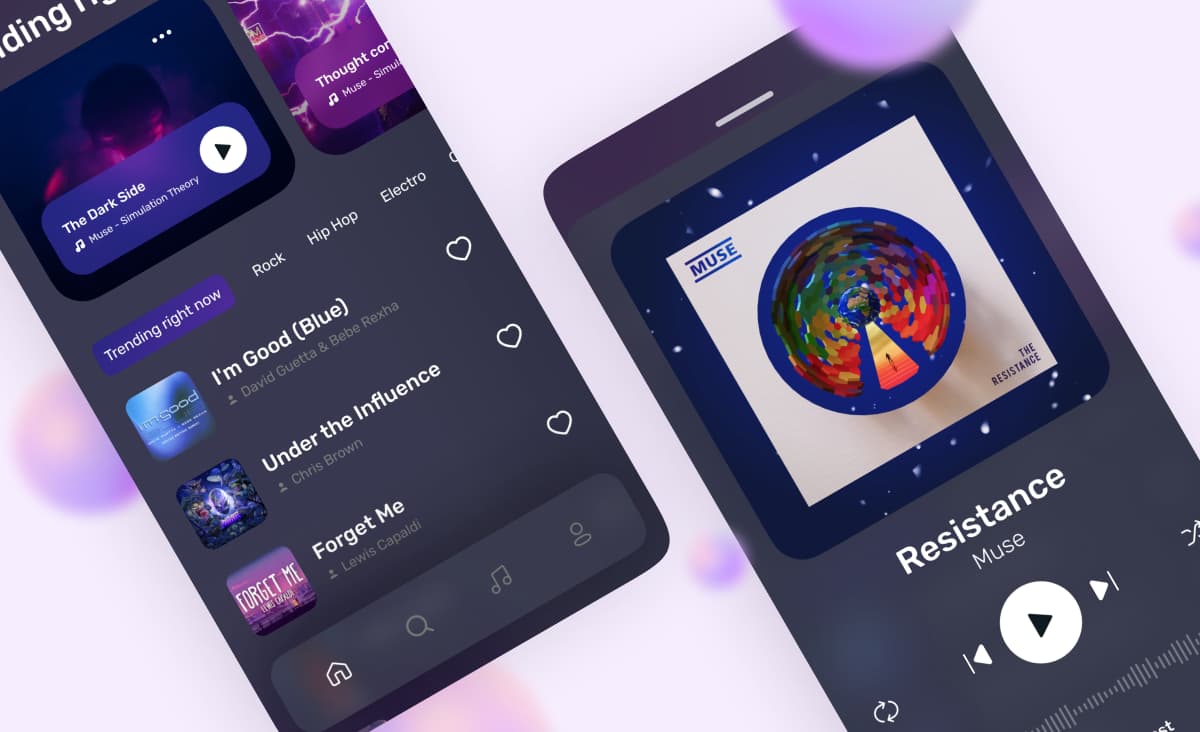
A first version can launch without personal recommendations, synced lyrics, social features, listening rooms, and smart speaker support. Launch with a fast player, search, playlists, and the payments your model needs, then add features in the order users ask for them. For a look at the screens, see our music streaming app design concept with onboarding, a home screen with top artists, and a playback screen with synced lyrics.
A content app we built with a similar structure
We have not published a music app case, but a reading service we built under NDA has the same structure as a catalog-based music app: an owner who manages the content, users who consume it, and payments that come later. The client already had the rights to its books, so licensing was not part of this project.
- Three apps from one team: a mobile app for readers, a web app that fully replicates it, and a web admin panel for the service owner.
- An admin panel for the catalog: the owner manages books and glossaries, users, and payments. We built it with Laravel Nova and added tools for editing book texts and managing user accounts.
- One codebase for mobile and web: the client's time and budget were limited, so we built both the mobile and the web apps with React Native and the backend with Laravel.
We released all three apps within the timeframe the client set, including verification in Google Play and the App Store. The client then started testing the business idea with real users. In a music app, the admin panel would hold tracks, rights, and usage reports instead of books.
How audio gets from your servers to the listener
In the setup we recommend for a streaming app, the phone does not download whole audio files. The backend converts each track into a streaming format at several quality levels and delivers it through a content delivery network (CDN), so the player can adapt to the connection.
- Streaming format: HTTP Live Streaming (HLS) lets you deploy content “using ordinary web servers and content delivery networks”, and Apple says it “dynamically adapts to network conditions”.
- Copy protection: rights holders may require digital rights management (DRM), which encrypts the audio so only your app can play it. On Apple devices, this is FairPlay Streaming; on Android, ExoPlayer supports Widevine through the Android MediaDrm API.
- Offline downloads: on iOS, AVFoundation can persist HLS streams on disk for offline playback, and on Android, ExoPlayer can download media and play protected tracks with keys from an offline key set.
- Background playback: on iOS, the app sets its audio session to the playback category and uses the Audio, AirPlay, and Picture in Picture background mode. On Android, the player runs in a separate service with the foreground service permissions for media playback.
- Play counts: the app reports each play to the backend, including plays that happened offline, because royalty reports depend on them.
“Build the player first and the screens around it. Background playback, offline tracks, and play counts run through the player, and each is easier to plan in from the start than to add to a finished app.”
Alexander Storozhevsky, Lead developer at Ronas IT
How music apps recognize and analyze sound
Some of the features people notice first in music apps rest on a few published techniques. Song recognition matches a short recording against fingerprints of known tracks, and the same matching finds copyrighted uploads. Streaming apps even out the volume between tracks, learning apps detect the pitch a student plays, and music-making apps split a finished song into separate parts. Each type of app below can use one of them.
How an app like Shazam recognizes a song
The method is called audio fingerprinting, and Shazam's co-founder Avery Wang described it in a 2003 paper, An Industrial-Strength Audio Search Algorithm. The app turns a few seconds of sound into a spectrogram, a picture of which frequencies are loud at each moment, and keeps only its strongest peaks. Wang calls the result a “constellation map,” because the points look like stars. The peaks survive background noise and a phone microphone better than the rest of the sound does.
The app then pairs nearby peaks and turns each pair, made of two frequencies and the time between them, into a short number called a hash. The service has stored the same kind of hashes for every track in its catalog. A match is a track that shares many hashes with the recording and in which those hashes sit at the same time distance from each other as in the recording. The paper reports finding short phone recordings with voices in the foreground in a database of over a million tracks.
You do not have to build this yourself on Apple platforms. ShazamKit matches audio against the Shazam catalog or against a custom catalog of your own recordings, and it returns the point in the reference recording where the match starts, which lets an app sync its screen with a lesson or a video. Humming is a different problem, because a hummed tune has none of the recording's peaks. Google's Hum to Search uses a neural network that turns both the hummed tune and the studio recording into embeddings, lists of numbers that end up close together for the same melody, and then looks for the nearest one.
Techniques behind other types of music apps
- Streaming: even volume. Spotify measures the loudness of each track at upload and adjusts the volume during playback to -14 LUFS, a loudness unit from the ITU 1770 standard, without changing the file. This is why a quiet folk song and a loud rock track play at similar volume.
- Artist platforms: catching copyrighted uploads. YouTube's Content ID checks every upload against a database of files submitted by copyright owners. A music platform can use fingerprint matching the same way, to flag an upload that copies a track before it goes live.
- Learning apps: hearing the note. An app that tells a student whether a note was in tune estimates the pitch from the microphone many times a second. The YIN method, published in a 2002 paper by Alain de Cheveigné and Hideki Kawahara, does this by finding the period at which the sound repeats itself best. Delay matters as much as accuracy: Android's audio latency guide sets 20 ms or lower as the required round trip and notes that musicians generally need 10 ms.
- Music-making and karaoke apps: splitting a song. Trained models separate a finished mix into vocals, drums, bass, and other parts, called stems. Deezer's open-source Spleeter splits a track into two, four, or five stems, and two stems, the voice and the backing, are what a karaoke mode needs.
Tech stack for music app development
For a music streaming app, we recommend React Native for the mobile app and Laravel for the backend; the table shows the tools we choose for each layer. A music app on a different stack still needs each of these layers.
| Layer | What it does in a music app | What we recommend |
|---|---|---|
| Mobile app | Listener flows on iOS and Android | React Native with Expo, with native modules for the audio player |
| Backend and API | Accounts, catalog, rights, playlists, subscriptions, and play counts | Laravel |
| Admin panel | Catalog management, takedowns, editorial sections, and reports | Laravel Backpack, or Laravel Nova |
| Main database | Tracks, artists, rights, users, and plays | PostgreSQL |
| Search | Search by track, artist, and album, with typos allowed | Elasticsearch |
| Cache and queues | Audio conversion and other background jobs, plus fast repeated reads | Redis |
| Audio storage and delivery | Original files, converted streams, and delivery close to listeners | Amazon S3 or Google Cloud Storage behind Cloudflare |
| Recommendations | Similar tracks and personal mixes, once you have enough listening data | PostgreSQL with pgvector |
| Real-time features | Listening rooms, live chat, and live updates | Laravel Reverb |
| Error tracking | Player crashes in the apps and failed uploads or audio conversions on the backend | Sentry |
One React Native codebase keeps the app the same on iOS and Android, and a web player can share logic with it later.
Custom music app development or a no-code app builder?
A no-code app builder is enough when you need a standard player for content you own: an app for one artist, a podcast, or an online radio station. You get a working app quickly, but the builder decides what the player, the payments, and the admin can do.
Build a custom app when the product needs one of these:
- Licensed catalog: rights by territory, takedowns, and usage reports for rights holders.
- Protected downloads: DRM and offline listening that your licenses allow.
- Your own logic: recommendations, a special player for lessons or workouts, or tools for artists.
- Growth beyond the template: your own web player, integrations with distributors, or features the builder does not offer.
How to create a music app step by step
To make a music app, go through these eight steps in order. They fall into three stages: steps 1-2 decide the app and its music, steps 3-5 plan and build it, and steps 6-8 cover testing, store review, and support after launch.
- Pick the audience and the app type. Name the listeners you serve first and what the big apps do not do well for them.
- Map the rights. List the sources of your music and the countries where you launch, then talk to rights holders and a music lawyer.
- Settle the scope. Do it in an optional analysis phase ($1,000-$2,000, at least one week), which gives you user stories, a check of technical feasibility, and a scope document with the budget and timeline, or as part of design.
- Design the key screens. The player, search, the library, and the paywall, tested with a clickable prototype.
- Build in sprints. A sprint lasts one to three weeks and ends with a build you can install and play music in, so you hear the player and browse the catalog early.
- Test playback on real devices. Background playback, lock-screen controls, calls, a weak network, and offline mode.
- Prepare for store review. Keep the license documents ready: Apple's guidelines ask that an app include only content you created or have a license to use.
- Launch and support. Watch errors and play counts, update the app for new iOS and Android versions, and add features in the order users ask for them.
How to make money with a music app
The common models are a free tier with ads, a paid subscription, or both. The free tier brings listeners in, and the subscription removes ads and unlocks features such as offline listening. Niche apps also sell one-time purchases, such as a course, an album, or a sound pack.
Two limits shape the choice. Your music licenses can set what you may offer for free and how you report revenue to rights holders. And the stores set payment rules: Apple's guideline 3.1.1 requires in-app purchase for subscriptions that unlock features in the app. Under guideline 3.1.3(a), reader apps, which include music apps, may give access to subscriptions bought elsewhere. Under guideline 3.1.1(a), apps in the U.S. storefront may link to purchases outside the app. The same guideline lets music streaming apps in specific regions use Music Streaming Services Entitlements to link to the developer's website for other ways to buy. Check Google Play's Payments policy as well, and plan the payment flow for each store before design.
How much does music app development cost?
At Ronas IT, the first version of a music app starts at $10,000. That is the smallest version this guide describes: a cross-platform app with a player, search, playlists, and payments for music you already have the rights to. This feature set goes beyond our simplest MVP, which starts at $5,000. Its backend, the admin panel for the catalog, design, testing, and project management are inside that price. A licensed streaming catalog raises the price: distributor feeds add integration work, and the rights, reporting, and DRM work comes with it. Music license fees and cloud hosting are not part of this price.
| What you build | Starting price | Timeline |
|---|---|---|
| Optional analysis phase | $1,000-$2,000 | At least 1 week |
| First version for your own catalog: a cross-platform app for iOS and Android, the backend, the admin panel, and payments, design included | From $10,000 | At least 5 weeks |
| Licensed streaming service with distributor feeds, rights reporting, and DRM; high load and real-time features raise the price | From $20,000 | At least 8 weeks |
| Web player next to the app | From 50% of the app price | Estimated with the build |
| App support after launch, when only the app needs care | From $1,000 per month | Ongoing |
| Whole-system support after launch: the app, the web player, and the backend | From $2,000 per month | Ongoing |
The rights, reporting, and DRM work keeps a licensed service above the own-catalog price. A web player for desktop listeners is a second client platform: from $5,000 next to the own-catalog version, or from $10,000 next to a streaming service.
What moves the price of a music app up or down:
- Music source: a licensed catalog needs rights by territory and usage reports, and rights holders may require DRM; in an own-catalog app, these depend on what the rights holder asks for.
- Offline listening: protected downloads and offline play counts add work on both platforms.
- Integrations: every distributor feed, payment provider, or analytics service adds work to the estimate.
- Personal features: recommendations and listening rooms need data, real-time infrastructure, and tuning.
What to do next
Start with the first two steps above: the audience and the app type, then the rights for your markets. After that:
- Decide whether offline listening is part of the first version, and check that your licenses allow it.
- Write the three feature lists (listeners, catalog team, and artists) and mark what cannot wait.
- Ask for a rough estimate of the first version, and budget for license fees, cloud hosting, and support after launch.
If you want to test the idea before a full build, see our React Native MVP development service.
First published 2023-02-10 by Alexander Kontsevoy, Art Director at Ronas IT. Rewritten by Evgeny Leonov.