Node.js pros and cons for web development: when it fits your backend, and when it costs you more

Node.js is a good backend choice when one JavaScript or TypeScript team will own the whole product, when most requests wait on a database or another service, and when the app keeps many live connections open. Its main drawbacks are heavy calculations that make other users wait, a large set of third-party packages to keep safe, and a code structure your team has to choose. A web app with us starts from $5,000 as an MVP and takes at least 2 weeks; its stack is matched to the project, so the backend can be Node.js.
What is Node.js?
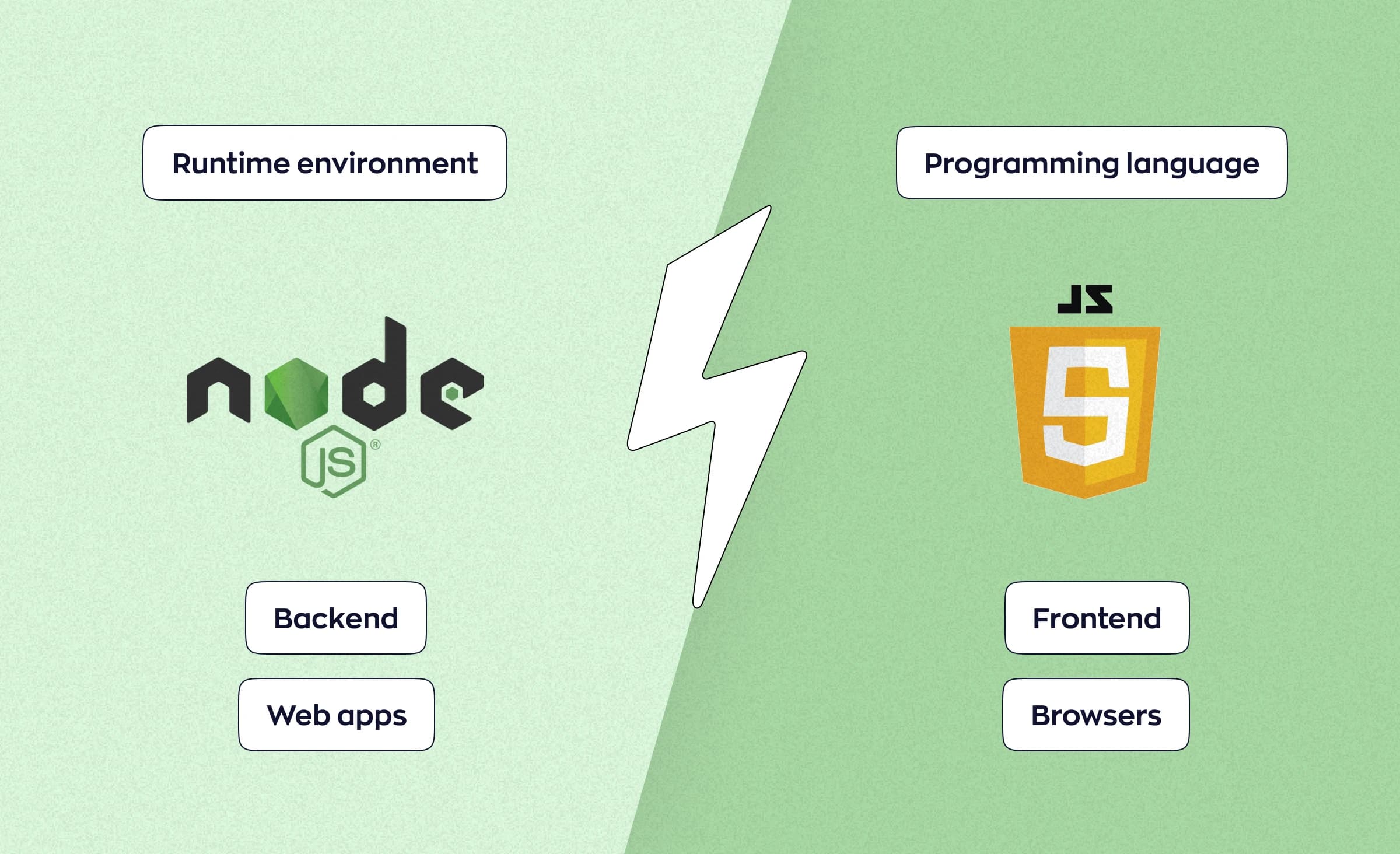
Node.js is a program that runs JavaScript on a server instead of in the browser. The Node.js project describes it as an asynchronous, event-driven runtime “designed to build scalable network applications”. In practice, one main thread runs your code. When the code waits for a database, a file, or another API, Node.js picks up the next request and comes back to the first one when the answer arrives. Most of the pros and cons below follow from this design.
Node.js pros and cons at a glance
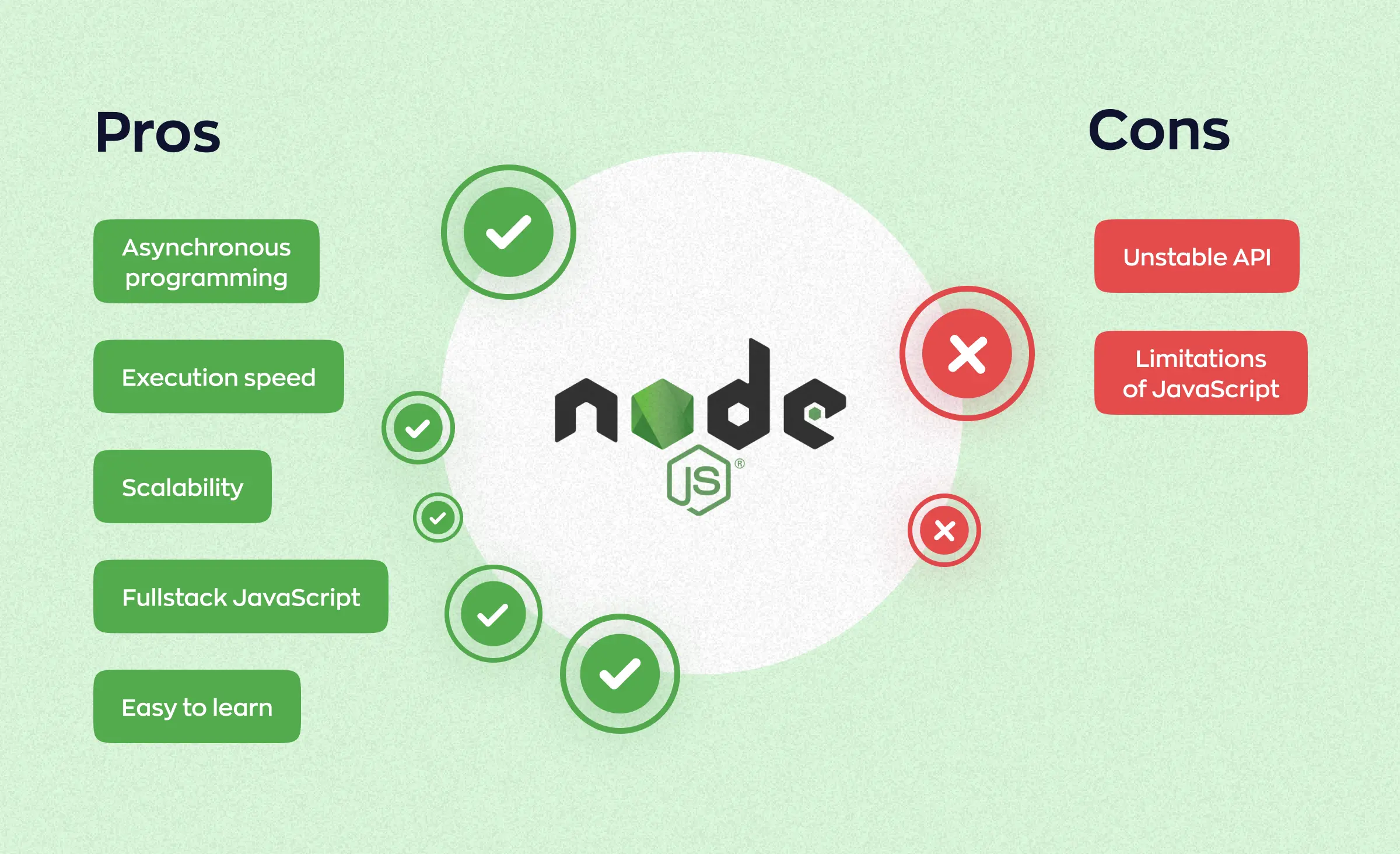
Node.js is fast with many small requests, uses one language across the product, and has ready packages. Its weak points are heavy calculations, package risk, the decisions it leaves to your team, and planned version upgrades. This table shows what each point means for a product that you pay to build and then own:
| Side | Point | What it means for your product |
|---|---|---|
| Pro | Many connections on few threads | Chat, notifications, and APIs that mostly wait on a database serve many users without a thread for each one |
| Pro | One language on both sides | The front end and the backend share TypeScript types, and one team can work on both |
| Pro | Ready packages | Less custom code for payments, file storage, and other standard features |
| Con | Heavy calculations block other users | Reports and large imports need a worker thread or a separate service |
| Con | Package risk | Dependency reviews and updates become a regular support task |
| Con | Structure is a team decision | The code stays readable only if the team picks a framework or rules and keeps to them |
| Con | Limited support for each version | An app that runs for years needs planned upgrades to new Node.js versions |
Advantages of Node.js for web development
Node.js shows its strengths in products where the backend does many small jobs at once and in teams that already write JavaScript. Three advantages matter most when you pay for the build and keep the code after launch.
It serves many users with few threads
A Node.js app runs as one process and does not start a new thread for each request. The Node.js guide Don't Block the Event Loop calls this the secret of its scalability: it “uses a small number of threads to handle many clients”. This suits chat, live notifications, dashboards that update on their own, and APIs that mostly read and write a database. When one server is not enough, the same app can run as several processes or on several servers.
One language for the front end and the backend
With TypeScript in a React or Next.js front end and in a Node.js backend, both parts can import the same data types. If the backend changes the shape of an order, the type check points to every screen that still expects the old shape, before the release goes out. Since version 22.18, Node.js also runs TypeScript files directly by removing the types, though it does not check them. Our guide to React with Node.js shows how the two parts talk to each other.
Ready packages for standard features
npm, the package registry of Node.js, holds ready libraries for standard jobs. Stripe publishes its API library there, AWS publishes its SDK for JavaScript, and PostgreSQL, MongoDB, and Redis have Node.js clients. For a new product, this means less custom code for payments, file storage, and database access, so more of the budget goes to the features that are unique to you.
Disadvantages of Node.js
The four drawbacks below are costs to plan for, not reasons to avoid Node.js: a worker or a separate service for heavy work, time to review and update packages, rules for code structure, and planned upgrades to new Node.js versions. They are easier to settle before the build starts than to fix in a live product.
Heavy calculations make other users wait
Your JavaScript runs on one main thread, and the Node.js guide warns that “while a thread is blocked working on behalf of one client, it cannot handle requests from any other clients”. Building a large PDF report or parsing a very large JSON file inside a request can hold that thread long enough for other users to notice. The guide also names badly written regular expressions as a risk.
The Node.js documentation says worker threads “are useful for performing CPU-intensive JavaScript operations”, and heavier work, such as AI models, can run in a separate service written in a language such as Python. Both have to be planned into the architecture, and both add parts to build and test.
Every package is code you have to trust
A Node.js app is built from npm packages, and each package can bring in packages of its own. In September 2025, CISA, the US cybersecurity agency, reported that a self-replicating worm called Shai-Hulud had compromised over 500 packages in npm, which it calls “the world's largest JavaScript registry”. Its advice included checking package-lock.json files, pinning package versions to known safe releases, and turning on phishing-resistant multifactor authentication for developer accounts. For you, this means that dependency reviews and updates belong in the support budget.
The worm ran through install scripts, code that a package may run on the developer's computer or the build server while it is being installed. Snyk's analysis describes install hooks that stole npm, GitHub, and cloud credentials. Two settings close much of that path. The pnpm package manager runs the build scripts of dependencies only for packages on an allow list, and its minimumReleaseAge setting skips versions published less than a day ago by default, which gives the registry time to pull a malicious release. With npm, the ignore-scripts setting turns install scripts off, and npm ci installs exactly the versions recorded in the lockfile.
The code structure is up to the team
Express, a Node.js web framework, calls itself “unopinionated” and “minimalist”: it leaves most decisions about structure to the developers. Laravel, a PHP framework, by contrast comes with built-in user login, queues for background jobs, and an ORM, which lets the code work with database records as objects.
On Node.js, the team picks a framework with a fixed structure or agrees on its own rules. When we build on Node.js, we use NestJS, which provides “an out-of-the-box application architecture”, so a new developer can find what they need in the code.
Each version gets fixes for a limited time
According to the Node.js releases page, a long-term support (LTS) version typically gets critical bug fixes for 30 months in total. The page advises production apps to run only Active LTS or Maintenance LTS versions. Node.js 20 has already reached end of life. An app that runs for years needs an upgrade before its version stops getting fixes, and the upgrade includes its packages.
What about callback hell?
Older lists of drawbacks also name “callback hell”, code nested deep inside callbacks. Node.js code can use async and await instead, which MDN describes as a way to write promise-based code “in a cleaner style”. You may still meet deep callbacks when you take over an old codebase.
What is Node.js used for?
Node.js is used for backends that handle many small requests and messages: APIs for web and mobile apps, chat and live updates, and small services next to a main backend. It is a weaker choice for products built around heavy calculations or around many business rules.
Lists of large companies that run Node.js show that it can work at a very large scale. They do not tell you whether it fits your product: those companies chose it for their own teams, traffic, and budgets.
Good fits
- Database-backed APIs for web and mobile apps: when its requests read and write a database and return JSON.
- Chat, notifications, and live dashboards: the server keeps many connections open and sends short messages through them.
- A small service next to the main backend: for example, one that only holds the live connections of an app.
- Features that call a hosted AI model: the request waits for the model provider's API the way it waits for a database, so the thread is free in the meantime. OpenAI and Anthropic publish official TypeScript libraries on npm, and the OpenAI library supports streaming, so the answer can appear on the screen as the model writes it.
- Products owned by a JavaScript team: when your developers will maintain the code, a backend in JavaScript or TypeScript lets them change it without switching languages.
Weaker fits
- Heavy calculations, video processing, or running AI models yourself: this work should run outside the main thread, in a worker or in another service, for example one written in Python.
- Products built around business rules: approval steps and many user roles. Here Laravel's built-in tools save time, as we explain in our article on custom Laravel development.
How we used Node.js on a messaging app
On one client project, a messaging app, a single Node.js backend served the apps while they changed. The product started as a small support service, with a mobile app built in Cordova, a tool that wraps JavaScript code into an installable app. Later, the mobile apps moved to native Swift and Kotlin, and a desktop app and a web app joined them. The backend ran on AdonisJS, a Node.js framework we no longer pick for new projects, with MongoDB for the data.
Three parts of that backend show where Node.js fits a live product:
- Live connections in their own deployment: the socket server ran separately from the API server, so long-lived connections and ordinary API requests could scale apart.
- Redis between socket servers: Socket.IO, the library that held the connections, used its Redis adapter, so a message sent on one server reached users connected to another.
- Checks on connect: when a device connected, the server checked the user's token and the app version, and it turned away app versions older than the minimum it supported.
Node.js vs Laravel vs Python: which backend fits your product?
Choose by what a typical request does and by who will own the code. Our backend development services cover all three. Laravel is our default for web products, we add Node.js when the product or the client's team calls for it, and we use Python with FastAPI for small, fast services and AI or data tasks.
| Backend | Strong side | Watch out for | When we propose it |
|---|---|---|---|
| Node.js with NestJS | Many open connections; one language with a JavaScript front end | Heavy work on the main thread; many packages to keep up to date | A client team that works in JavaScript or TypeScript |
| Laravel (PHP) | Built-in login, queues, and database tools for products with many roles and rules | AI models and data pipelines belong in a separate service | Our default for web apps, marketplaces, and booking systems |
| Python with FastAPI | AI and data libraries; small, fast services | A second language in the stack if the main backend uses another one | AI features, data processing, and services that talk to hardware |
When the main backend is Laravel, live updates in our new projects run on Laravel Reverb, its own WebSocket server. Our guide to Python frameworks compares Django, FastAPI, and Flask in more detail.
“I would rather keep one main backend and give a second language a single narrow job, such as Python for an AI model, than spread a product across several stacks. Each extra language is another set of packages to update and another skill the next team needs.”
Evgeny Leonov, CTO at Ronas IT
How much does a web app with a Node.js backend cost?
We price a web app on Node.js by its scope, the same way as one on Laravel: the backend language does not change the price. A basic MVP of a web app costs from $5,000, with a timeline of at least 2 weeks; by default it runs on React and Laravel, and the backend can be Node.js when the project calls for it. A complex product starts from $20,000 and takes at least 8 weeks; that is where complex business logic, live updates, and a high-load architecture belong. We settle which line fits your scope in the rough estimate or the analysis phase.
Each price includes the design, the backend and admin panel, integrations with outside services, testing, and project management. It does not cover support after launch or the cost of your own cloud account. A mobile app next to the web app is a second client platform, from 50% of the price of the first.
| Item | Starting price | Timeline | When it applies |
|---|---|---|---|
| Analysis phase | $1,000–$2,000 | 1 week | Optional, before the build, if you want the scope, architecture, and backend choice worked out first |
| Backend and API | From $2,500 | At least 2 weeks | A backend on its own, for a mobile app or a front end you already have |
| Basic MVP | From $5,000 | At least 2 weeks | A web app with core features: the front end, the backend, the outside services it needs, and automated deployment |
| Extended MVP | From $10,000 | At least 5 weeks | A first release with more features, user roles, and integrations |
| Complex product | From $20,000 | At least 8 weeks | Chosen from your scope; complex business logic, advanced security, live updates, and a high-load architecture |
| Support and maintenance | From $1,000 per month | After launch | The live web app and backend: monitoring, fixes, and regular updates; hosting is a separate plan from $200 per month |
Node.js adds two items to plan. A worker or a separate service for heavy calculations is part of the build, so it goes into the estimate for your project. Package updates and Node.js version upgrades come after launch: support covers regular updates, and a move to a new major version is best planned as a separate item. For what each option includes, see our web app development services.
Is Node.js the right technology for your project?
Start with who will maintain the code: Node.js is likely the right choice when it is your own JavaScript or TypeScript team. Many small requests and live updates suit Node.js, but they do not rule out Laravel, our default backend. Heavy calculations add work to plan, and a product built around business rules is likely to take less time on Laravel. Mixed answers are normal, and we weigh them for your product in the rough estimate, which is free, or in an optional analysis phase.
- Will a JavaScript or TypeScript team maintain the code? If it is your own team, we propose Node.js: with one language, the same people can change both sides of the product.
- Do most requests wait on a database or another service? Node.js serves them well, but so do Laravel and other mainstream backends, so this does not decide the backend on its own.
- Must screens update live for many users at once? Node.js handles many open connections on few threads, and our new Laravel projects get live updates from Laravel Reverb.
- Does a request do heavy calculations? Plan to move that part off the main thread.
- Is the product mostly business rules and user roles? Laravel's built-in tools are likely to save time.
What to do next
- Choose the team that will maintain the backend after launch, and note the language it works in.
- Write down what the heaviest request in your product does and how long it may take.
- Name the features that need live updates, such as chat, notifications, or order statuses.
- Plan package updates and Node.js version upgrades as costs after launch.
- Request a free rough estimate; add the optional analysis phase only if you want the scope worked out first.



Frequently Asked Questions (FAQs)
Is Node.js a framework or a programming language?
Is Node.js safe to use for a business app?
Is Node.js single-threaded?
What is the best database for Node.js?
Is Node.js faster than PHP?
Should I use Express or NestJS for a Node.js backend?
Can Node.js run TypeScript?
Yes. From version 22.18, Node.js runs .ts files without a flag by stripping the type annotations, as the Node.js documentation explains. It does not check the types, so the TypeScript compiler has to run separately to catch type errors. Some TypeScript syntax, such as enum, cannot be stripped and needs a runner or a separate build step.
Which Node.js version should a production app use?
An LTS version in Active or Maintenance status, as the Node.js releases page advises. Node.js 20 has reached end of life and no longer gets fixes. Starting with Node.js 27, a new major version will come out once a year: each spends six months in Alpha, then six months as Current, and then becomes LTS.