
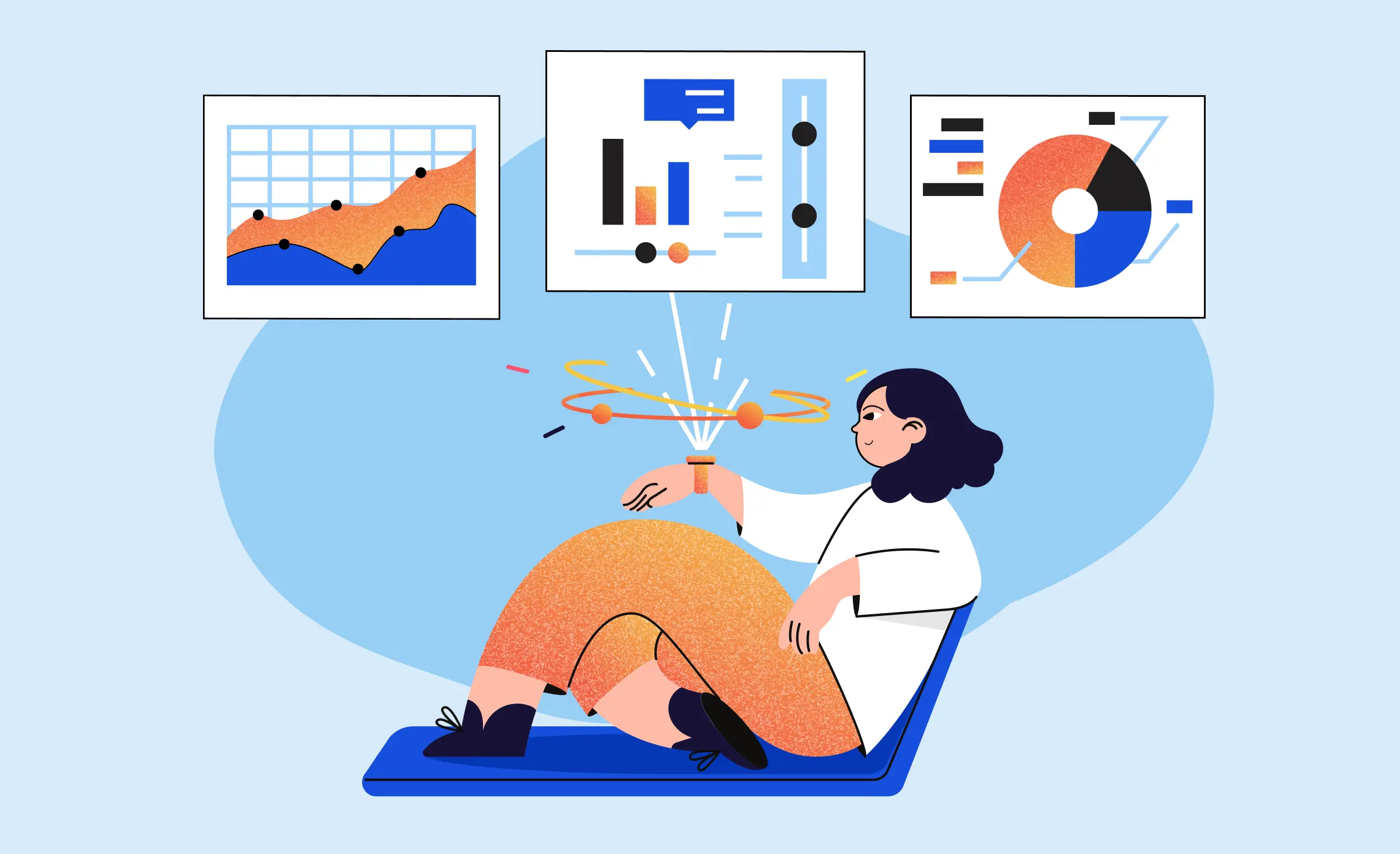
Wearable app development means building software for a watch, band, ring or pair of glasses, almost always next to a phone app that does the heavy work. One fact decides most budgets: the code that runs on the phone does not run on the watch. An Apple Watch app is a separate target written in Swift. A Wear OS app is a separate Kotlin module.
What is a wearable app?
A wearable app is an app built for a device worn on the body, designed for interactions that last seconds rather than minutes. It shows one thing clearly, accepts one tap or one swipe, and hands anything longer back to the phone. That constraint, not the screen size, is what separates wearable design from mobile design.
Wearable apps come in two shapes, and the difference drives the estimate.
- Companion apps. The watch app is a view onto a product that lives on the phone. It shows today's numbers, sends a notification, starts a timer, confirms a payment. Most commercial watch apps are this shape.
- Independent apps. The watch app works with no phone nearby: it stores its own data, reaches its own server over Wi-Fi or cellular, and connects directly to Bluetooth accessories. This is the shape for running, swimming and field work, and for warehouse and field-service tools where taking out a phone is not practical. It costs more, because you are building a second product rather than a second screen.
“The first thing I ask is whether the watch app has to work with the phone left in a locker. That one answer moves the estimate more than the number of screens does. A companion shows what the phone already knows. An independent app needs its own storage and sync, plus a rule for what wins when the two disagree after an hour apart.”
Evgeny Leonov, CTO at Ronas IT
Even independent apps usually keep a phone counterpart for accounts, history and settings. Apple ships a framework for exactly that link: Watch Connectivity implements two-way communication between an iOS app and its paired watchOS app, including file transfers and complication updates.
Which wearable platforms are worth building for
The wrist market is stable rather than explosive, and it is concentrated. Counterpoint Research reported that global smartwatch shipments rose 4% year on year in Q1 2026, with Apple leading at 23% of shipments and Huawei second at 17%. In North America, Apple grew 20% year on year. For a paid consumer product aimed at the US or Europe, that puts Apple Watch first and Wear OS second, and it turns the rest of the wearable world into a data integration question rather than an app store question.
| Platform | How you build for it | Status for third-party apps |
|---|---|---|
| Apple Watch (watchOS) | Swift and SwiftUI, with HealthKit, WorkoutKit and Watch Connectivity | Open, and the largest single audience |
| Wear OS | Kotlin with Compose for Wear OS, Health Services, Tiles and the Data Layer API | Open, and shared across Samsung, Google and other vendors |
| Garmin | Monkey C with the Connect IQ SDK | Open, sport and outdoor audience, its own language to learn |
| Fitbit | No supported path for new third-party apps | Closed on the device; reach these users through Google's cloud health API |
| Rings, bands, medical devices | Phone app plus Bluetooth Low Energy and the vendor SDK | No on-device app store; the product is your phone app |
| Smart glasses | Vendor-specific SDKs | Fragmented; Google Glass Enterprise Edition lost support in September 2023 |
Two rows in that table used to be standard advice and are no longer safe to plan around. Google closed Fitbit Studio in 2023 and removed third-party apps and clock faces from the Fitbit gallery in the EU, and its newer watches shipped without third-party app support. Google Glass Enterprise Edition stopped selling in March 2023 and lost support that September. The cloud route into Fitbit data is moving too: Google says the legacy Fitbit Web API will be turned down in September 2026 and the Google Health API replaces it, with its own console, its own OAuth and mandatory user re-consent. If a proposal you receive still budgets for Fitbit apps in JavaScript, Glass apps on the Android SDK, or a fresh Fitbit Web API integration, that proposal is out of date.
Apple Watch app development
An Apple Watch app is a native app target in the same Xcode project as your iPhone app, written in Swift with SwiftUI. It ships in the same App Store submission as the phone app and is reviewed with it.
React Native does not run on the watch
React Native runs on iOS and Android. Its documented out-of-tree platforms cover macOS, Windows, visionOS, tvOS and the web. watchOS is not among them, and no plugin changes that.
We build in React Native every day and still say this plainly, because it changes the shape of a project rather than killing it. The phone app stays one React Native codebase for iOS and Android, which is where most features and most of the budget live. The wrist part is a small native target on each platform you choose, with its own screens and build. Apple reviews a companion watch app with its iOS app, while Wear OS can have its own release.
If you are already committed to native iOS development, the wrist part is less of a detour: the watch target lives in the same Xcode project as the phone app, shares its models and Swift code, and ships in the same submission. That is also the setup we recommend when the watch is the core of the product rather than an accessory.
What the watch platform gives you
Five parts of watchOS carry most of the product value.
- HealthKit. Apple's central repository for health and fitness data on iPhone and Apple Watch. Permission is requested per data type, for reading and for writing separately, so ask for the fewest types your feature needs.
- WorkoutKit. Creates and previews workouts and syncs scheduled ones to the Workout app on Apple Watch, with your app's icon and name attached.
- Watch Connectivity. Most transfers happen in the background while the receiving app is inactive, and the app is told what arrived when it wakes up. That is what lets a watch app open with yesterday's data instead of a spinner.
- Complications and Smart Stack widgets. Both are built with WidgetKit, the same framework behind iPhone widgets and Live Activities. This is where a watch app earns daily attention, and it is cheaper to build than a full app screen.
- Direct Bluetooth and live sensor data. Core Bluetooth works from the watch itself, and Core Motion exposes the accelerometer and gyroscope, with heart rate arriving through HealthKit during a workout session. That is what makes an independent sports app possible.
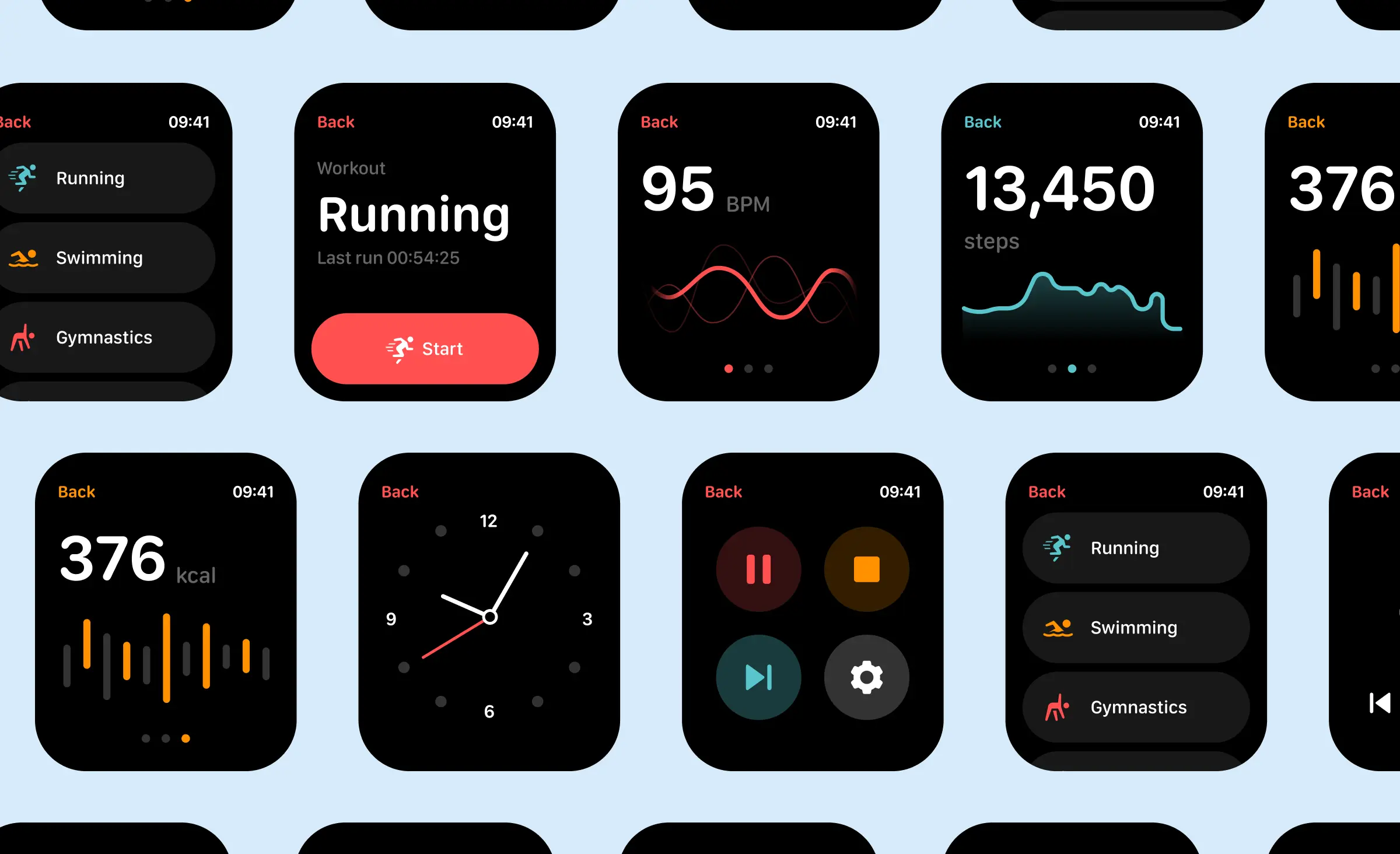
Wear OS app development
On the Android side the platform is Wear OS, and the old name, Android Wear, still appears in outdated articles. Google's current guidance is Kotlin with Compose for Wear OS, which it calls the recommended approach for building Wear OS interfaces, together with Wear-specific navigation and list components rather than the phone equivalents.
Three Wear OS pieces are worth knowing by name.
- Health Services sits between your app and the sensors. Google documents it as an intermediary to the sensors and their algorithms that configures them for your use case and computes metrics such as heart rate, distance, calories, elevation, floors, speed and pace. You read prepared values instead of filtering raw sensor output yourself.
- Tiles are swipeable panels next to the watch face for quick actions and quick information.
- The Data Layer API keeps the watch app and the phone app in sync over Bluetooth and Wi-Fi, the same job Watch Connectivity does on Apple.
Release cadence differs from Apple in a way that matters for planning. A Wear OS app has its own track in Play Console, so you can roll out a watch release independently of the phone release. On Apple both go out together, which means a watch fix waits for the phone app to be ready.
Garmin matters for sport and outdoor products. Garmin's Connect IQ SDK uses its own language, Monkey C, and splits work into watch faces, data fields, widgets and device apps. It is a separate skill set, so we treat it as its own line in an estimate rather than a variant of the watch app.
Where wearable projects actually get hard
Each of the risks below changes the scope, so we name them before the contract is signed.
- The interaction budget is seconds. A watch user is walking, lifting or driving. If your screen needs reading, it fails.
- Battery is a product decision. Continuous heart-rate reads, GPS and a live connection all draw power. Sampling frequency is something to decide with the client during design, because it is much harder to walk back later.
- Connectivity gaps are the normal case. The phone will be out of range. Data has to queue on the watch and reconcile later without duplicates, which is where most wearable bugs live.
- Health data carries its own legal weight. Heart rate, sleep and cycle data count as data concerning health under the GDPR. That is a special category of personal data, so you need one of the extra conditions in Article 9, and in practice that means explicit consent for a purpose you have named. In the US, HIPAA applies only if you handle the data for a healthcare provider, a health plan or a similar covered organisation; a consumer fitness app is usually outside it. A product that claims to diagnose or treat answers to a different regulator, because it can qualify as a medical device under FDA rules.
- Both stores police health permissions at review. Apple reads the two purpose strings your app shows for reading and writing health data and expects them to name the data and the use. For Health Connect and body sensor permissions, Google asks for a declaration form in Play Console with a detailed justification and reviews it before granting access. Every extra data type adds text to write and a reason to defend.
- Testing needs hardware and wrists. Simulators do not reproduce sensor noise, sweat, cold fingers or a watch worn loosely.
“Watch design starts with the numbers you decide not to show. We lay out the one metric the user raised their wrist for, size the tap targets for a hand that is moving, and check contrast on the smallest round screen in the range before anything goes to build. A layout that looks balanced in Figma often loses its main number on a real watch.”
Elizaveta Denisova, Lead Designer at Ronas IT



How we build a wearable app
The process is phone-first, because the watch scope depends on decisions made on the phone.
1. Decide what the watch is for
We start from a single sentence: what does the user do on the watch that they will not do on the phone? Answers that work are narrow. Start a workout, confirm a payment, see the next delivery, log a dose. If the answer is "everything the phone app does", the watch app will be bad and expensive.
2. Choose the platforms and the split
Here you pick watchOS, Wear OS or both, and decide which parts are companion and which are independent. This is also where the technical split lands: React Native for the phone app, native Swift or Kotlin for the watch app. Our note on choosing the right technology for mobile app development covers the wider version of that decision.
3. Design for the glance
Watch design starts with the smallest and roundest screen you plan to support, high contrast, large type and touch targets sized for a moving hand. Our design team prototypes on the device early, while changing the layout is still cheap.
4. Build the phone app, then the watch target
The phone app carries accounts, sync, history and business logic. The watch target reads what it needs through Watch Connectivity or the Data Layer API and keeps a local cache for offline use. Health integration goes in here, and it is the same plumbing whether or not a watch is involved: on our cross-platform fitness app project, delivered under NDA with React Native and a Node.js backend, heart-rate and step data came in through HealthKit on iOS and Google Fit on Android, feeding an AI recommendation layer. That project had no watch target, and the same integration today would read Android data through Health Connect, because Google is retiring the Google Fit APIs in 2026. Our guide to fitness app development covers the phone-side data model in more detail.
5. Test on wrists, then release
Device testing covers battery drain over a full day, behavior when the phone leaves range, and sensor accuracy during real movement. Then the release follows the platform: one App Store submission on Apple, a separate Wear OS track on Google Play.
6. Watch what people actually use
After release, complication and Tile usage tell you more than app opens do. Most watch products get better by cutting screens, not by adding them, and mobile app maintenance is where that trimming happens.
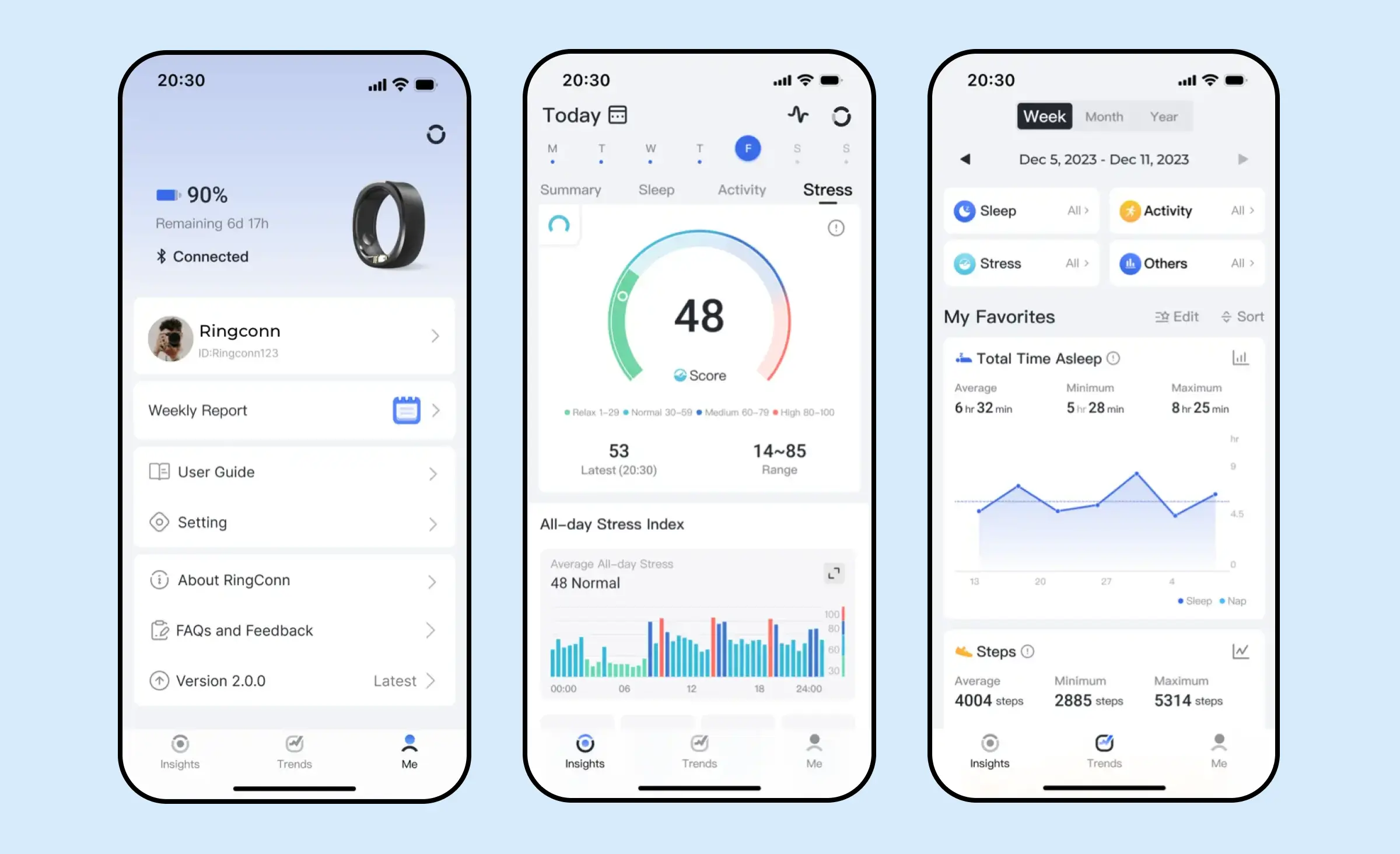
Rings and bands are the clearest case. They do not run third-party apps, so there is no watch target to build. The whole product is your phone app plus a Bluetooth Low Energy integration with the device, priced and planned as a mobile project with a hardware dependency.
How much does wearable app development cost?
The phone app sets the base price and the watch target is quoted on top of it. If you already have a phone app, only the watch line is new. If you do not, start from the phone row that matches your plan, or from an MVP if the product itself is still unproven. The starting prices and timelines below come from our price list.
| What you are buying | Starting price | Timeline |
|---|---|---|
| Cross-platform phone app (React Native, iOS and Android) | from $20,000 | from 4 weeks |
| Native iOS phone app | from $25,000 | from 8 weeks |
| Full-featured MVP | from $25,000 | from 6 weeks |
We do not publish a fixed price for a watch companion, and any company that does is guessing. Four answers set that number, and you can work out from them whether your watch part is a small line or a second project.
| What we ask | Why it moves the price |
|---|---|
| How many watch screens do you need? | Each one is designed for a round display, built natively and tested on hardware |
| Must the app work without the phone? | An independent app needs its own storage, its own sync and conflict rules |
| Which health data do you touch? | Every extra data type adds permission text, review risk and compliance work |
| How many device families do you support? | Apple Watch, Wear OS and Garmin each need their own build and test devices |
Send the feature list and the devices you care about, and we price the watch target against them, the same way we price any cross-platform app development scope.
What to do next
- Write the one sentence that says what the user does on the wrist. If you cannot write it, you do not need a watch app yet.
- Check whether your target device accepts third-party apps at all. Rings, bands and Fitbit watches do not, so plan a phone app with a data integration instead.
- Budget two app targets, not one, and count the design work for the small screen as its own line rather than a rounding error on the phone app.
- Plan device testing with real hardware before you plan a launch date, including a full day of battery observation for every build that touches sensors.
Frequently Asked Questions (FAQs)
Can you build an Apple Watch app with React Native?
How much does wearable app development cost?
How long does it take to build a wearable app?
Can you add a watch app to an app we already have?
Which wearable platform should we build for first?
Can we still ship apps to Fitbit devices?
What health data can a watch app read?
How do you build an app for a smart ring or a fitness band?
Related posts


Related Services
React Native App Development Services
Save time and costs with Ronas IT's React Native app development, allowing cross-platform capabilities for iOS and Android. Our team has built 20+ React Native apps since 2020, ensuring rapid development, flexible maintenance, and cost-effective solutions.
MVP Development Services
Need to launch your startup quickly? Ronas IT offers urgent MVP development services, allowing you to get a fully-functional app in 4 to 12 weeks, depending on scope. Ideal for testing business ideas, presenting to investors, or entering the market swiftly. Benefit from our extensive experience and accelerated development process.
Cross-platform App Development
Ship to iOS and Android from one React Native codebase instead of funding two native teams. Ronas IT handles UI/UX design, development, and the releases to Google Play and the App Store, delivering high-performance, secure apps within 2 to 4 months.
iOS App Development Services
Choose native iOS when the product leans on Apple hardware, the newest OS features, or the wider Apple ecosystem. Ronas IT builds on Swift and SwiftUI and covers UI/UX design, development, the App Store release, and ongoing support, with single-purpose apps shipping in 8-12 weeks.