Design systems for scale: Building consistent, efficient UI/UX for digital products


Design systems for scale are transforming how fast-growing companies build and manage digital products. By establishing shared rules and reusable assets, businesses achieve UI/UX consistency and deliver a seamless user experience, even as products evolve. Scalable UI/UX design is critical for both startup and enterprise UI/UX, making it possible to launch features quickly and adapt to changing markets. In this article, we explore what a design system is, its core elements, UI/UX best practices for scalability, and how to build flexible design systems for scale.
What is a design system for scale?
Simply put, a design system for scale is a living toolkit of rules, reusable parts, and resources that helps teams create digital products with a consistent look and feel, even as the business grows. Strong UI/UX design is much easier to achieve when everyone uses the same system, rather than starting from scratch or guessing what fits the brand.
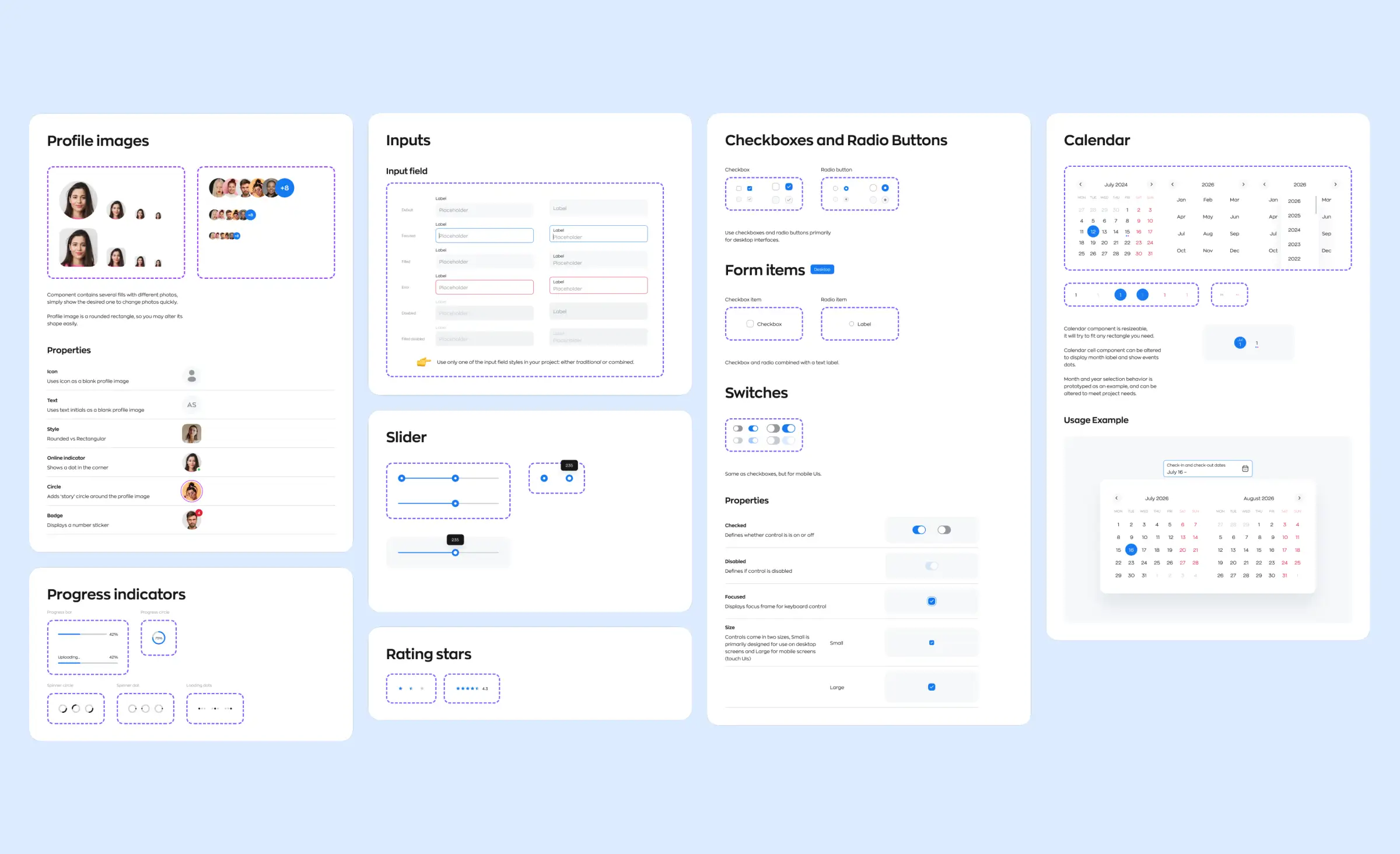
A big part of any design system implementation is building component libraries design. These libraries collect ready-made elements like buttons, forms, and cards so designers and developers can work faster and avoid errors. Design tokens also play a key role; they are simple values like colors or font sizes that help every screen stay on-brand. When a token changes, the whole product updates — saving time and keeping everything consistent.
Better processes
Having a shared design system brings order to design processes. Documentation, guides, and real examples make onboarding new team members simple, especially as your company grows. When teams use the right design tools, everyone can work together and hand off work to frontend development smoothly, reducing roadblocks before launch.
Team collaboration in design is another benefit. Designers, developers, and managers can all speak the same language and solve problems faster. Following design best practices and relying on design operations (DesignOps) help teams keep projects efficient and on track.
Why UI/UX consistency matters for large-scale products
When digital products grow, keeping everything consistent is one of the biggest challenges teams face. UI/UX consistency is about creating a user experience that feels familiar and reliable each time someone visits your website or opens your app. Without it, even the best features can get lost in uneven design.
Design systems for scale tackle these problems from the start. By setting clear standards, businesses gain both cross-product consistency and product consistency. Your apps, dashboards, and web platforms will always look and behave the way users expect, preserving trust and brand recognition. When teams follow strong brand guidelines, they make sure that every button, color, and font supports the company's image. This is especially important in enterprise UI/UX, where updates and new features often go live across several complex platforms.
Building consistency into your products
Good consistency also depends on design governance. When you have a team or process to review changes, everyone stays on the same path, whether working on web design, mobile apps, or internal tools. Some ways to support scalable UI/UX design and strong consistency include:
- Using clear design principles and design best practices
- Relying on established UI frameworks
- Connecting design and frontend development teams
- Including product management in decision making
Combined, these steps prevent mistakes and make projects less overwhelming. When you prioritize UI/UX consistency in digital product design, you help users feel comfortable and confident at every step.
Core elements: Components, tokens, and libraries
Building successful digital products at scale doesn't happen by accident. It requires a reliable set of building blocks that every designer and developer can trust. These core elements form the backbone of any modern design systems for scale.
Component libraries
At the heart of component libraries design is the idea of having a collection of reusable, approved parts that solve common interface needs. Think about all the buttons, input fields, dropdowns, and navigation bars a team might create again and again. Instead of reinventing these elements for every new project, teams can tap into a shared library. This means designers and developers work faster, reduce errors, and keep the product's look and feel uniform.
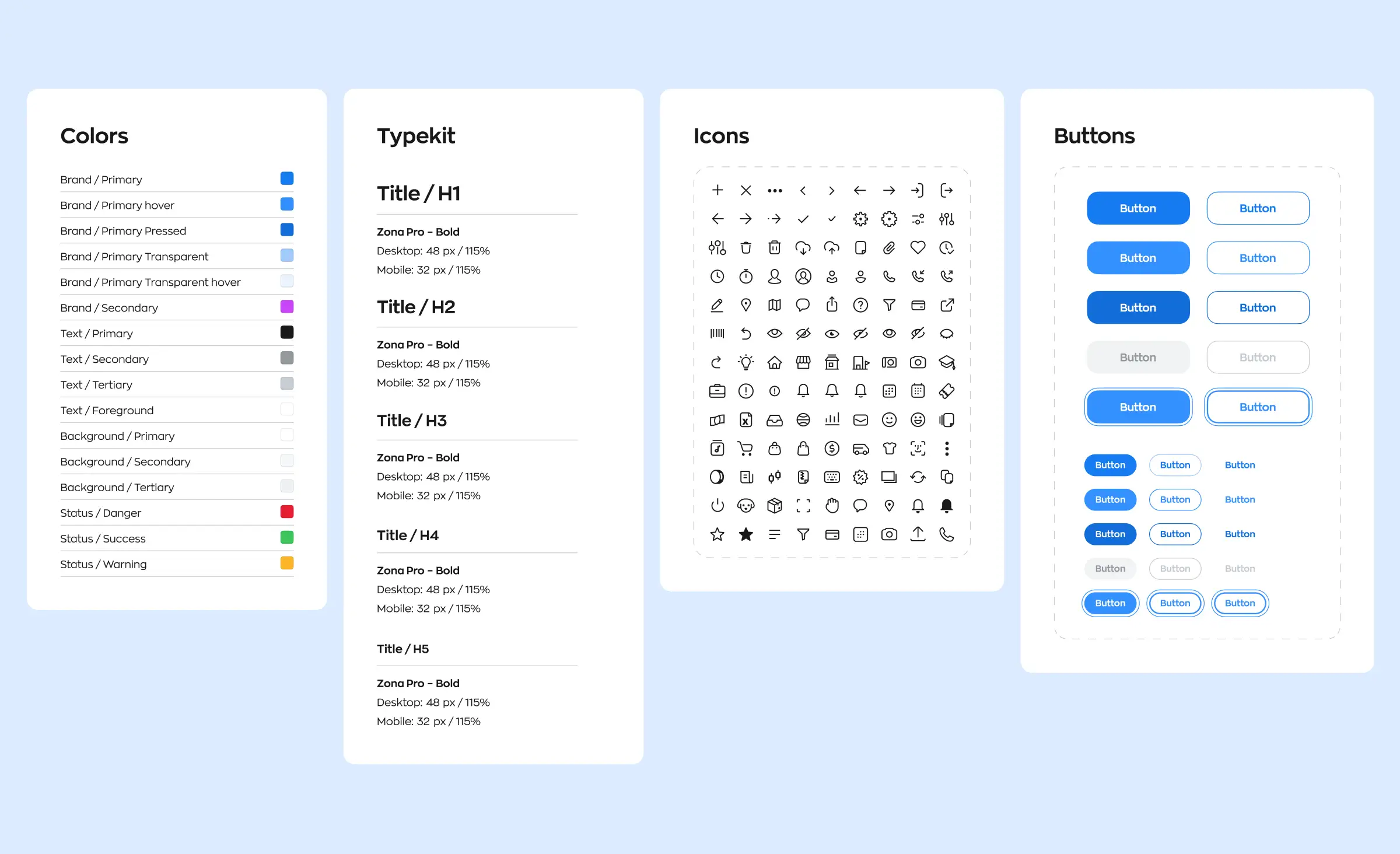
For example, in a mobile app design project, using a component library ensures that buttons have the same shape, color, and states whether users see them on a login screen or in a shopping cart. In enterprise UI/UX environments, such as dashboard platforms, a component library helps keep hundreds of screens visually unified, even as feature sets expand over time.
Design tokens
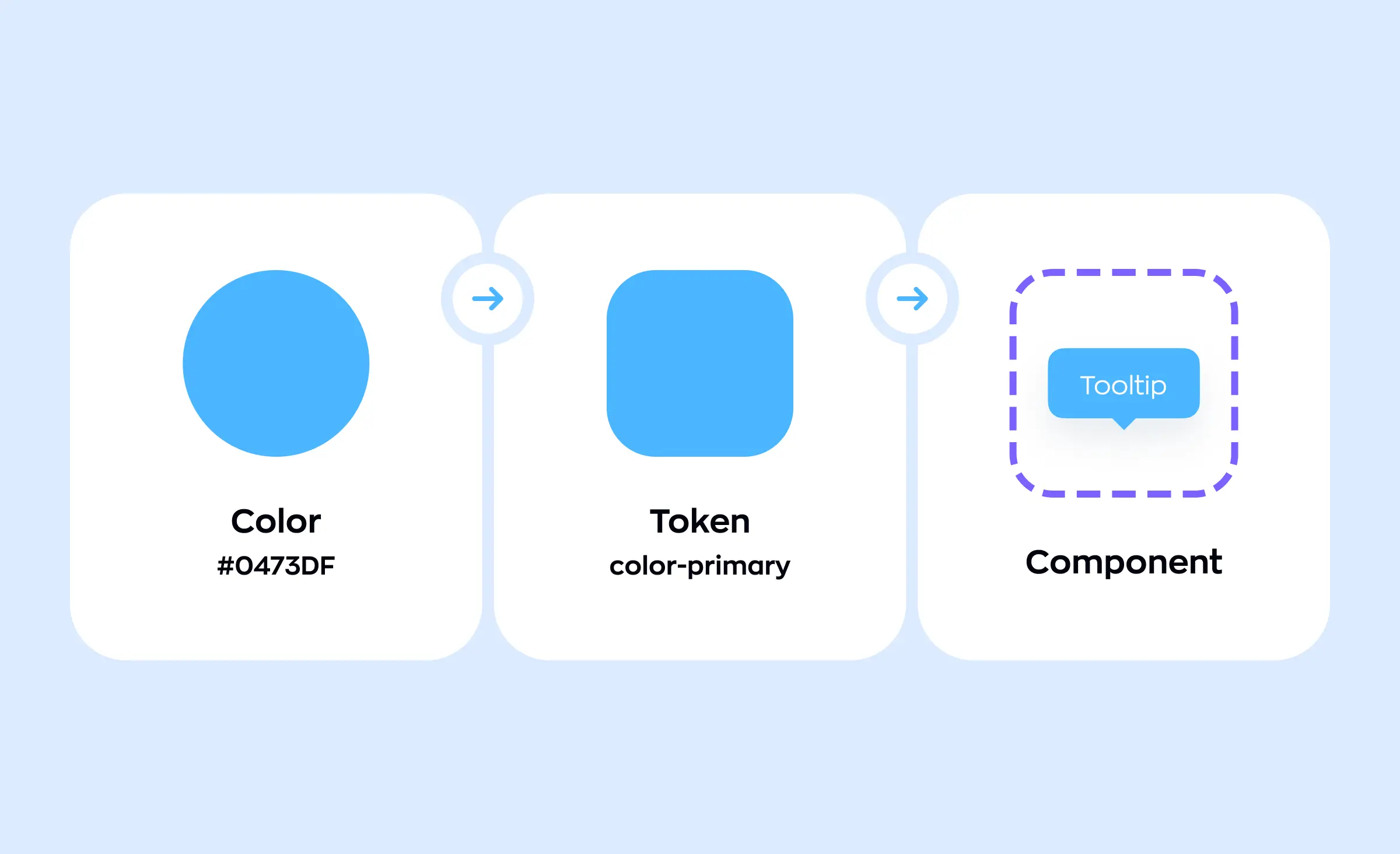
While component libraries focus on structure, design tokens take care of style. A design token is a single source of truth for things like colors, font sizes, spacing, or shadows. For instance, if a company's brand blue changes, updating the token will instantly refresh that color across every button, header, and chart — no manual edits needed.
Tools and frameworks
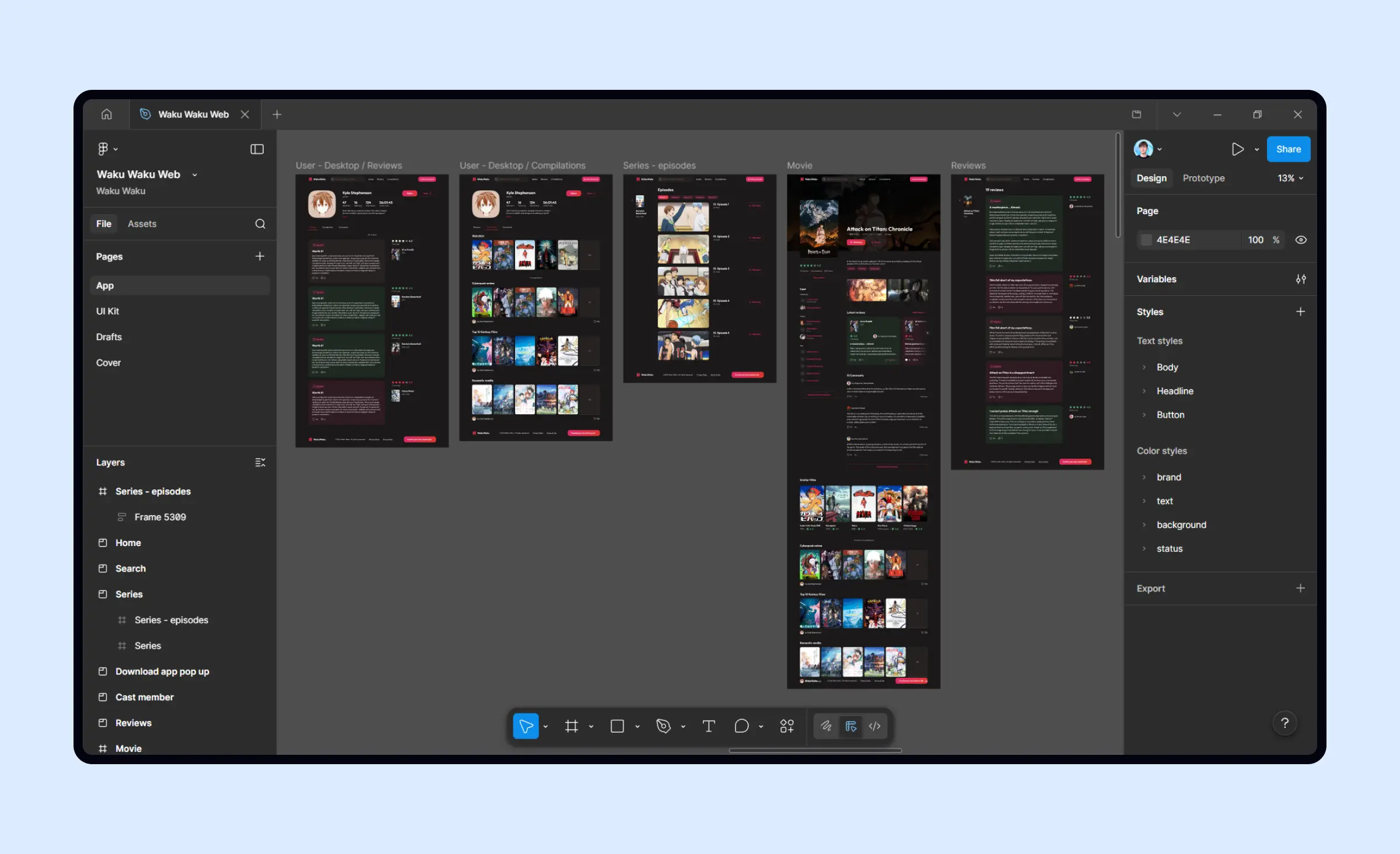
To get the most from component libraries design and tokens, teams rely on proven design tools and UI frameworks. Tools like Figma, Sketch, or Storybook make it easy to manage, document, and test how components and tokens work together. When these tools integrate with UI frameworks such as React or Vue, the design intentions flow directly into code, making frontend development best practices part of everyday work.
Good design system implementation also means keeping libraries up-to-date and versioned. Clear design processes are critical here. A team might add a new table cell or alert component, for example, but only after it passes review and is documented for everyone to follow. Design operations (DesignOps) put rules and workflows in place to ensure high standards, smooth collaboration, and easy maintenance as the product changes.
Agile design processes
Agile UI/UX development relies heavily on these elements. As teams move fast and user needs change, having a rock-solid base of reusable components lets designers and developers ship new features quickly without sacrificing quality. This approach supports continuous improvement not only in digital product design but in any business looking to grow.
Component libraries design, combined with design tokens, the right design tools, and strong processes, makes building modern web and mobile products smoother and more scalable than ever. With these pieces in place, companies can launch features confidently and keep the user experience seamless, from startup prototypes to enterprise UI/UX systems.
UI/UX best practices and tools
Sustaining design quality as your business grows means adopting the right tools and a smart, collaborative process. Here are some best practices for scalable UI/UX design in large projects:
- Start with clear design system implementation. Strong systems are the backbone of UI/UX consistency and ensure every new feature fits your brand.
- Rely on design best practices and shared UI/UX design standards. Consistent guidelines help teams deliver great user experiences across web design and mobile app design.
- Choose flexible design tools. Platforms like Figma make collaboration easy and streamline updates, while supporting the needs of enterprise UI/UX.
- Apply front-end development best practices. Clean, modular code turns designs into efficient, scalable products.
- Integrate design collaboration tools. Asset sharing, prototyping, and real-time feedback tools boost team collaboration design and connect designers to product management.
- Strengthen design operations (DesignOps). Efficient processes and clear roles make design efficiency in large projects a reality.
- Support agile UI/UX development. Iterative work allows faster releases, adapts to user needs, and drives digital transformation design.
By combining these steps, your team can maintain high standards, achieve reliable UI/UX consistency, and scale digital product design for lasting growth.
From principles to practice: Scalable UI/UX and development
Great digital products don't happen by chance, they follow strong design principles from concept to release. These principles guide every part of UI/UX design, ensuring the end result works for real users and is easy to improve over time.
Creating a scalable UI
Design principles set the foundation for clarity, accessibility, and usability in scalable UI/UX design. To create a truly scalable UI, teams should document these standards and apply them to every page and feature. Building a robust UI-kit, containing buttons, cards, input fields, and layout patterns, ensures that all interface elements stay consistent and easy to update as the product changes. This is especially vital for enterprise UI/UX, where many teams may touch the same project over time.
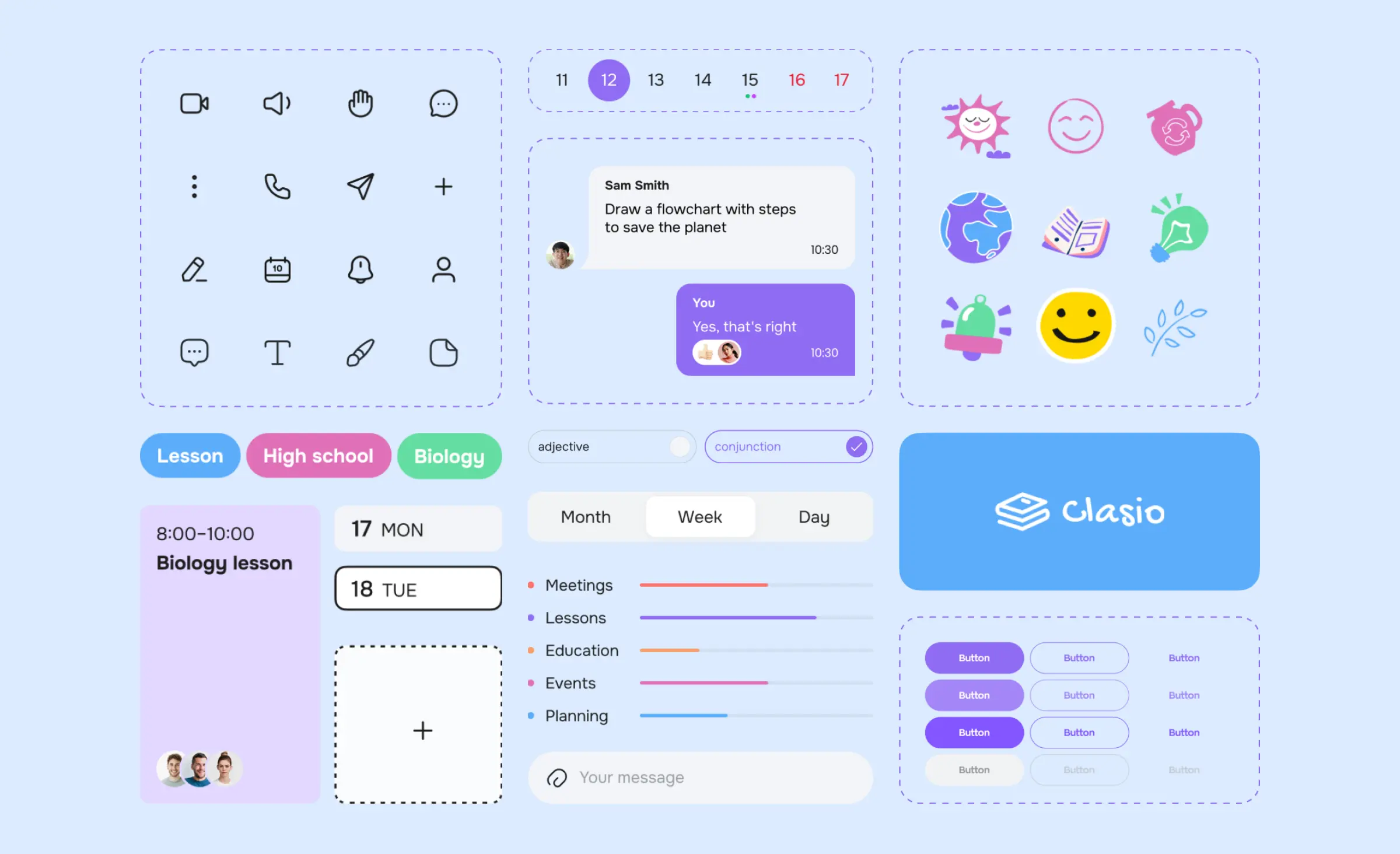
Using reliable UI frameworks, along with a thoughtfully prepared component library design, lets teams quickly turn wireframes into production-ready screens. These frameworks, together with reusable components from the UI-kit, help developers and designers avoid repetitive work and reduce errors. In large projects, these building blocks produce the design efficiency large projects need and safeguard lasting product consistency for a seamless user experience.
Connecting design and development
Bridging the gap between UI/UX design and frontend development is a critical step. When these teams collaborate across all stages, better user experiences become the norm. Team collaboration in design means problems are solved early, and modern digital product design moves forward smoothly.
Design best practices and agile UI/UX development set the framework from early sketches right through to launch. To move from scalable design to scalable development, teams need clear design system implementation. With a thorough design system in place, developers can pull ready-made components and UI patterns directly from the UI/UX design team's work, making web design and mobile app design much faster and more reliable. This means updates are easier and scaling across different platforms is smoother, because everyone works from a single source of truth.
Design operations (DesignOps) streamline this process even further. By managing how teams collaborate and standardizing workflows, DesignOps ensures that developers and designers stay aligned. This helps teams spend more effort on building new features and less on fixing handoff issues or miscommunications.
Whether you're building for enterprise UI/UX or launching a new mobile app, connecting UI/UX design and frontend development through design systems allows you to create consistent, efficient experiences that users trust.
How Ronas IT can help with design systems for scale
At Ronas IT, we help businesses create strong design systems for scale, making sure products look and work great as they grow. Our team has broad experience in UI/UX design, digital product design, and development for web, mobile, and enterprise platforms.
Comprehensive services for companies of any size
We start every project with a clear design system implementation, following proven processes and brand guidelines to keep your style on point and every team aligned. Whether you need web design or mobile app design, our experts adapt solutions to your specific industry and user needs.
Our custom design services cover everything from idea and concept, to mind maps, user journeys, and finished interfaces. We build strong component libraries design so that every button, field, or chart remains consistent across your apps. With our ready UI-kits, you will be able to scale your product smoothly, even as your project expands.
Development and collaboration done right
We also provide top-tier frontend development and backend development, ensuring a seamless handover from creative to code. Our approach relies on modern design tools and efficient design collaboration tools, so communication between designers and developers is fast and accurate.
We encourage team collaboration design on every project. Through clear workflows, regular reviews, and shared UI frameworks, we make development smoother and catch issues early. Design governance and design operations (DesignOps) add another level of quality, helping keep your visual style, documentation, and workflows clear as your systems grow.
Agile mindset, reliable results
Large businesses and startups alike trust us for agile UI/UX development. We support rapid feature launches and updates, always putting user experience and design efficiency large projects at the center of our work. Our expertise in enterprise UI/UX and close ties with product management give you confidence that your product will scale and succeed.
Case studies
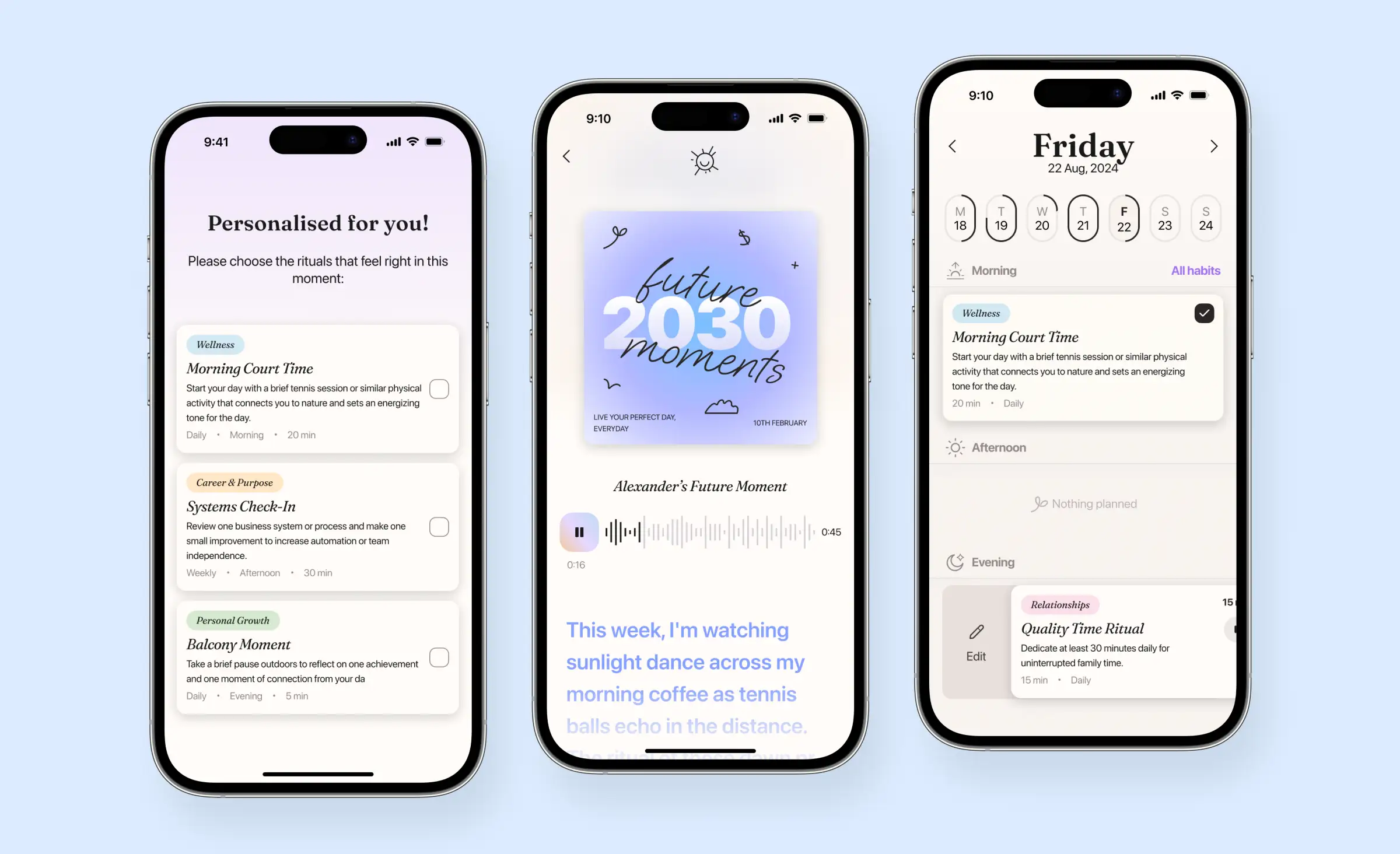
For this AI-based habit-formation app, we helped the client create a scalable design by building a comprehensive design system in Figma, complete with a UI-kit and reusable component library. Our process ensured UI/UX design consistency across onboarding, journaling, and habit features, making it easy for developers to implement future updates or expand functionality. By focusing on design efficiency and providing well-documented UI patterns, we set the foundation for smooth collaboration and seamless scaling as the app grows. This approach guarantees that new features and platforms can be developed quickly, all while maintaining a cohesive user experience.
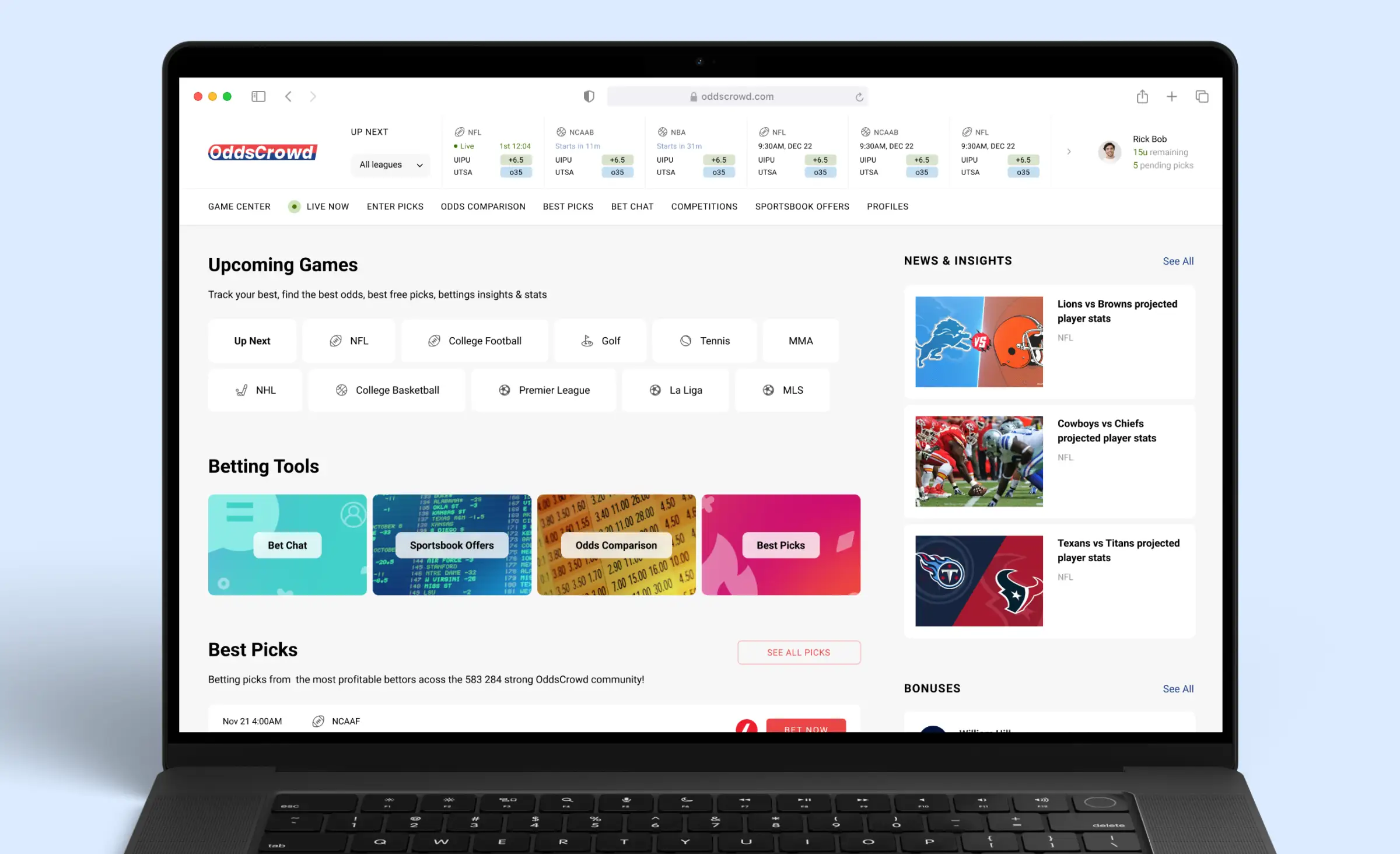
For the OddsCrowd sports betting community web app, we designed and developed a scalable solution by building out a structured design system and a detailed UI-kit in line with the client's brand and requirements. Our approach ensured UI/UX design consistency across dashboards, live game data, betting tables, and profiles, using reusable components to speed up both web development and future updates. By organizing and documenting all interface elements in an adaptable UI-kit, we made it easy for the OddsCrowd team to expand features or onboard new developers without losing clarity or efficiency. This foundation allowed for smooth collaboration and ongoing scalability as the platform evolved, ensuring a seamless user experience even as new data sources and features were integrated.
Conclusion: Start scaling with better design
Digital transformation design is no longer a trend — it's a necessity for companies that want to grow and adapt to new markets. Using design systems for scale ensures your digital product design isn't just beautiful but also practical, efficient, and ready to support ever-changing business needs. With each new release, maintaining UI/UX consistency becomes more challenging, especially in enterprise UI/UX environments where projects are complex and involve multiple teams.
Product management plays a pivotal role in guiding this transformation. Coordinating between teams, establishing priorities, and keeping everyone focused on shared goals enable smooth and scalable UI/UX design. Relying on agile UI/UX development allows your teams to adapt quickly, iterate on features, and meet shifting user expectations. Robust design operations (DesignOps) and design best practices form the backbone of your workflow, making sure knowledge is shared and quality remains high project after project.
In practical terms, design operations (DesignOps) and strong product management help bridge the gap between design and frontend development, reducing friction and creating a smoother path from concept to launch. A strategic approach to UI/UX design, paired with a strong foundation in web design and mobile app design, lets your team achieve design efficiency large projects demand, while delivering a unified user experience across platforms.
Digital transformation design is about creating systems, processes, and teams that support long-term success. By building design systems for scale, focusing on consistency, and always putting the user first, companies set themselves up for sustainable growth and excellent digital experiences, project after project.
Related posts










Related Services


Development
React Native App Development Services


Development
MVP Development Services
Development